







Question: in python, pls explain and make sure the answer is correct, will upvote! Use the .drop() method to drop both the rank1 and rank2 columns
in python, pls explain and make sure the answer is correct, will upvote!
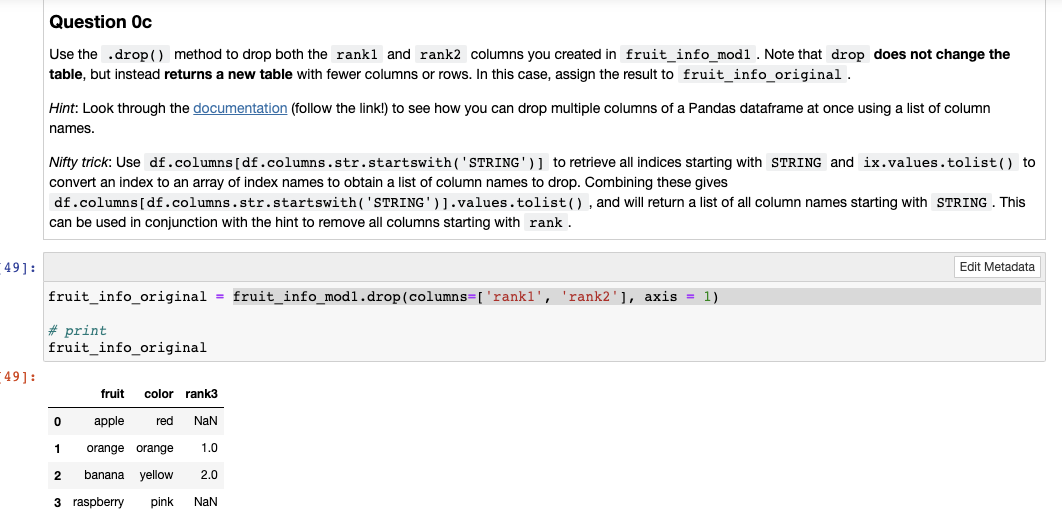
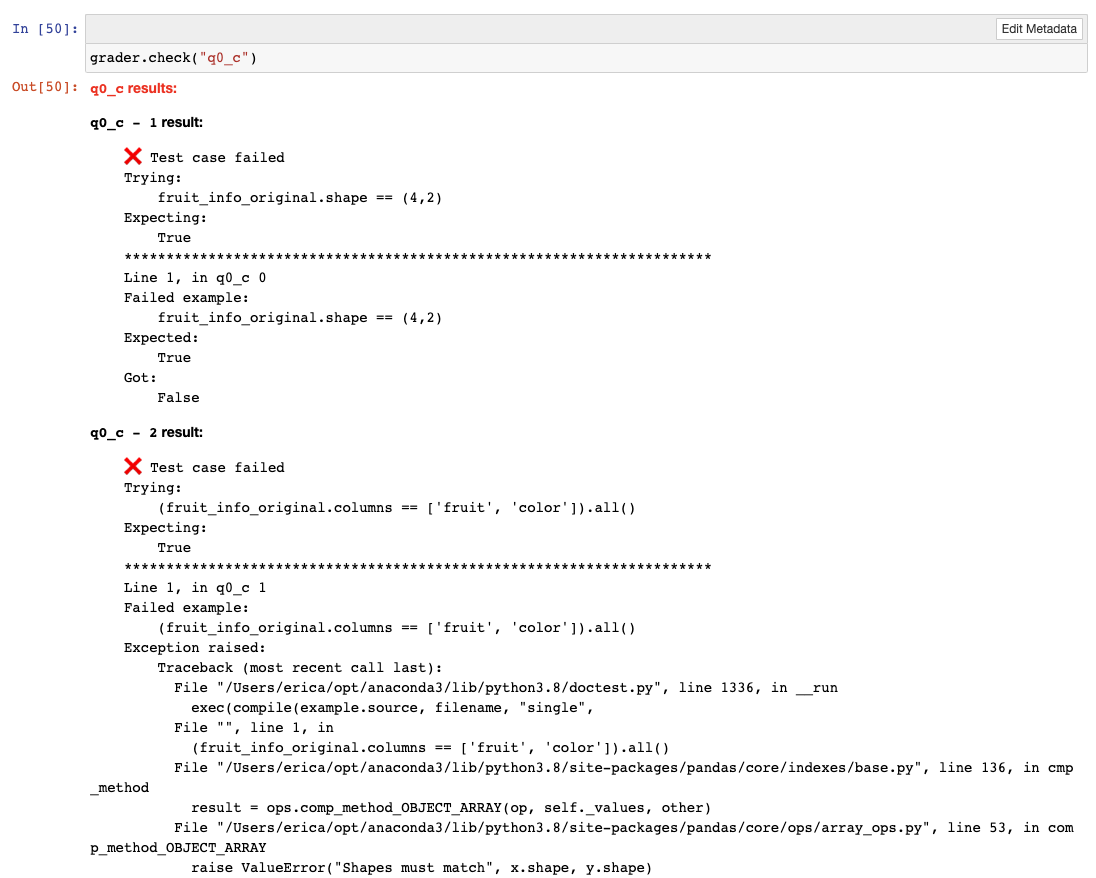
Use the .drop() method to drop both the rank1 and rank2 columns you created in fruit_info_mod1. Note that drop does not change the table, but instead returns a new table with fewer columns or rows. In this case, assign the result to fruit_info_original. Hint: Look through the documentation (follow the link!) to see how you can drop multiple columns of a Pandas dataframe at once using a list of column names. Nifty trick: Use df . columns [df . columns.str.startswith ( 'STRING' )] to retrieve all indices starting with convert an index to an array of index names to obtain a list of column names to drop. Combining these gives df.columns [df. columns.str.startswith( 'STRING') ] .values.tolist(), and will return a list of all column names starting with . This can be used in conjunction with the hint to remove all columns starting with rank. fruit_info_original = fruit_info_mod1.drop(columns=['rank1', 'rank2'], axis = 1) \# print fruit_info_original 50]: grader. check( "q0_c") 50] : q0_c results: q0_c - 1 result: Test case failed Trying: fruit_info_original.shape ==(4,2) Expecting: True Line 1, in q0_c 0 Failed example: fruit_info_original.shape ==(4,2) Expected: True Got: False q0_c - 2 result: Test case failed Trying: (fruit_info_original.columns == ['fruit', 'color']).all() Expecting: True Line 1, in q0_c 1 Failed example: (fruit_info_original.columns == ['fruit', 'color']).all() Exception raised: Traceback (most recent call last): File "/Users/erica/opt/anaconda3/lib/python3.8/doctest.py", line 1336, in _run exec (compile (example.source, filename, "single", File"", line 1, in (fruit_info_original.columns == ['fruit', 'color']).all() File "/Users/erica/opt/anaconda3/lib/python3.8/site-packages/pandas/core/indexes/base.py", line 136, in cmp _method result = ops.comp_method_OBJECT_ARRAY (op, self._values, other) File "/Users/erica/opt/anaconda3/lib/python3.8/site-packages/pandas/core/ops/array_ops.py", line 53, in com p_method_OBJECT_ARRAY raise ValueError("Shapes must match", x.shape, y.shape)
Step by Step Solution
There are 3 Steps involved in it

Get step-by-step solutions from verified subject matter experts
 Study Help