







Question: IN PYTHON. PLZZ CAREFULLY ANSWER ALL QUESTIONS. I WILL LIKE. Loading data from a CSV file into a DataFrame In [33]: # read the contents
 IN PYTHON. PLZZ CAREFULLY ANSWER ALL QUESTIONS. I WILL LIKE.
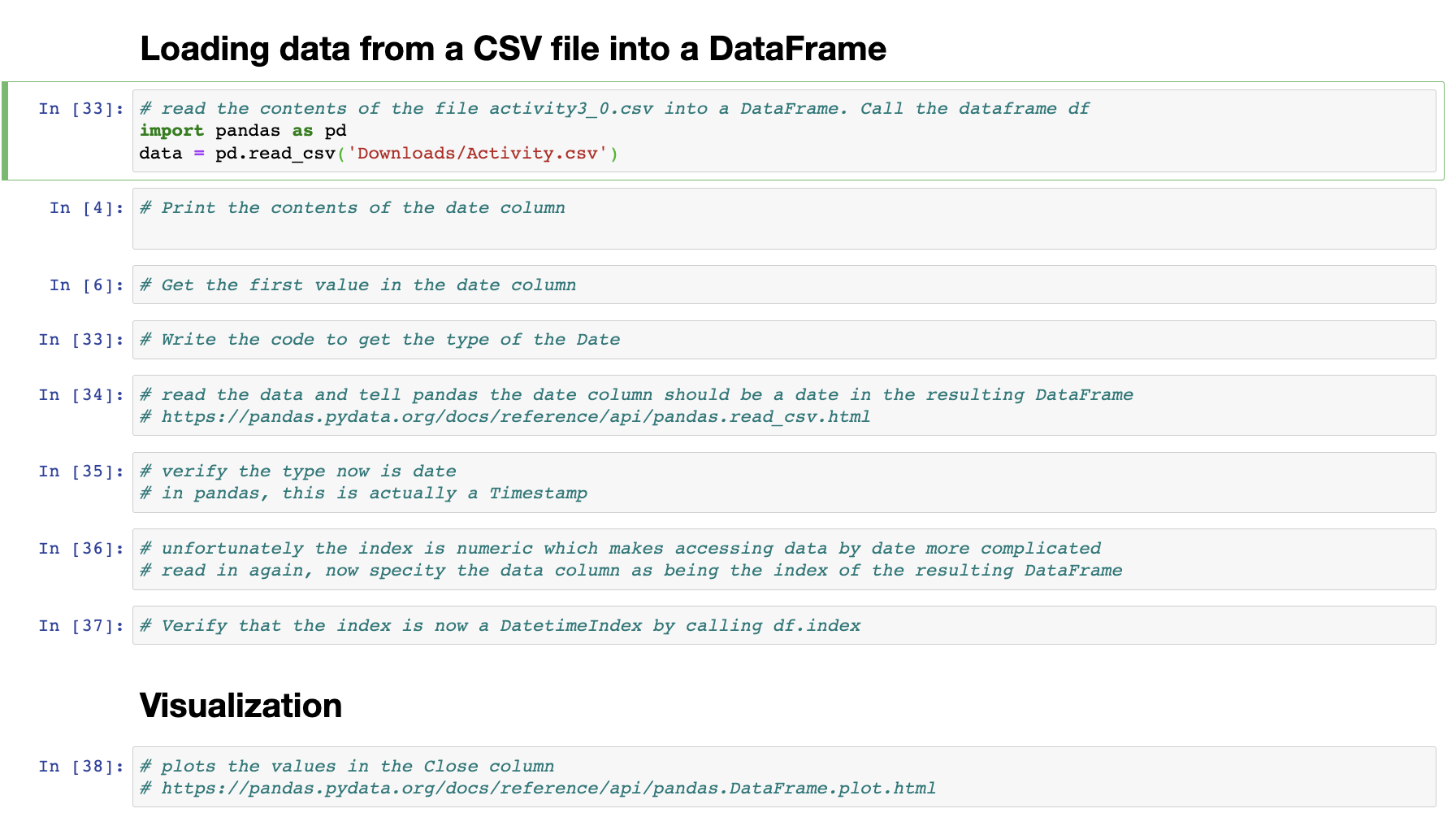
Loading data from a CSV file into a DataFrame In [33]: \# read the contents of the file activity3_o.csv into a Dataframe. Call the dataframe df import pandas as pd data = pd.read_csv( 'Downloads/Activity.csv') In [4]: \# Print the contents of the date column In [6]: \# Get the first value in the date column In [33]: \# Write the code to get the type of the Date In [34]: \# read the data and tell pandas the date column should be a date in the resulting Dataframe \# https://pandas.pydata.org/docs/reference/api/pandas.read_csv.html In [35]: \# verify the type now is date \# in pandas, this is actually a Timestamp In [36]: \# unfortunately the index is numeric which makes accessing data by date more complicated \# read in again, now specity the data column as being the index of the resulting Dataframe In [37]: \# Verify that the index is now a DatetimeIndex by calling df.index Visualization In [38]: \#plots the values in the close column \# https: //pandas.pydata.org/docs/reference/api/pandas.DataFrame.plot.html
Step by Step Solution
There are 3 Steps involved in it

Get step-by-step solutions from verified subject matter experts
 Study Help