







Question: In PYTHON Tally Counter Application Finish coding the Tally Counter Application which is stored in the counter.py and counterdemo.py files . We want to add
In PYTHON
Tally Counter Application
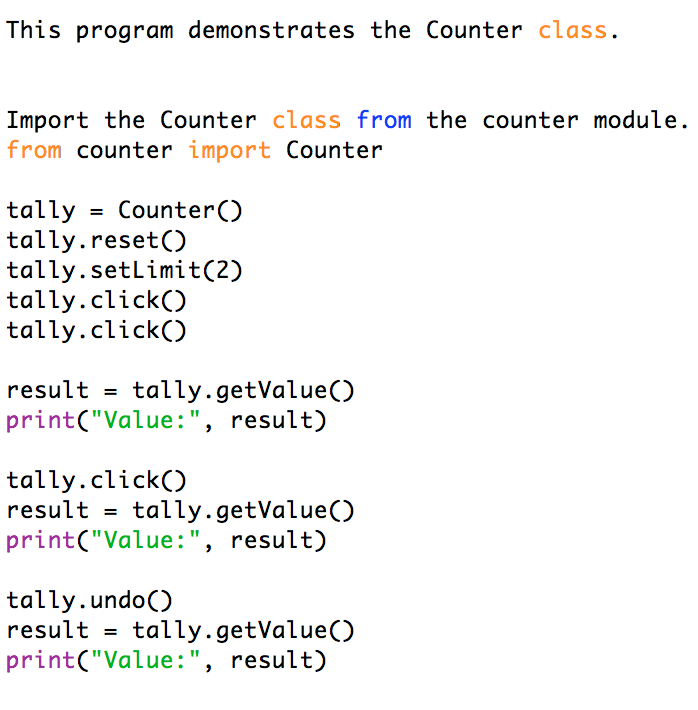
Finish coding the Tally Counter Application which is stored in the counter.py and counterdemo.py files . We want to add a button to the tally counter that allows an operator to undo an accidental button click. Provide the undo(self) method that simulates such a button. The tally counter should also be used to admit a limited number of people. The limit is set with a call to the setLimit(self, maximum) method which you will need to code. If the count button is clicked more often than the limit, simulate an alarm by printing out a message Limit exceeded.
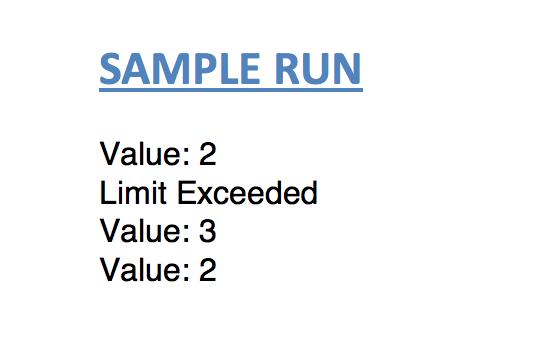
Note: To complete this assignment, you will need to use the counter.py and counterdemo.py located below as a starting point. You will not be allowed to make any changes to counterdemo.py. The SAMPLE RUN needs to run exactly as it is shown below.
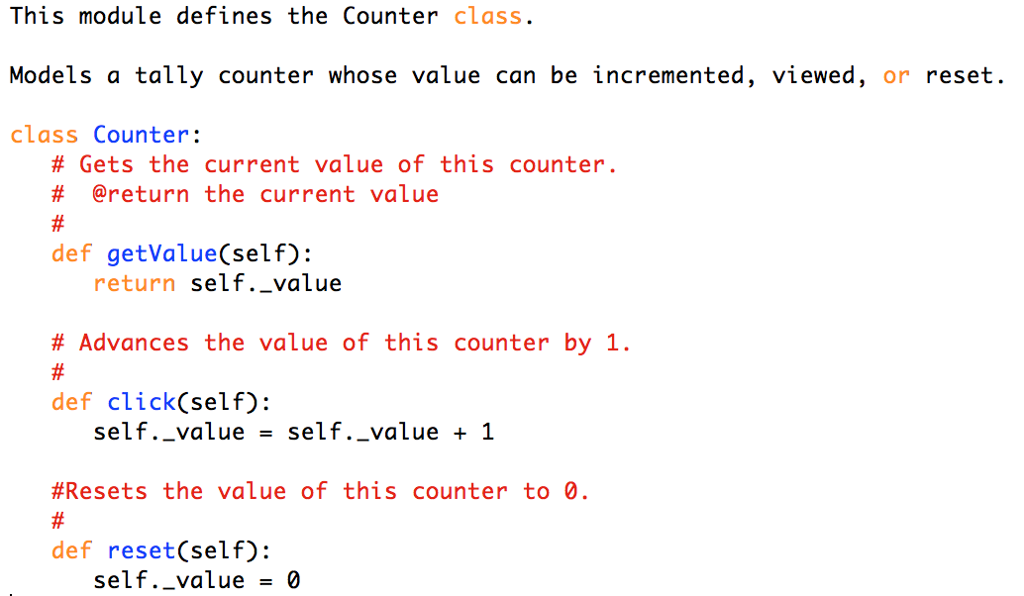
Counter.py
Counterdemo.py
SAMPLE RUN:
This module defines the Counter class. Models a tally counter whose value can be incremented, viewed, or reset. class Counter: # Gets the current value of this counter. # @return the current value def getValue(self) return self._value # Advances the value of this counter by 1. def click(self): self-value = self-value + 1 #Re sets the value of this counter to 0. def reset(self): self..value0
Step by Step Solution
There are 3 Steps involved in it

Get step-by-step solutions from verified subject matter experts
 Study Help