







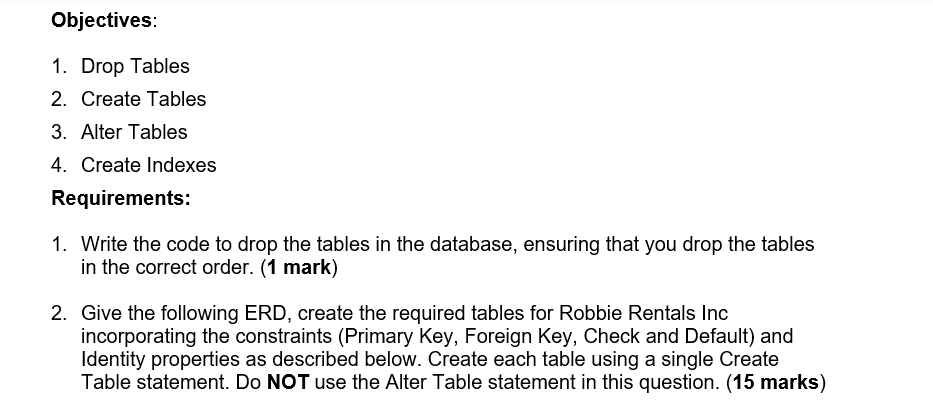
Question: In SQL Objectives: 1. Drop Tables 2. Create Tables 3. Alter Tables 4. Create Indexes Requirements: 1. Write the code to drop the tables in
In SQL
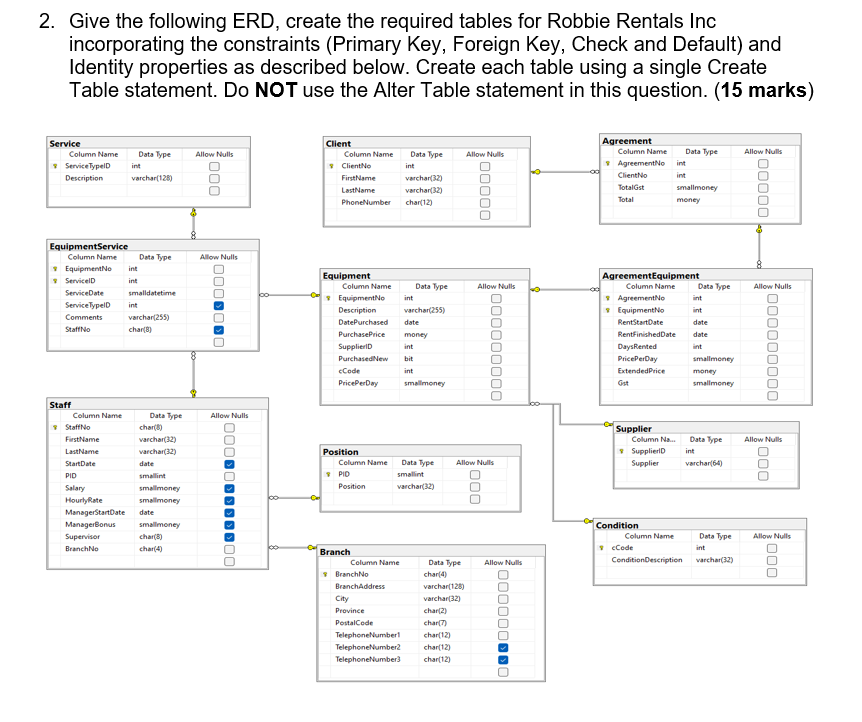
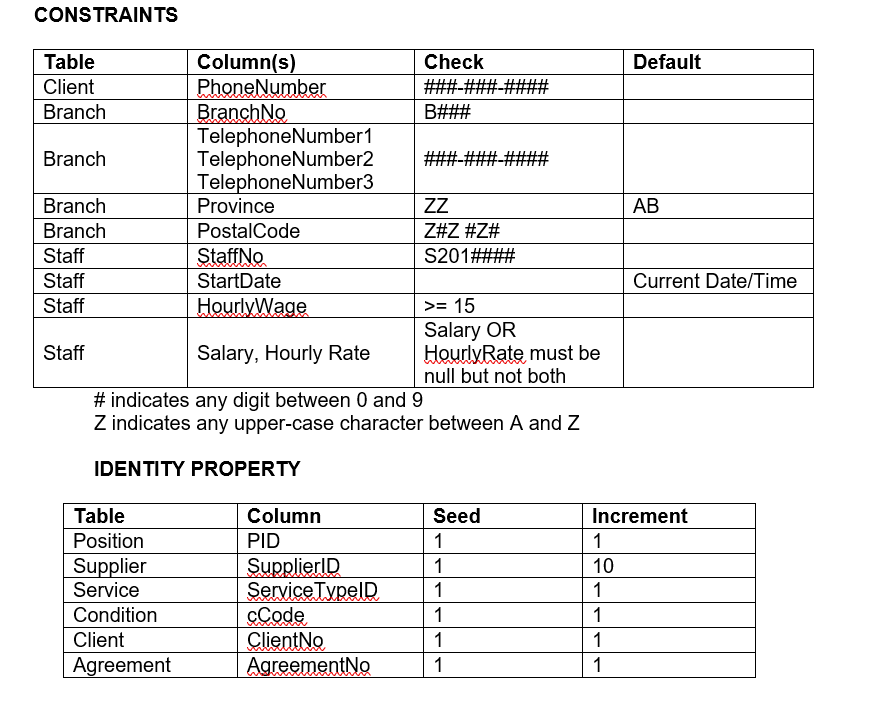
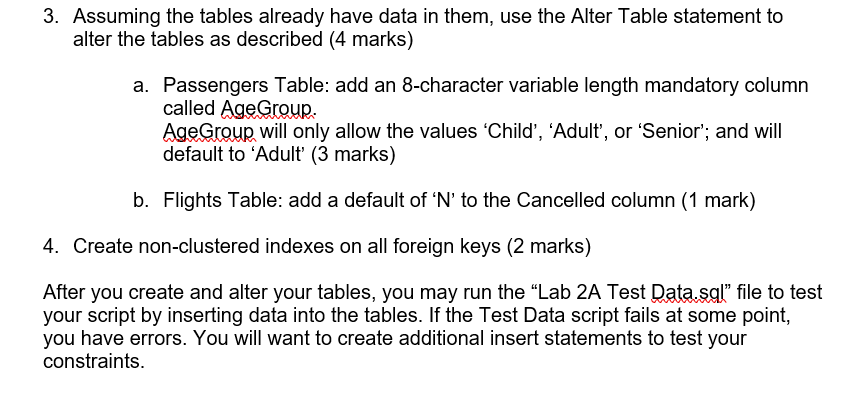
Objectives: 1. Drop Tables 2. Create Tables 3. Alter Tables 4. Create Indexes Requirements: 1. Write the code to drop the tables in the database, ensuring that you drop the tables in the correct order. (1 mark) 2. Give the following ERD, create the required tables for Robbie Rentals Inc incorporating the constraints (Primary Key, Foreign Key, Check and Default) and Identity properties as described below. Create each table using a single Create Table statement. Do NOT use the Alter Table statement in this question. (15 marks) 2. Give the following ERD, create the required tables for Robbie Rentals Inc incorporating the constraints (Primary Key, Foreign Key, Check and Default) and Identity properties as described below. Create each table using a single Create CONSTRAINTS \# indicates any digit between 0 and 9 Z indicates any upper-case character between A and Z 3. Assuming the tables already have data in them, use the Alter Table statement to alter the tables as described (4 marks) a. Passengers Table: add an 8-character variable length mandatory column called AgeGroup. AgeGroup will only allow the values 'Child', 'Adult', or 'Senior'; and will default to 'Adult' (3 marks) b. Flights Table: add a default of ' N ' to the Cancelled column (1 mark) 4. Create non-clustered indexes on all foreign keys (2 marks) After you create and alter your tables, you may run the "Lab 2A Test Data.sql" file to test your script by inserting data into the tables. If the Test Data script fails at some point, you have errors. You will want to create additional insert statements to test your constraints
Step by Step Solution
There are 3 Steps involved in it

Get step-by-step solutions from verified subject matter experts
 Study Help