







Question: In SQL, using a company accounts payable (AP) database write an executable SQL Script that satisfies the following prompts: Table Joins Reference, and script #5
In SQL, using a company accounts payable (AP) database write an executable SQL Script that satisfies the following prompts:
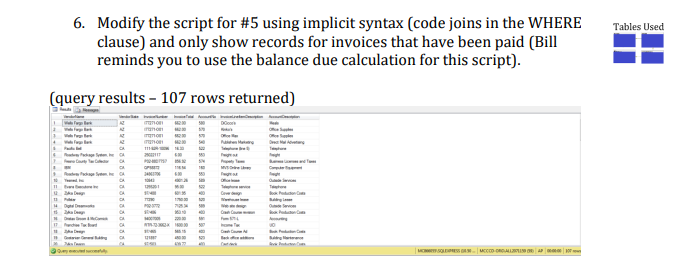
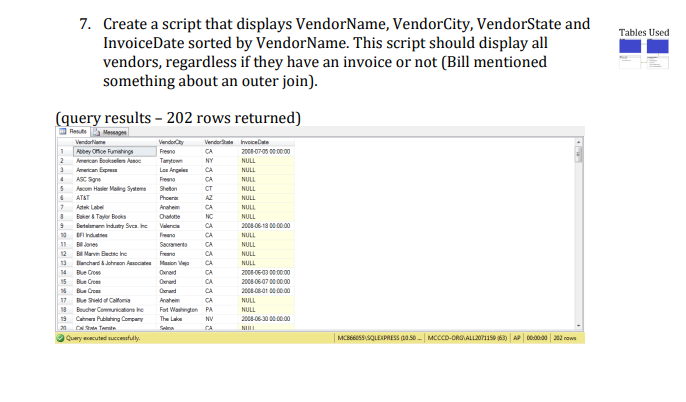
Table Joins Reference, and script #5 are attached below, thanks!
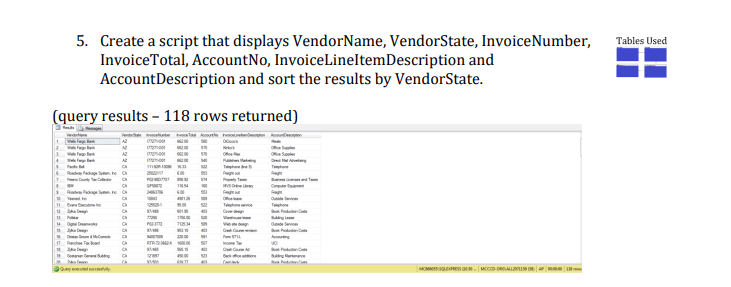
SELECT Vendors.VendorName, Vendors.VendorState, Invoices.InvoiceNumber, Invoices.InvoiceTotal, InvoiceLineItems.AccountNo, InvoiceLineItems.InvoiceLineItemDescription, GLAccounts.AccountDescription
FROM Vendors JOIN Invoices ON Vendors.VendorID = Invoices.VendorID JOIN InvoiceLineItems ON Invoices.InvoiceID = InvoiceLineItems.InvoiceID JOIN GLAccounts ON InvoiceLineItems.AccountNo = GLAccounts.AccountNo
ORDER BY Vendors.VendorState
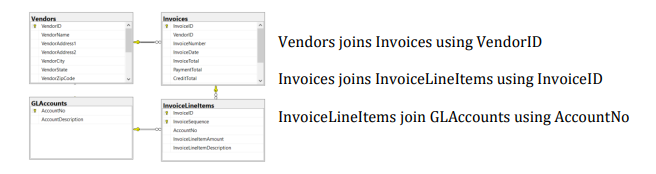
6. Modify the script for \#5 using implicit syntax (code joins in the WHERE clause) and only show records for invoices that have been paid (Bill reminds you to use the balance due calculation for this script). (query results - 107 rows returned) 7. Create a script that displays VendorName, VendorCity, VendorState and InvoiceDate sorted by VendorName. This script should display all vendors, regardless if they have an invoice or not (Bill mentioned something about an outer join). (query results - 202 rows returned) Vendors joins Invoices using VendorID Invoices joins InvoiceLineItems using InvoiceID InvoiceLineItems join GLAccounts using AccountNo 5. Create a script that displays VendorName, VendorState, InvoiceNumber, InvoiceTotal, AccountNo, InvoiceLineItemDescription and AccountDescription and sort the results by VendorState. (query results 118 rows returned)
Step by Step Solution
There are 3 Steps involved in it

Get step-by-step solutions from verified subject matter experts
 Study Help