







Question: In the figure below, a student is given marks on a three pieces of assessment (B2, C2,D2) and a total mark in E2. We want
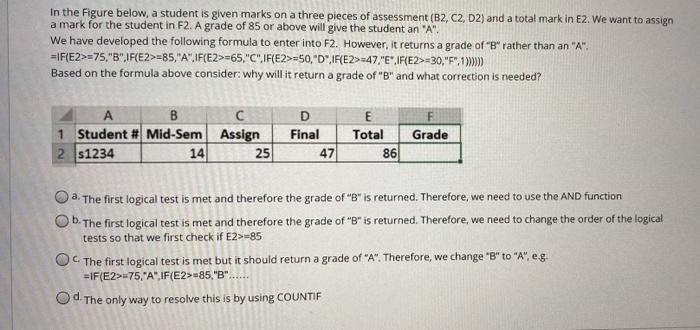
In the figure below, a student is given marks on a three pieces of assessment (B2, C2,D2) and a total mark in E2. We want to assign a mark for the student in F2. A grade of 85 or above will give the student an "A". We have developed the following formula to enter into F2. However, it returns a grade of "B" rather than an "A". =IF{E2>=75,"8",1F{E2>=85,"A",IF(E2>=65. "C",)F(E2>=50,"D",1F(E2>=47 "E" 1F{E2>=30,"F",12 Based on the formula above consider: why will it return a grade of "B" and what correction is needed? A B 1 Student # Mid-Sem 2 51234 14 Assign 25 D Final 47 E Total 86 F Grade a. The first logical test is met and therefore the grade of "B" is returned. Therefore, we need to use the AND function Ob. The first logical test is met and therefore the grade of "B" is returned. Therefore, we need to change the order of the logical tests so that we first check if E2>85 The first logical test is met but it should return a grade of "A". Therefore, we change "B" to "A", eg =IF(E2>-75,"A",IF(E2>=85,"B"...... Od. The only way to resolve this is by using COUNTIF
Step by Step Solution
There are 3 Steps involved in it

Get step-by-step solutions from verified subject matter experts
 Study Help