



Question: In this assignment, we want to learn to use a blockchain explorer to answer a few simple questions about past transactions on a blockchain. Please
In this assignment, we want to learn to use a blockchain explorer to answer a few simple questions about past transactions on a blockchain. Please follow the steps outlined below.
1. Go to https://blockchair.com/bitcoin/transactions. The main section of the page displays past BTC transactions with various information about the transactions in columns (scroll to the right to see additional columns). By default, the transactions are sorted by transaction time, with the newest transaction on top.
2. Once of the columns shown is the Output (BTC) column. Click on the column heading once and the transactions will be sorted by the total amount transacted in BTC value in descending order. The transaction with the highest amount of total BTC transacted will be at the top. When was the transaction made? How much BTC was moved in this transaction? How much was the transaction fee in USD paid by the person(s) who made that transaction?
3. Click on "Reset sorts" button at the bottom to return the display to default. Sort the Output (USD) column to find the transaction with highest amount of total USD transacted. When was the transaction made? How much USD was moved in this transaction? How much was the transaction fee in USD paid by the person(s) who made that transaction?
4. Are the transactions you found in step 2 and 3 the same transaction? 5. Click on "Reset sorts" button at the bottom to return the display to default. Sort the Transaction fee (USD) column to find the transaction with the largest amount of transaction fee. When was the transaction made? How much was the transaction fee in USD paid by the person(s) who made that transaction?
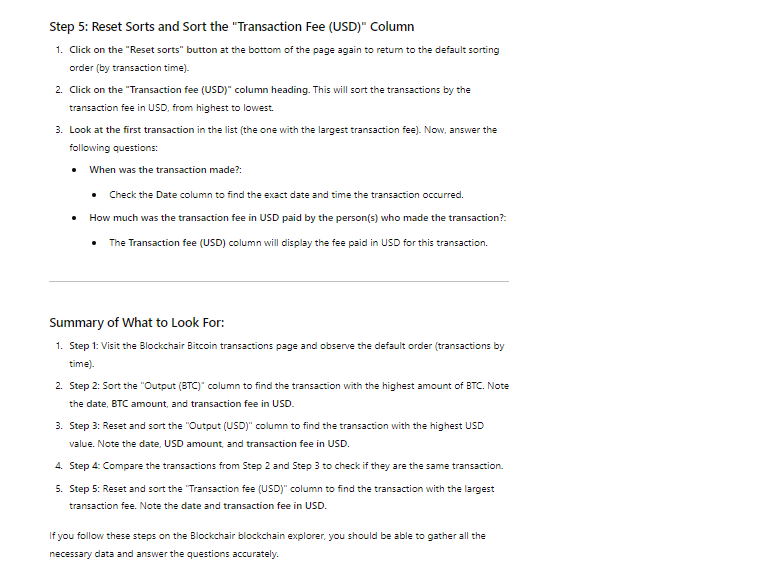
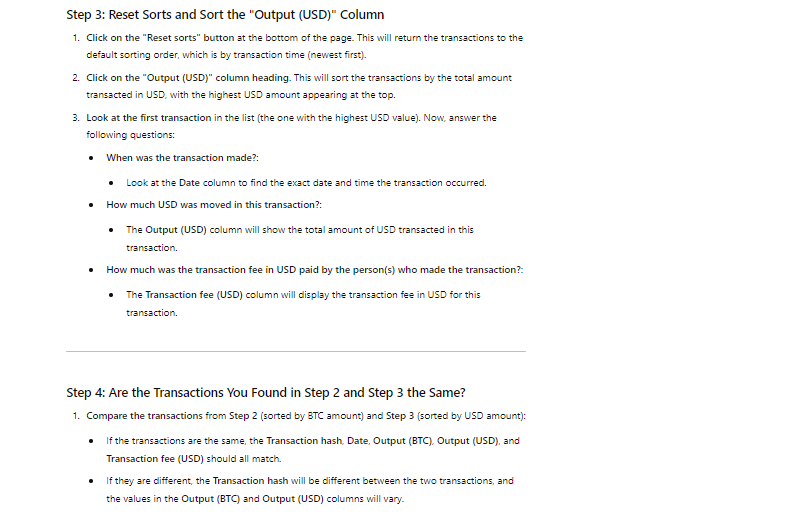
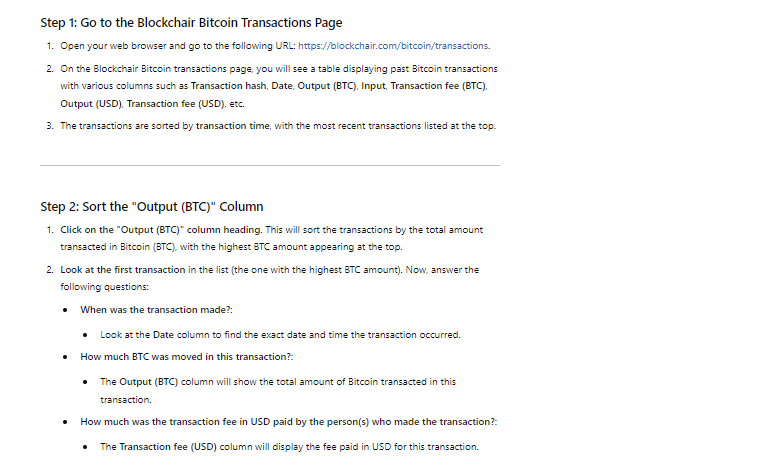 Step 5: Reset Sorts and Sort the "Transaction Fee (USD)" Column 1. Click on the \"Reset sorts" button at the bottom of the page again te retum to the default sorting order (by transaction time). Click on the \"Transaction fee (USD)" column heading. This will sort the transactions by the tranzaction fee in USD, from highest to lowest. Look at the first transaction in the list (the one with the largest transaction fee). Now, answer the following questions: * When was the transaction made?: Check the Date column to find the exact date and time the transaction occurred. * How much was the transaction fee in USD paid by the person(s) who made the transaction?: The Transaction fee (USD) column will display the fee paid in USD for this transaction. Summary of What to Look For: 1. Step 1: Visit the Blockchair Bitcoin transactions page and observe the default order (transactions by time). Step 2: Sort the \"Output (BTC)" column to find the transaction with the highest amount of BTC. Note the date, BTC amount, and transaction fee in USD. Step 3: Reset and sort the \"Output (USD)" column to find the transaction with the highest USD value, Note the date, USD amount, and transaction fee in USD. Step
 Step by Step Solution
There are 3 Steps involved in it

Get step-by-step solutions from verified subject matter experts