







Question: In this assignment you are asked to modify your program written for A5 to use a dictionary instead of a list to process user requests
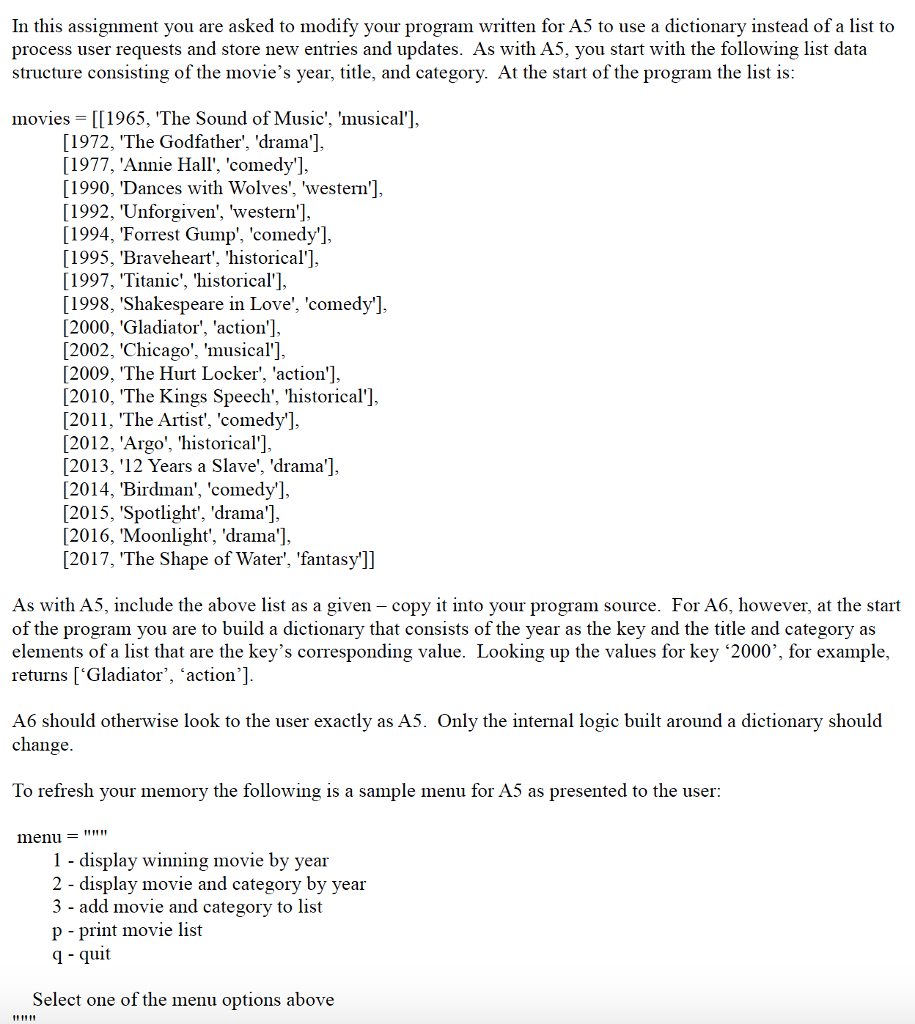
In this assignment you are asked to modify your program written for A5 to use a dictionary instead of a list to process user requests and store new entries and updates. As with A5, you start with the following list data structure consisting of the movie's year, title, and category. At the start of the program the list is movies-[[1965. The Sound of Music', 'musical'] [1972, 'The Godfather', 'drama'], [1977, 'Annie Hall', 'comedy']. [1990, 'Dances with Wolves', 'western'], [1992, Unforgiven', 'western'], [1994, Forrest Gump', 'comedy'] [1995, Braveheart', 'historical'] [1997, 'Titanic', 'historical'] 1998, 'Shakespeare in Love', 'comedy' [2000, 'Gladiator', 'action'], [2002, Chicago', 'musical']. [2009, The Hurt Locker', 'action'], [2010, The Kings Speech', 'historical'] [2011, The Artist', 'comedy'] [2012, 'Argo', 'historical'] [2013, '12 Years a Slave', 'drama'], [2014, 'Birdman', 'comedy'] [2015, 'Spotlight', 'drama'], [2016, Moonlight', 'drama'], [2017, The Shape of Water', 'fantasy']] As with A5, include the above list as a given - copy it into your program source. For A6, however, at the start of the program you are to build a dictionary that consists of the year as the key and the title and category as elements of a list that are the key's corresponding value. Looking up the values for key '2000', for example, returns ['Gladiator', 'action'] A6 should otherwise look to the user exactly as A5. Only the internal logic built around a dictionary should change To refresh your memory the following is a sample menu for A5 as presented to the user: menu - I- display winning movie by year 2 - display movie and category by year 3 - add movie and category to list p - print movie list q quit Select one of the menu options above
Step by Step Solution
There are 3 Steps involved in it

Get step-by-step solutions from verified subject matter experts
 Study Help