







Question: In this assignment you will create your code from scratch. You are to create a C/C++ file named __hw3.c or .cpp NOTE You may use
In this assignment you will create your code from scratch. You are to create a C/C++ file named __hw3.c or .cpp NOTE You may use C++ - but you MAY NOT use #include The goal is to use C-Style character array based strings. You will put all of your code in this file. You may use any technique we have learned so far.
Specifications:
This assignment is split into several parts. The goal is to get you used to working with C/C++ run-time arrays and strings. Part 0 Create a Menu You should create a menu that gives access to each of the parts of the assignment. Show this menu and make it function properly. If the user inputs something incorrect, correct them and loop the menu and prompt.
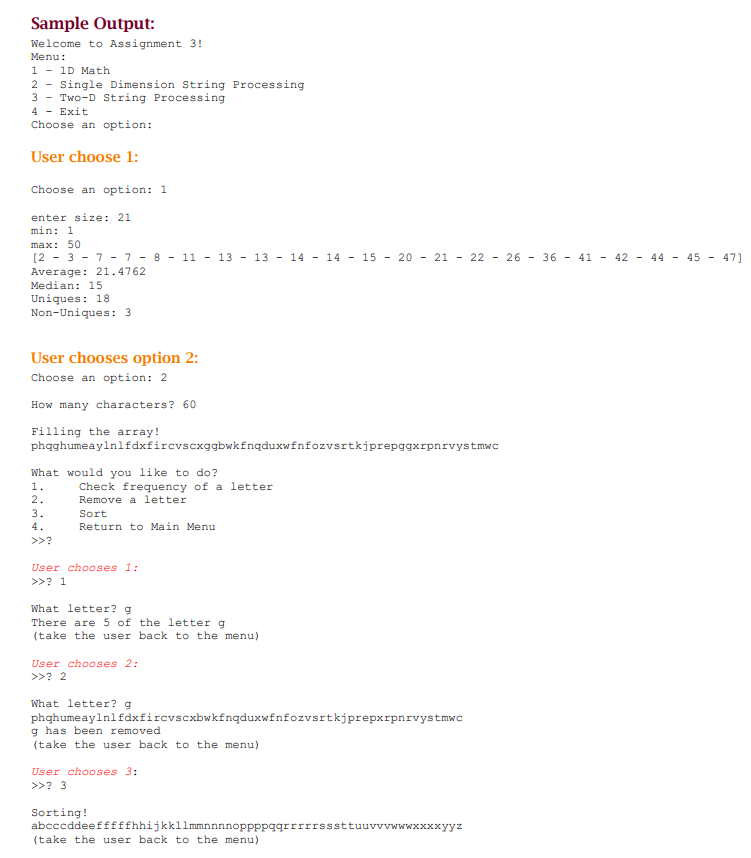
Welcome to Assignment 3!
Menu:
1 1D Math
2 Single Dimension Character Processing
3 Two-D Character Processing
4 - Exit
Choose an option:
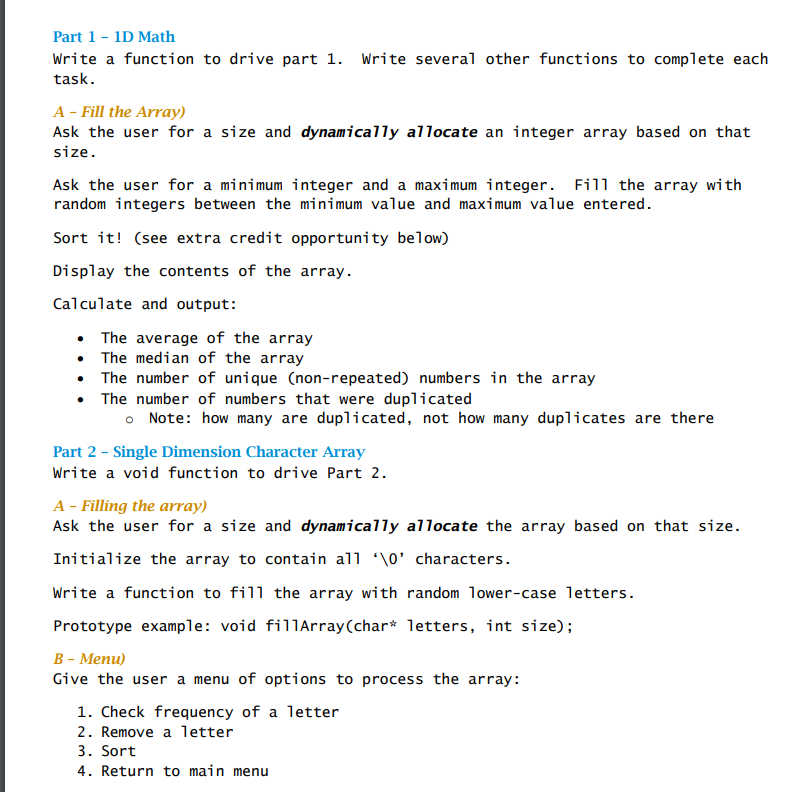
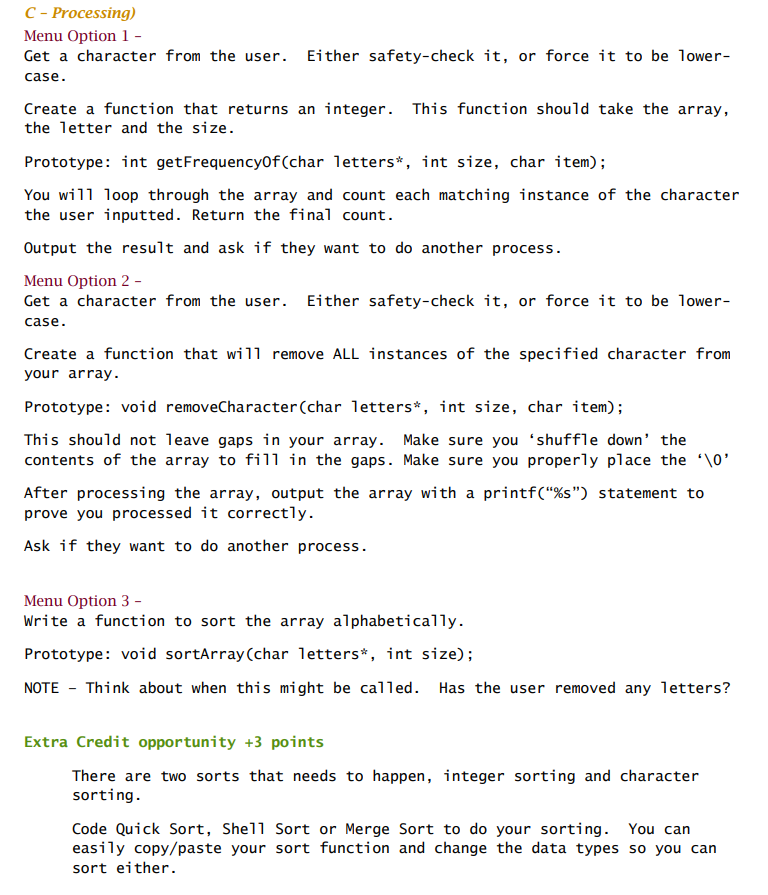
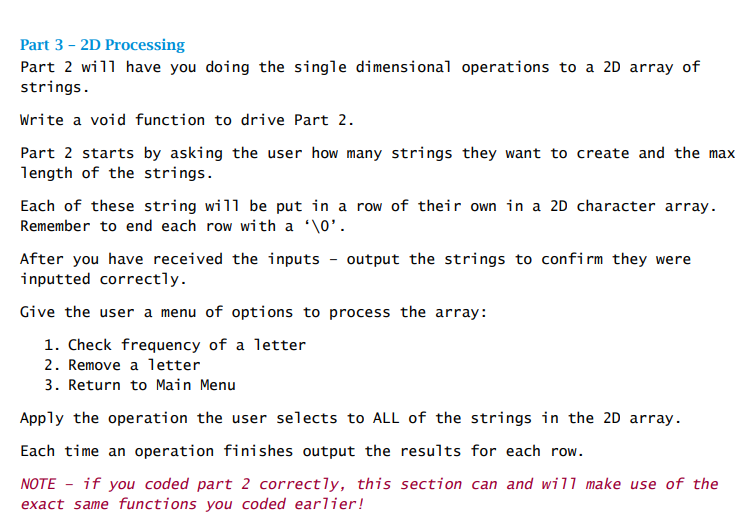
Part 3-2D Processing Part 2 will have you doing the single dimensional operations to a 2D array of strings. Write a void function to drive Part 2. Part 2 starts by asking the user how many strings they want to create and the max length of the strings. Each of these string will be put in a row of their own in a 2D character array. Remember to end each row with a 10' After you have received the inputs output the strings to confirm they were inputted correctly. Give the user a menu of options to process the array: 1. Check frequency of a letter 2. Remove a letter 3. Return to Main Menu Apply the operation the user selects to ALL of the strings in the 2D array. Each time an operation finishes output the results for each row. NOTE if you coded part 2 correctly, this section can and wi11 make use of the exact same functions you coded earlier! Part 3-2D Processing Part 2 will have you doing the single dimensional operations to a 2D array of strings. Write a void function to drive Part 2. Part 2 starts by asking the user how many strings they want to create and the max length of the strings. Each of these string will be put in a row of their own in a 2D character array. Remember to end each row with a 10' After you have received the inputs output the strings to confirm they were inputted correctly. Give the user a menu of options to process the array: 1. Check frequency of a letter 2. Remove a letter 3. Return to Main Menu Apply the operation the user selects to ALL of the strings in the 2D array. Each time an operation finishes output the results for each row. NOTE if you coded part 2 correctly, this section can and wi11 make use of the exact same functions you coded earlier
Step by Step Solution
There are 3 Steps involved in it

Get step-by-step solutions from verified subject matter experts
 Study Help