







Question: In this assignment, you will design and implement a simple version of GUI calendar application To represent and manipulate a calendar (in terms of day,
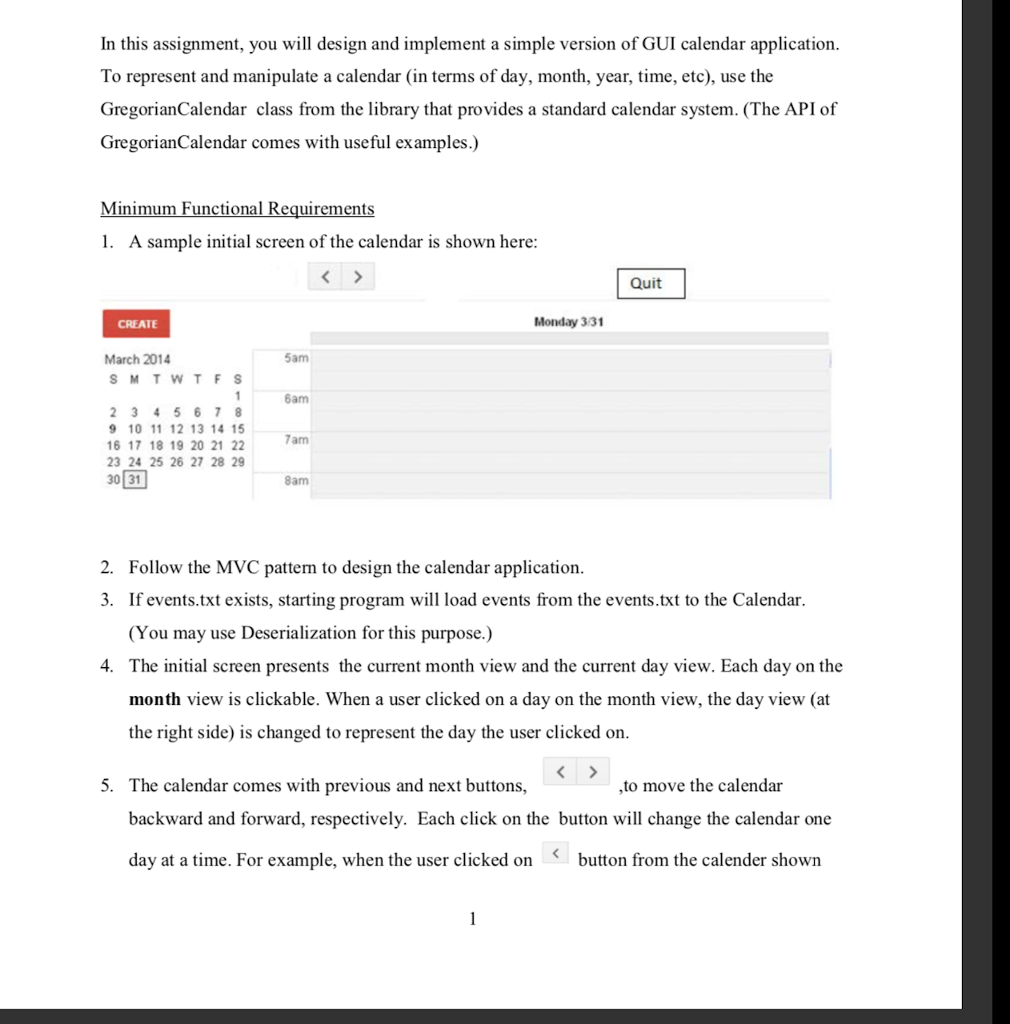
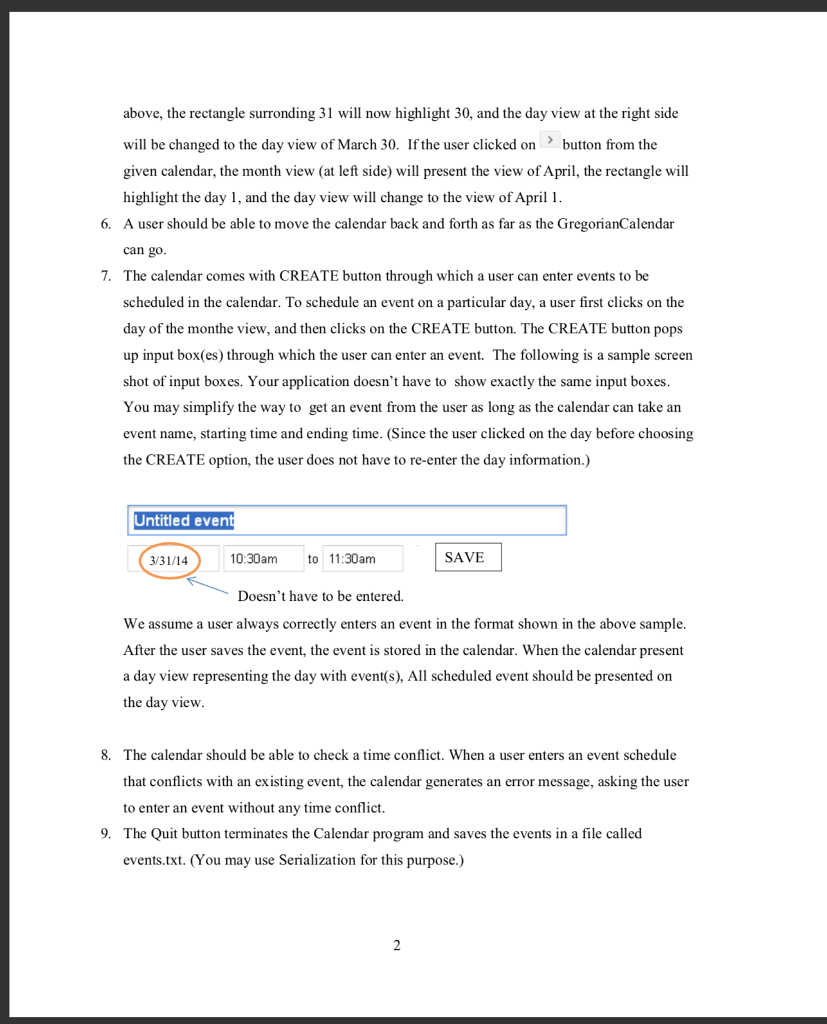
In this assignment, you will design and implement a simple version of GUI calendar application To represent and manipulate a calendar (in terms of day, month, year, time, etc), use the GregorianCalendar class from the library that provides a standard calendar system. (The API of GregorianCalendar comes with useful examples.) Minimum Functional Requirements 1. A sample initial screen of the calendar is shown here Quit CREATE Monday 3/31 March 2014 SMTWTF S 5am am 9 10 11 12 13 14 15 16 17 18 19 20 21 22 23 24 25 26 27 28 29 30 31 am 8am 2. Follow the MVC pattern to design the calendar application 3. If events.txt exists, starting program will load events from the events.txt to the Calendar (You may use Deserialization for this purpose.) 4. The initial screen presents the current month view and the current day view. Each day on the month view is clickable. When a user clicked on a day on the month view, the day view (at the right side) is changed to represent the day the user clicked on 5. The calendar comes with previous and next buttons, ,to move the calendar backward and forward, respectively. Each click on the button will change the calendar one day at a time. For example, when the user clicked on button from the calender shown In this assignment, you will design and implement a simple version of GUI calendar application To represent and manipulate a calendar (in terms of day, month, year, time, etc), use the GregorianCalendar class from the library that provides a standard calendar system. (The API of GregorianCalendar comes with useful examples.) Minimum Functional Requirements 1. A sample initial screen of the calendar is shown here Quit CREATE Monday 3/31 March 2014 SMTWTF S 5am am 9 10 11 12 13 14 15 16 17 18 19 20 21 22 23 24 25 26 27 28 29 30 31 am 8am 2. Follow the MVC pattern to design the calendar application 3. If events.txt exists, starting program will load events from the events.txt to the Calendar (You may use Deserialization for this purpose.) 4. The initial screen presents the current month view and the current day view. Each day on the month view is clickable. When a user clicked on a day on the month view, the day view (at the right side) is changed to represent the day the user clicked on 5. The calendar comes with previous and next buttons, ,to move the calendar backward and forward, respectively. Each click on the button will change the calendar one day at a time. For example, when the user clicked on button from the calender shown
Step by Step Solution
There are 3 Steps involved in it

Get step-by-step solutions from verified subject matter experts
 Study Help