







Question: In this assignment you will use DataInputStreamand DataOutputStream to read and write binary file. You will also use FileInputStream and FileOutputStream to open the
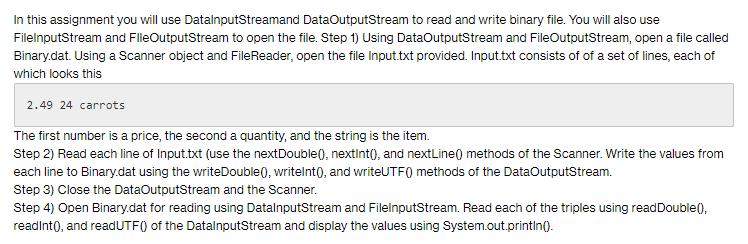
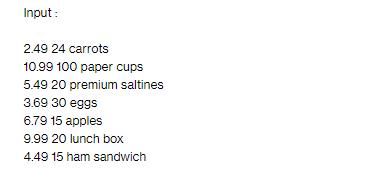
In this assignment you will use DataInputStreamand DataOutputStream to read and write binary file. You will also use FileInputStream and FileOutputStream to open the file. Step 1) Using DataOutputStream and FileOutputStream, open a file called Binary.dat. Using a Scanner object and FileReader, open the file Input.txt provided. Input.txt consists of of a set of lines, each of which looks this 2.49 24 carrots The first number is a price, the second a quantity, and the string is the item. Step 2) Read each line of Input.txt (use the nextDouble(), nextInt(), and nextLine() methods of the Scanner. Write the values from each line to Binary.dat using the writeDouble(), writeInt(), and writeUTF() methods of the DataOutputStream. Step 3) Close the DataOutputStream and the Scanner. Step 4) Open Binary.dat for reading using DataInputStream and FileInputStream. Read each of the triples using read Double(), readInt(), and readUTF() of the DataInputStream and display the values using System.out.println(). Input: 2.49 24 carrots 10.99 100 paper cups 5.49 20 premium saltines 3.69 30 eggs 6.79 15 apples 9.99 20 lunch box 4.49 15 ham sandwich
Step by Step Solution
There are 3 Steps involved in it

Get step-by-step solutions from verified subject matter experts
 Study Help