







Question: In this assignment, you will write a shell ( a command line interpreter ) . The shell should operate in this basic way: when you
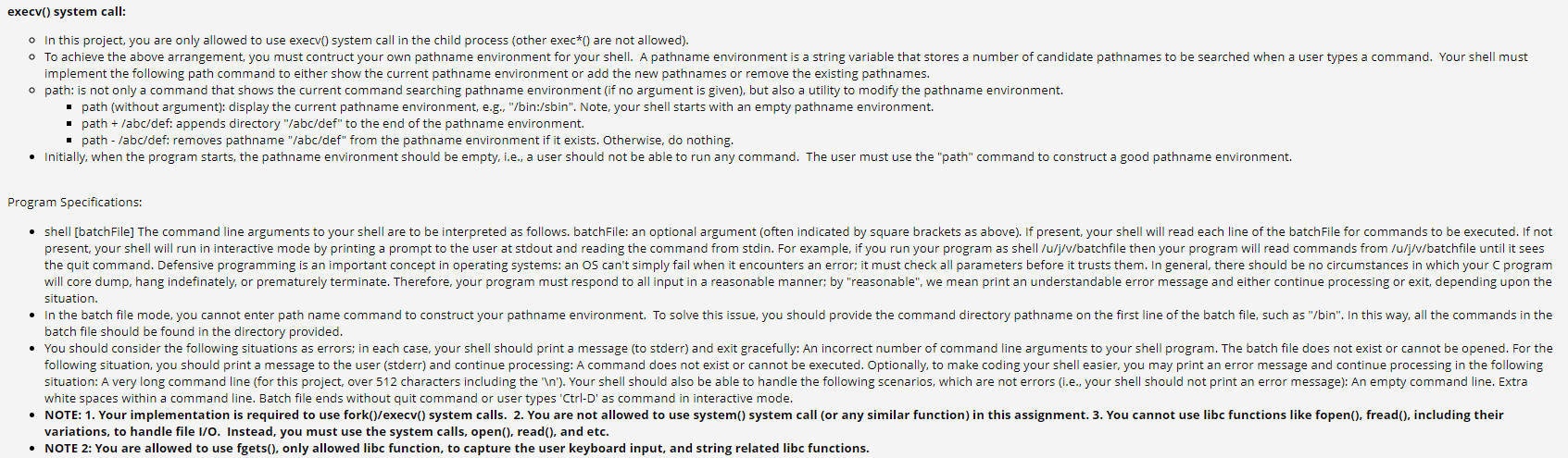
In this assignment, you will write a shell a command line interpreter The shell should operate in this basic way: when you type in a command in response to its prompt the shell creates a child process that executes the command you entered and then prompts for more user input when it has finished. The shells you implement will be similar to but much simpler than, the one you run every day in Unix. You can find out which shell you are running by typing echo $SHELL at a prompt. You may then wish to look at the man pages for sh or the shell you are running more likely tcsh or bash to learn more about all of the functionality that can be present. For this project, you do not need to implement much functionality; but you will need to be able to handle running multiple commands simultaneously. Your shell can be run in two ways: interactive and batch. In interactive mode, you will display a prompt any string of your choosing and the user of the shell will type in a command at the prompt. In batch mode, your shell is started by specifying a batch file on its command line; the batch file contains the list of commands that should be executed. In batch mode, you should not display a prompt. In batch mode you should echo each line you read from the batch file back to the user before executing it; this will help you when you debug your shells and us when we test your programs In both interactive and batch mode, your shell stops accepting new commands when it sees the quit command on a line or reaches the end of the input stream ie the end of the batch file or the user types CtrlD The shell should then exit after all running processes have terminated. Each line of the batch file or typed at the prompt may contain multiple commands separated with the ; character. Each of the commands separated by a ; should be run simultaneously, or concurrently. Note that this is different behavior than standard Linux shells which run these commands one at a time, in order. The shell should not print the next prompt or take more input until all of these commands have finished executing the wait andor waitpid system calls may be useful here For example, the following lines are all valid and have reasonable commands specified:
prompt
prompt ls
promptbinls
prompt ls l
prompt ls l ; cat file
prompt ls l ; cat file ; grep foo file
For example, on the last line, the commands ls l cat file and grep foo file should all be running at the same time; as a result, you may see that their output is intermixed. To exit the shell, the user can type quit. This should just exit the shell and be done with it the exit system call will be useful here Note that quit is a builtin shell command; it is not to be executed like other programs the user types in If the "quit" command is on the same line with other commands, you should ensure that the other commands execute and finish before you exit your shell. These are all valid examples for quitting the shell.
prompt quit
prompt quit ; cat file
prompt cat file ; quit
This project is not as hard as it may seem at first reading or perhaps it doesn't seem that hard at all, which is good!; in fact, the code you write will be much smaller than this specification. Writing your shell in a simple manner is a matter of finding the relevant library routines and calling them properly. Your finished programs will probably be under lines, including comments. If you find that you are writing a lot of code, it probably means that you are doing something wrong and should take a break from hacking and instead think about what you are trying to do
P
Step by Step Solution
There are 3 Steps involved in it
1 Expert Approved Answer
Step: 1 Unlock

Question Has Been Solved by an Expert!
Get step-by-step solutions from verified subject matter experts
Step: 2 Unlock
Step: 3 Unlock
 Study Help