







Question: In this exercise you will detect a green ball in images in a ball tracking robot application. The Robot uses a webcam and needs to
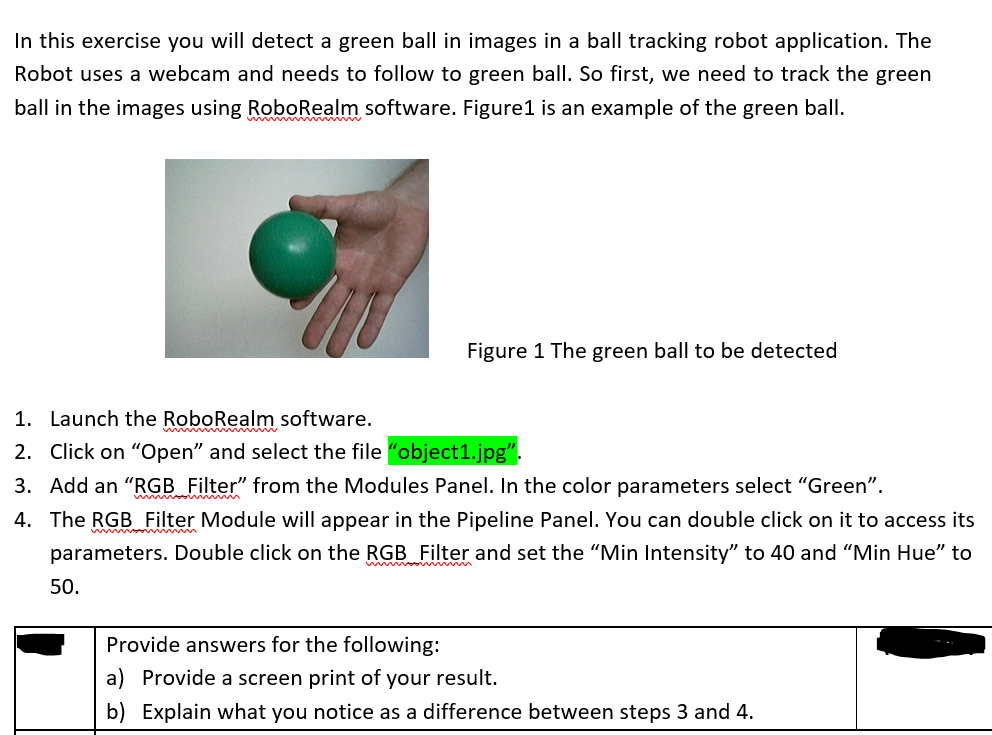
In this exercise you will detect a green ball in images in a ball tracking robot application. The Robot uses a webcam and needs to follow to green ball. So first, we need to track the green ball in the images using RoboRealm software. Figure1 is an example of the green ball. Figure 1 The green ball to be detected 1. Launch the RoboRealm software. 2. Click on "Open" and select the file "object1.jpg". 3. Add an "RGB Filter" from the Modules Panel. In the color parameters select "Green". 4. The RGB Filter Module will appear in the Pipeline Panel. You can double click on it to access its parameters. Double click on the RGB Filter and set the "Min Intensity" to 40 and "Min Hue" to 50
Step by Step Solution
There are 3 Steps involved in it

Get step-by-step solutions from verified subject matter experts
 Study Help