







Question: In this lab exercise, you are required to write a C++ program to add two 4 * 5 matrices and then output the results to
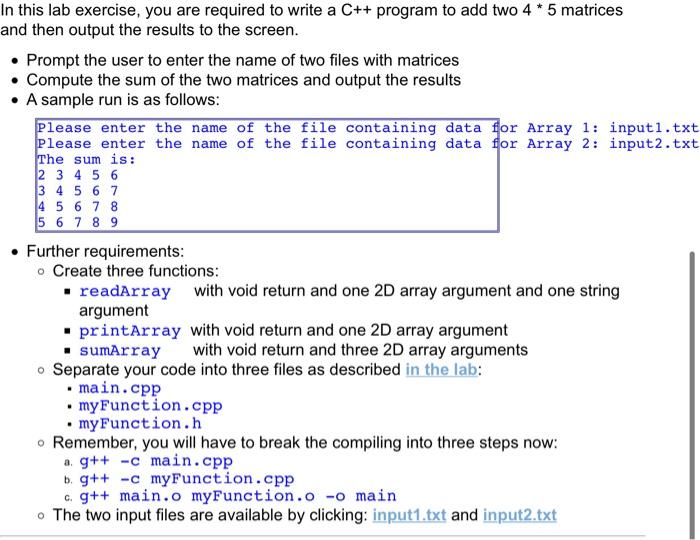
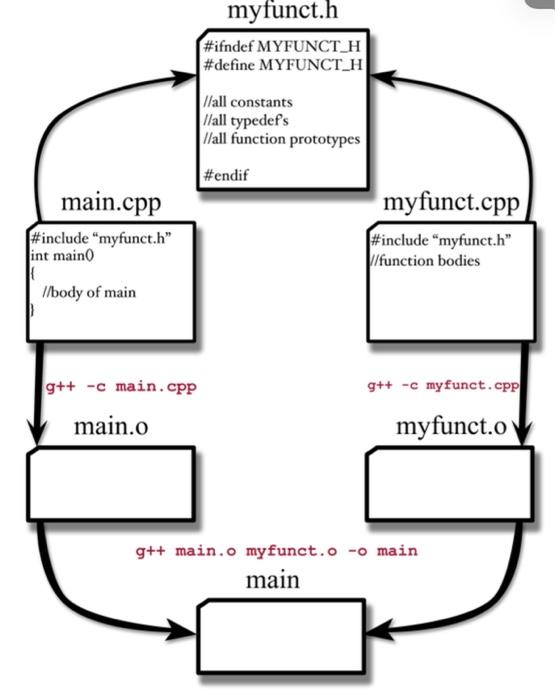
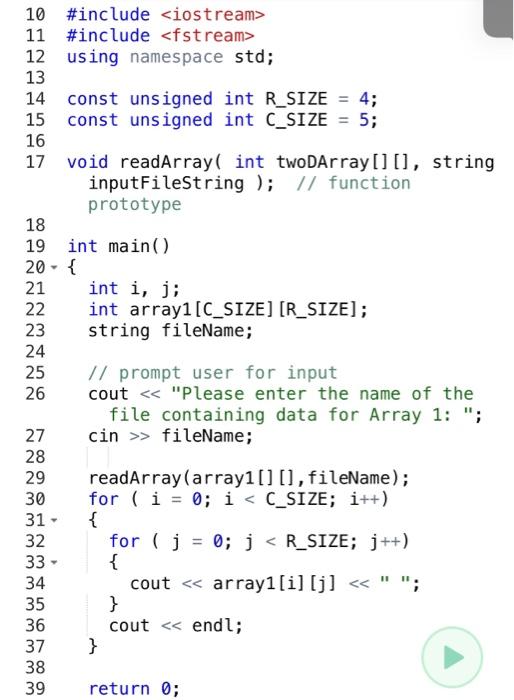
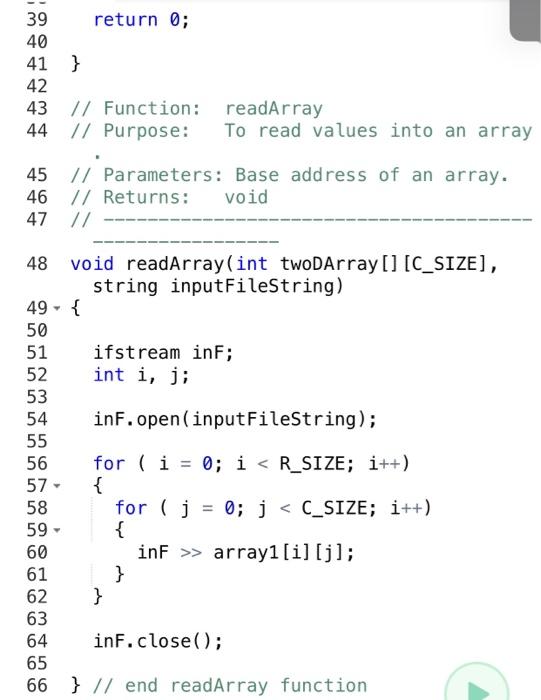
In this lab exercise, you are required to write a C++ program to add two 4 * 5 matrices and then output the results to the screen. Prompt the user to enter the name of two files with matrices Compute the sum of the two matrices and output the results A sample run is as follows: Please enter the name of the file containing data for Array 1: input1.txt Please enter the name of the file containing data for Array 2: input2.txt The sum is: 2 3 4 5 6 3 4 5 6 7 4 5 6 7 8 5 6 7 8 9 . Further requirements: o Create three functions: . readArray with void return and one 2D array argument and one string argument printArray with void return and one 2D array argument sumArray with void return and three 2D array arguments - Separate your code into three files as described in the lab: main.cpp . myFunction.cpp my Function.h Remember, you will have to break the compiling into three steps now: a g++ -c main.cpp b. g++ -c myFunction.cpp c. g++ main.o myFunction.o -o main . The two input files are available by clicking: input1.txt and input2.txt myfunct.h #ifndef MYFUNCT_H #define MYFUNCT_H //all constants H/all typedef's I/all function prototypes #endif main.cpp #include "myfunct.h" int main() 10 //body of main myfunct.cpp #include "myfunct.h" /function bodies g++ -c main.cpp g++ -c myfunct.cpp main.o myfunct.o g++ main.o myfunct.o -o main main 10 #include
Step by Step Solution
There are 3 Steps involved in it

Get step-by-step solutions from verified subject matter experts
 Study Help