







Question: In this lab, you are going to write a problem that takes the list of scores you created with your sentinel loop, for example: scores
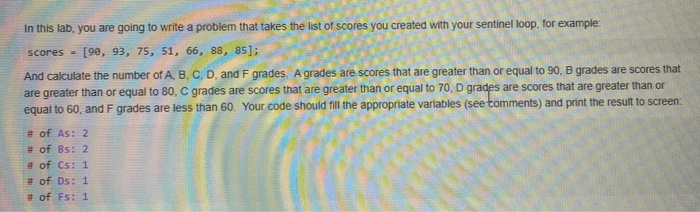
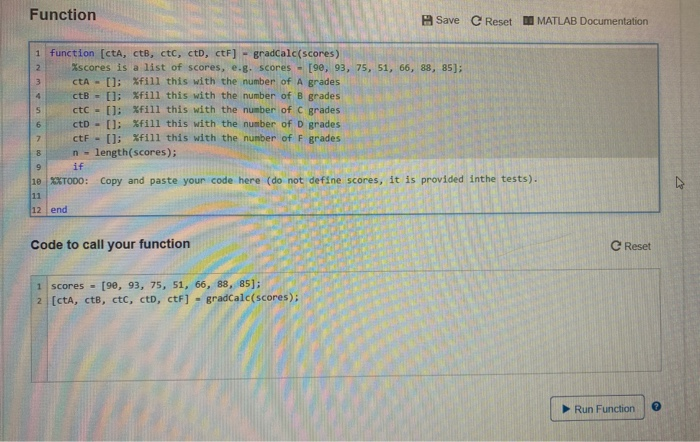
In this lab, you are going to write a problem that takes the list of scores you created with your sentinel loop, for example: scores - [90, 93, 75, 51, 66, 88, 85); And calculate the number of A, B, C, D, and F grades. A grades are scores that are greater than or equal to 90, B grades are scores that are greater than or equal to 80, C grades are scores that are greater than or equal to 70, D grades are scores that are greater than or equal to 60, and F grades are less than 60. Your code should fill the appropriate variables (see tomments) and print the result to screen: # of As: 2 # of Bs: 2 # of Cs: 1 # of Ds: 1 # of Fs: 1 Function Save C Reset D MATLAB Documentation 1 function (cta, ctb, ctc, ct, ctF] - gradcalc(scores) Xscores is a list of scores, e.g. scores - [90, 93, 75, 51, 66, 88, 85); CtA - []; Xfill this with the number of A grades ctB = []; Xfill this with the number of B grades ctC = []; Xfill this with the number of C grades ctD - []; Xfill this with the number of D grades ctF - []; Xfill this with the number of F grades n - length(scores); rades if 10 XXTODO: Copy and paste your code here (do not define scores, it is provided inthe tests). 12 end Code to call your function C Reset scores - [90, 93, 75, 51, 66, 88, 85); [cta, ctb, ctc, ct, ctF] - gradCalc(scores); 05); Run Function
Step by Step Solution
There are 3 Steps involved in it

Get step-by-step solutions from verified subject matter experts
 Study Help