







Question: In this lab you will be working with strings. You should use C++ strings/objects and their associated functions. Write a C++ program and make file
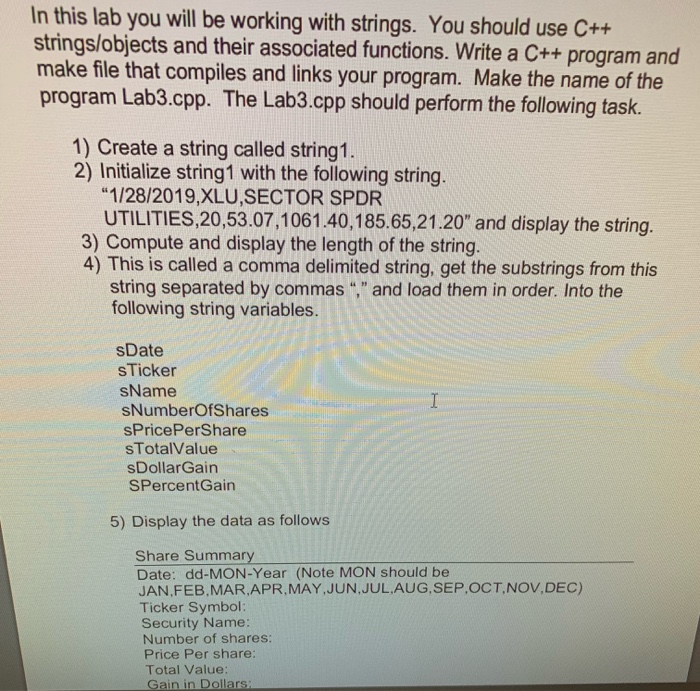
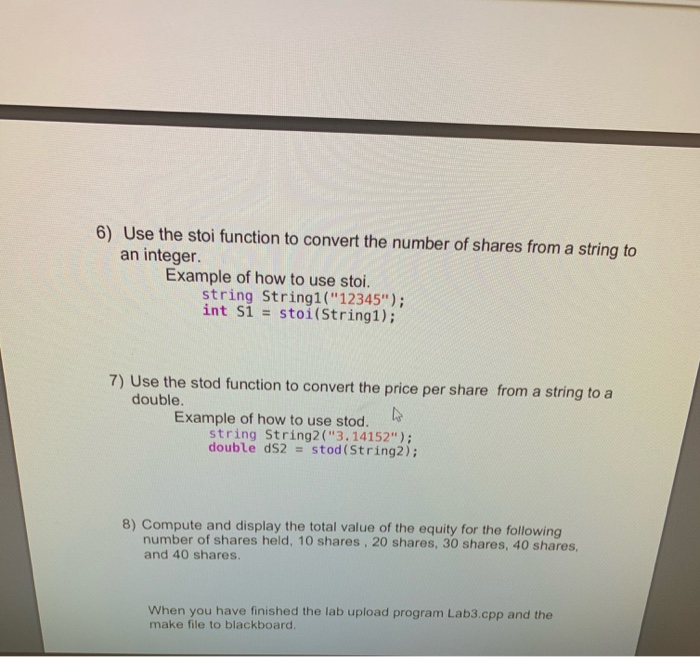

In this lab you will be working with strings. You should use C++ strings/objects and their associated functions. Write a C++ program and make file that compiles and links your program. Make the name of the program Lab3.cpp. The Lab3.cpp should perform the following task. 1) Create a string called string 1. 2) Initialize string1 with the following string. "1/28/2019,XLU,SECTOR SPDR UTILITIES,20,53.07,1061.40,185.65, 21.20" and display the string. 3) Compute and display the length of the string. 4) This is called a comma delimited string, get the substrings from this string separated by commas "," and load them in order. Into the following string variables. sDate s Ticker sName SNumberOfShares sPricePerShare sTotalValue sDollarGain SPercentGain 5) Display the data as follows Share Summary Date: dd-MON-Year (Note MON should be JAN.FEB MAR APR MAY JUN JUL AUG SEP OCT NOV.DEC) Ticker Symbol: Security Name: Number of shares: Price Per Share: Total Value: Gain in Dollars 6) Use the stoi function to convert the number of shares from a string to an integer Example of how to use stoi. string Stringi("12345"); int si = stoi(String1); 7) Use the stod function to convert the price per share from a string to a double. Example of how to use stod. string String2("3.14152"); double dS2 = stod (String2); 8) Compute and display the total value of the equity for the following number of shares held, 10 shares , 20 shares, 30 shares, 40 shares, and 40 shares. When you have finished the lab upload program Lab3.cpp and the make file to blackboard, #include
Step by Step Solution
There are 3 Steps involved in it

Get step-by-step solutions from verified subject matter experts
 Study Help