







Question: In this lab, you will perform the tasks bellow. DO NOT USE GLOBAL CONSTANTS! 1. Create a header file that contains the following. - All
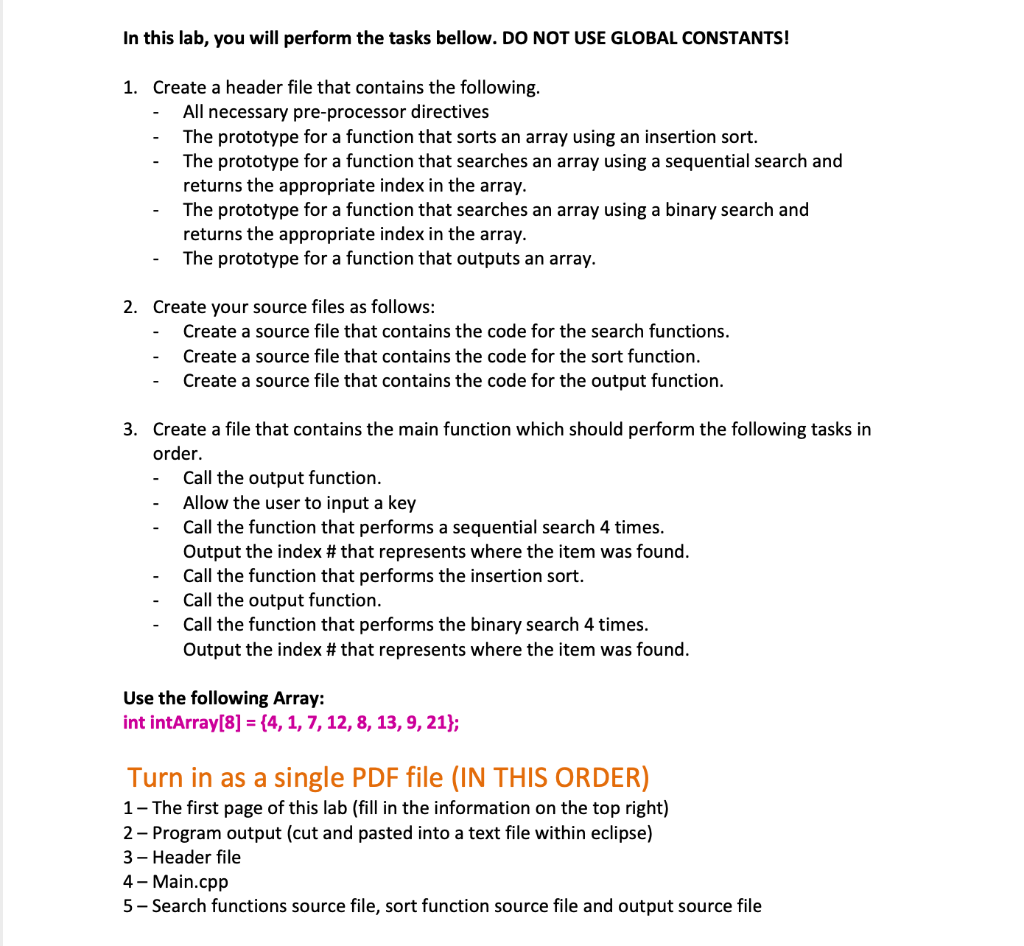
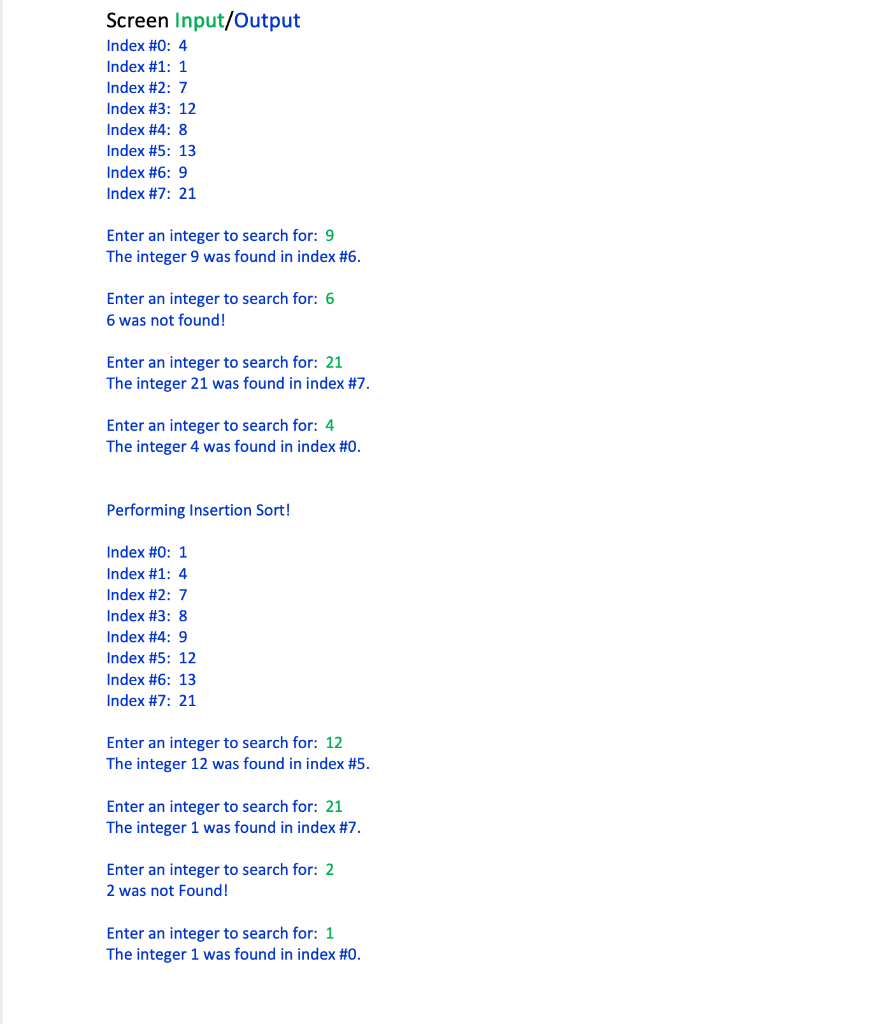
In this lab, you will perform the tasks bellow. DO NOT USE GLOBAL CONSTANTS! 1. Create a header file that contains the following. - All necessary pre-processor directives - The prototype for a function that sorts an array using an insertion sort. The prototype for a function that searches an array using a sequential search and returns the appropriate index in the array. The prototype for a function that searches an array using a binary search and returns the appropriate index in the array. - The prototype for a function that outputs an array. 2. Create your source files as follows: - Create a source file that contains the code for the search functions. - Create a source file that contains the code for the sort function. - Create a source file that contains the code for the output function. 3. Create a file that contains the main function which should perform the following tasks in order. Call the output function. - Allow the user to input a key Call the function that performs a sequential search 4 times. Output the index # that represents where the item was found. Call the function that performs the insertion sort. Call the output function. Call the function that performs the binary search 4 times. Output the index # that represents where the item was found. Use the following Array: int intArray[8] = {4, 1, 7, 12, 8, 13, 9, 21); Turn in as a single PDF file (IN THIS ORDER) 1- The first page of this lab (fill in the information on the top right) 2- Program output (cut and pasted into a text file within eclipse) 3- Header file 4- Main.cpp 5- Search functions source file, sort function source file and output source file Screen Input/Output Index #0: 4 Index #1: 1 Index #2: 7 Index #3: 12 Index #4: 8 Index #5: 13 Index #6: 9 Index #7: 21 Enter an integer to search for: 9 The integer 9 was found in index #6. Enter an integer to search for: 6 6 was not found! Enter an integer to search for: 21 The integer 21 was found in index #7 Enter an integer to search for: 4 The integer 4 was found in index #0. Performing Insertion Sort! Index #0: 1 Index #1: 4 Index #2: 7 Index #3: 8 Index #4: 9 Index #5: 12 Index #6: 13 Index #7: 21 Enter an integer to search for: 12 The integer 12 was found in index #5 Enter an integer to search for: 21 The integer 1 was found in index #7. Enter an integer to search for: 2 2 was not Found! Enter an integer to search for: 1 The integer 1 was found in index #0. In this lab, you will perform the tasks bellow. DO NOT USE GLOBAL CONSTANTS! 1. Create a header file that contains the following. - All necessary pre-processor directives - The prototype for a function that sorts an array using an insertion sort. The prototype for a function that searches an array using a sequential search and returns the appropriate index in the array. The prototype for a function that searches an array using a binary search and returns the appropriate index in the array. - The prototype for a function that outputs an array. 2. Create your source files as follows: - Create a source file that contains the code for the search functions. - Create a source file that contains the code for the sort function. - Create a source file that contains the code for the output function. 3. Create a file that contains the main function which should perform the following tasks in order. Call the output function. - Allow the user to input a key Call the function that performs a sequential search 4 times. Output the index # that represents where the item was found. Call the function that performs the insertion sort. Call the output function. Call the function that performs the binary search 4 times. Output the index # that represents where the item was found. Use the following Array: int intArray[8] = {4, 1, 7, 12, 8, 13, 9, 21); Turn in as a single PDF file (IN THIS ORDER) 1- The first page of this lab (fill in the information on the top right) 2- Program output (cut and pasted into a text file within eclipse) 3- Header file 4- Main.cpp 5- Search functions source file, sort function source file and output source file Screen Input/Output Index #0: 4 Index #1: 1 Index #2: 7 Index #3: 12 Index #4: 8 Index #5: 13 Index #6: 9 Index #7: 21 Enter an integer to search for: 9 The integer 9 was found in index #6. Enter an integer to search for: 6 6 was not found! Enter an integer to search for: 21 The integer 21 was found in index #7 Enter an integer to search for: 4 The integer 4 was found in index #0. Performing Insertion Sort! Index #0: 1 Index #1: 4 Index #2: 7 Index #3: 8 Index #4: 9 Index #5: 12 Index #6: 13 Index #7: 21 Enter an integer to search for: 12 The integer 12 was found in index #5 Enter an integer to search for: 21 The integer 1 was found in index #7. Enter an integer to search for: 2 2 was not Found! Enter an integer to search for: 1 The integer 1 was found in index #0
Step by Step Solution
There are 3 Steps involved in it

Get step-by-step solutions from verified subject matter experts
 Study Help