







Question: in this program could you please use comments Create a new Java class called: Average Write a program that gets 10 numbers from the user,
in this program could you please use comments
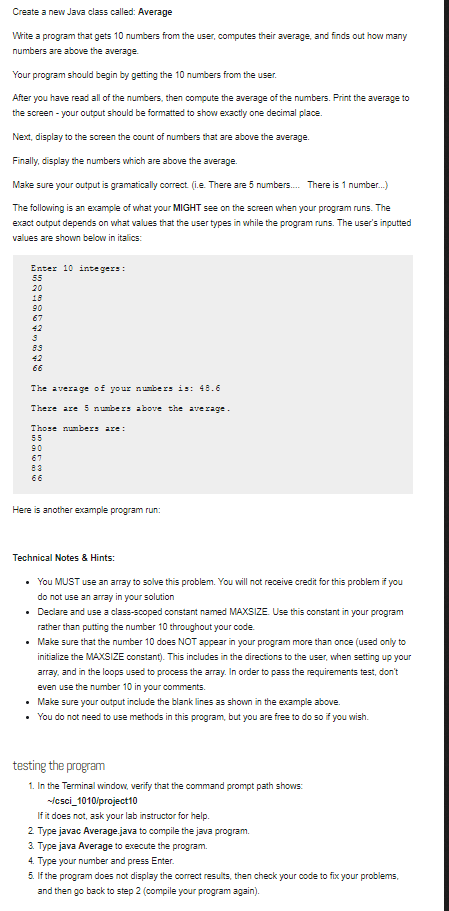
Create a new Java class called: Average Write a program that gets 10 numbers from the user, computes their average, and finds out how many numbers are above the average Your program should begin by getting the 10 numbers from the user After you have read all of the numbers, then compute the average of the numbers. Print the average to the screen-your output should be formatted to show exactly one decimal place. Next, display to the screen the count of numbers that are above the average Finally, display the numbers which are above the average. Make sure your output is gramatically correct (i.e. There are 5 numbers.There is 1 number...) The following is an example of what your MIGHT see on the screen when your program runs. The exact output depends on what values that the user types in while the program runs. The user's inputted values are shown below in italics: Enter 10 integers: 20 18 90 67 42 42 he aveage of your numbexs is: 48.6 There are 5 numbe r bove the ave rage Those nunbers are: Here is another example program run: Technical Notes & Hints: You MUST use an array to solve this problem. You will not receive credit for this problem if you do not use an array in your Declare and use a class-scoped constant named MAXSIZE. Use this constant in your program rather than putting the number 10 throughout your code Make sure that the number 10 does NOT appear in your program more than once (used only to initialize the MAXSIZE constant). This includes in the directions to the user, when setting up your array, and in the loops used to prooess the array. In order to pass the requirements test, don't even use the number 10 in your comment:s Make sure your output include the blank lines as shown in the example above. You do not need to use methods in this program, but you are free to do so if you wish. solution . . . . testing the program 1. In the Terminal window, verify that the command prompt path shows: icsci_1010/project10 If it does not, ask your lab instructor for help 2 Type javac Average java to compile the java program. 3. Type java Average to execute the program. 4. Type your number and press Enter 5. If the program does not display the correct results, then check your code to fix your problems, and then go back to step 2 (compile your program again)
Step by Step Solution
There are 3 Steps involved in it

Get step-by-step solutions from verified subject matter experts
 Study Help