







Question: In this program, I am trying to read from .bib files that contain a list of @articles of authors and their book's information (Volume, year,
In this program, I am trying to read from .bib files that contain a list of @articles of authors and their book's information (Volume, year, title, etc etc) could you please make a program that accepts a user's string input for the author's family name (last name only) then looks at each file to read/scan from said bib file and then gather that data and put it onto 3 different types of files. IEEE ACM NJ
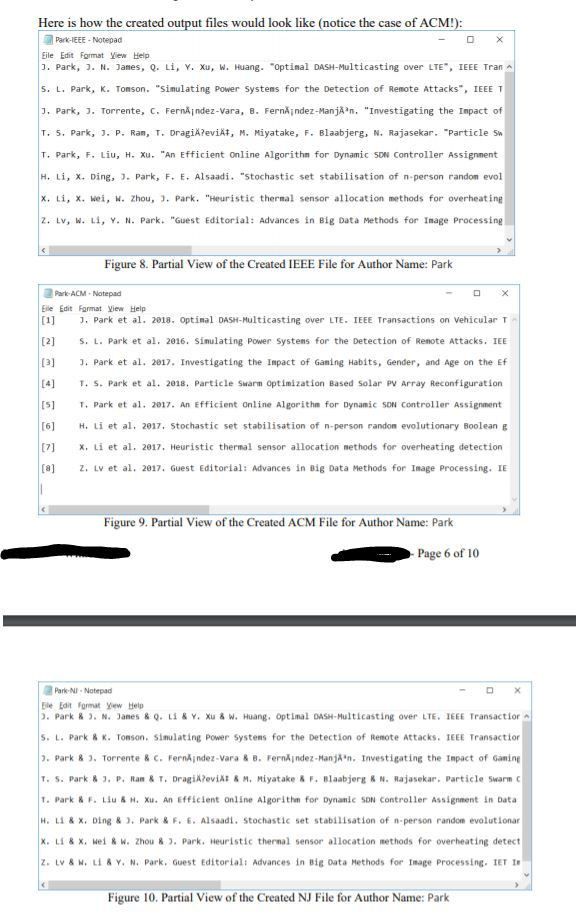
where the name of each file respectively will look like this: *AUTHORLASTNAMEFROMUSER*-IEEE.json
and the contents of the IEEE.json file will look like this:
J. Park, J. N. James, Q. Li, Y. Xu, W. Huang. "Optimal DASH-Multicasting over LTE", IEEE Transactions on Vehicular Technology, vol. PP, no. 99, p. 15-27, January 2018.
*AUTHORLASTNAMEFROMUSER*-ACM.json
and the contents of the ACM.json file will look like this:
[1] J. Park et al. 2018. Optimal DASH-Multicasting over LTE. IEEE Transactions on Vehicular Technology. PP, 99 (2018), 15-27. DOI:https://doi.org/10.1109/TVT.2018.2789899.
*AUTHORLASTNAMEFROMUSER*-NJ.json
and the contents of the NJ.json file will look like this:
J. Park & J. N. James & Q. Li & Y. Xu & W. Huang. Optimal DASH-Multicasting over LTE. IEEE Transactions on Vehicular Technology. PP, 15-27(2018).
all stored in the same directory as where the bib files are gathered from I will provide images on how each bib file will look like, some files do not have a thing written in them because we are to test if the file has anything first, then read, if not skip and read until there no more bib files in the directory to read. Note that some authors may be in multiple files.
How the .bib file could look like:
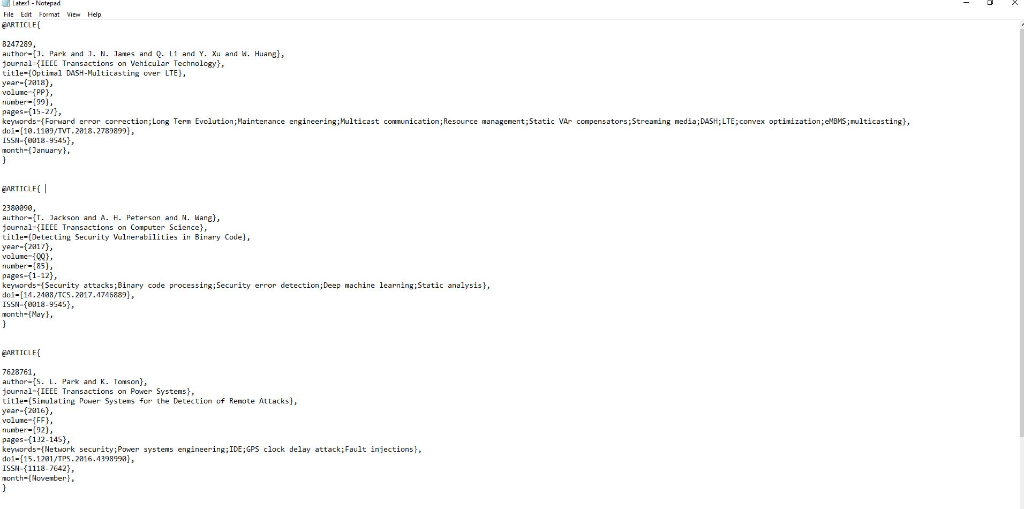
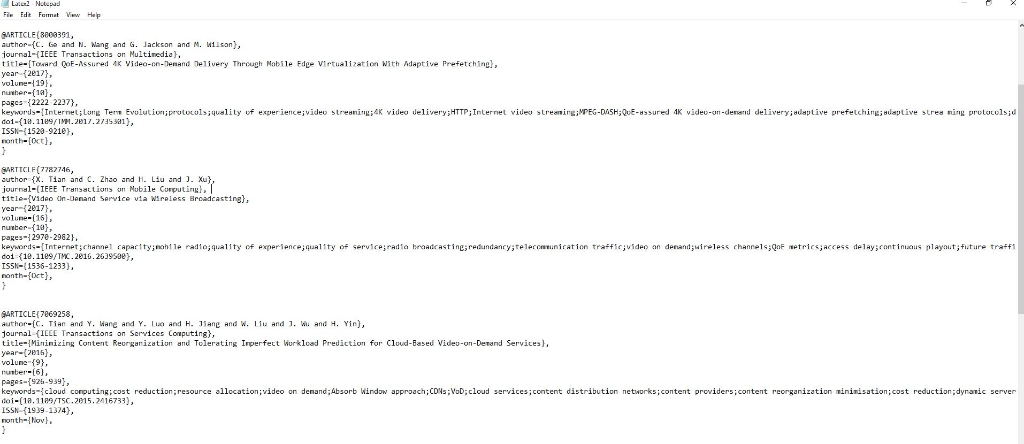
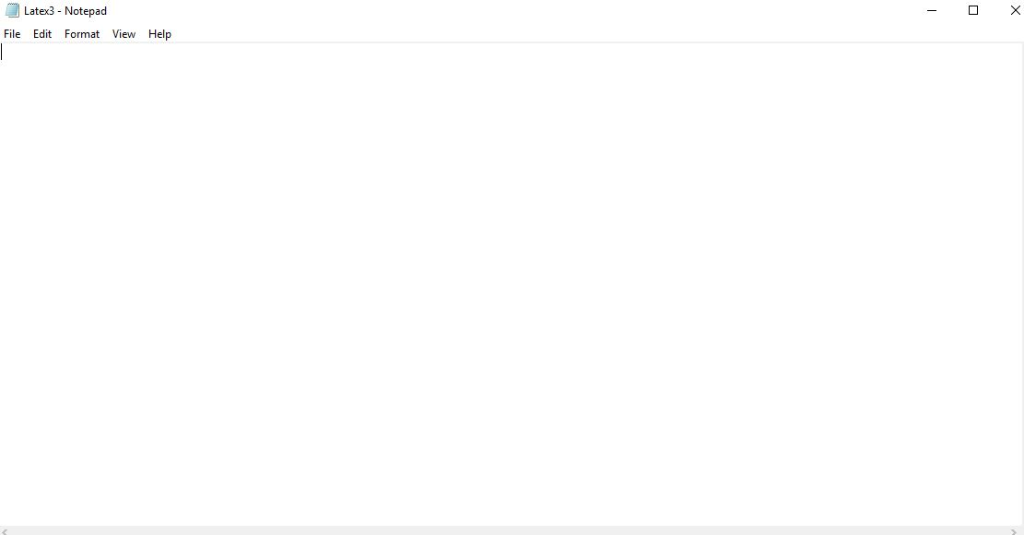
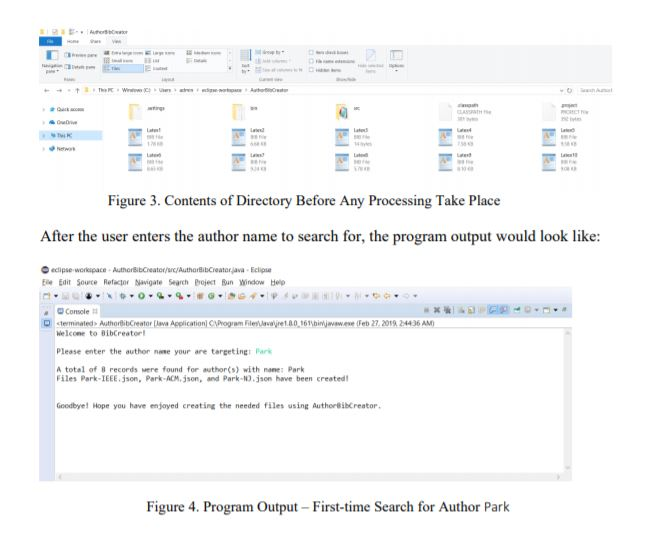
This is how the directory looks like for me, but for the sake of making it a bit easier I only am showing three bib files, assume the rest look similar to these three:
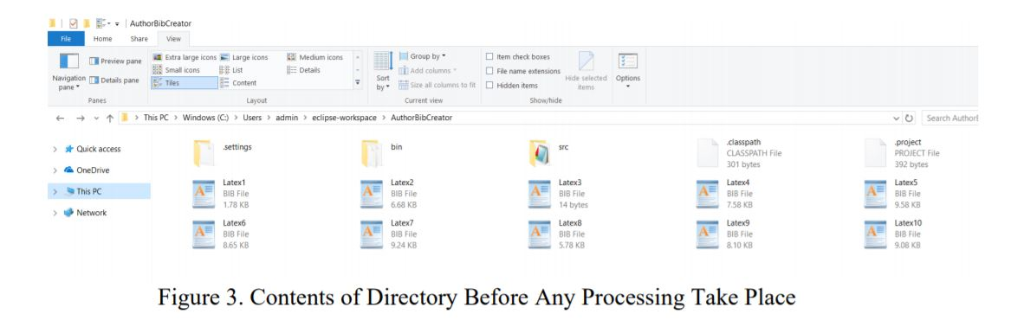
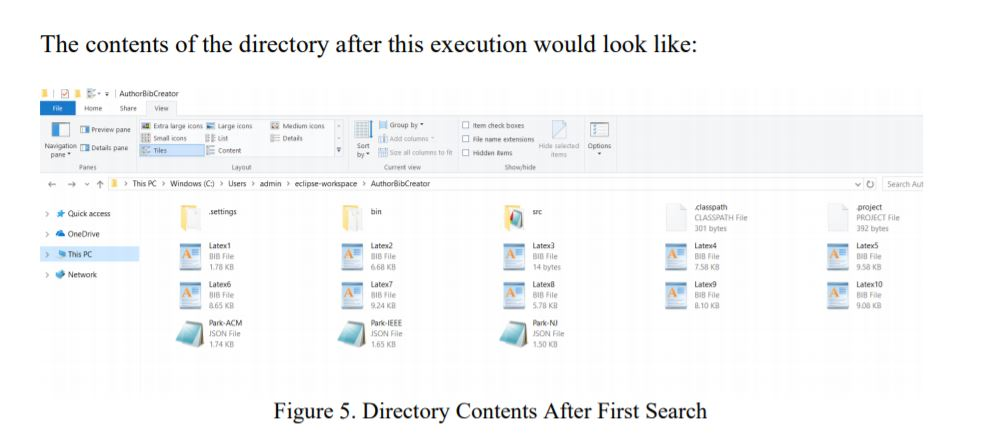
After the search and the creation of the files have been completed it should look like this, for this example, the user is looking for the authors named Park: 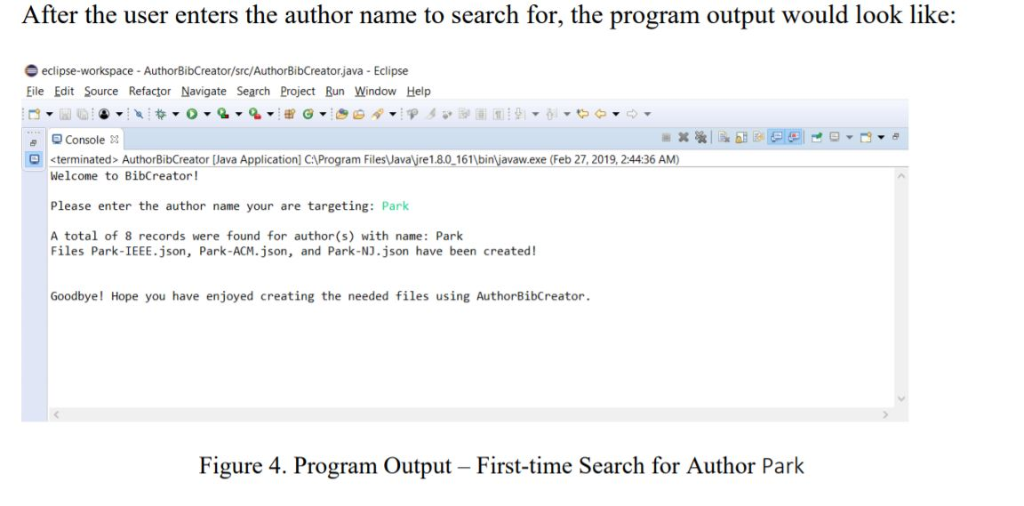
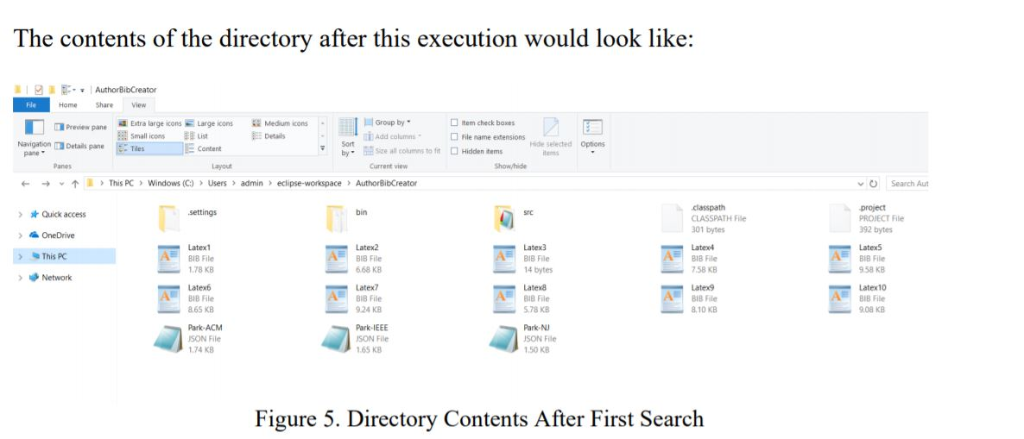
Then: 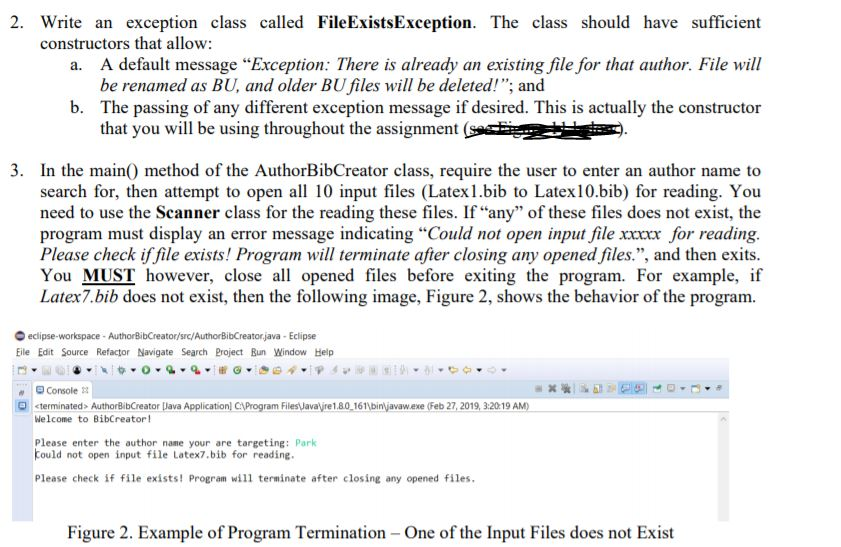
![the ACM.json file will look like this: [1] J. Park et al.](https://s3.amazonaws.com/si.experts.images/answers/2024/09/66df74d01b4d0_46366df74cf6b1d1.jpg)
Final notes: Please Do not use any external libraries or existing software to produce what is needed; For the processing of the authors (breaking the info in the name fields), you may want to use the StringTokenizer class; however, other alternatives are allowed;
It may assist you greatly if you take advantage of static variables/attributes and static methods throughout the assignment; in fact, it is not necessary to utilize other aspects such as Inheritance, Polymorphism, etc
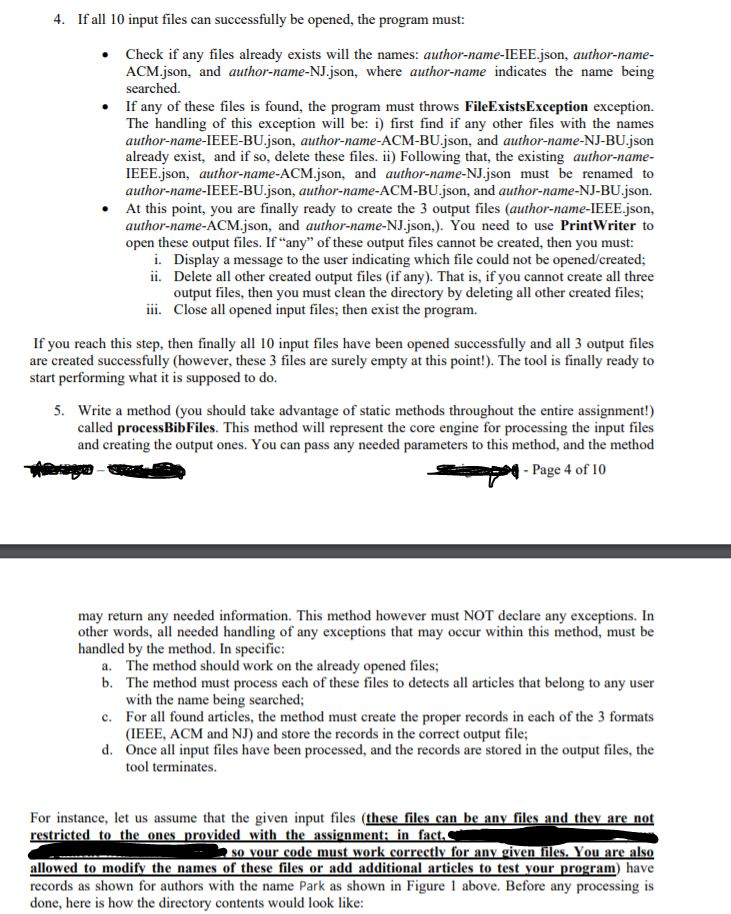
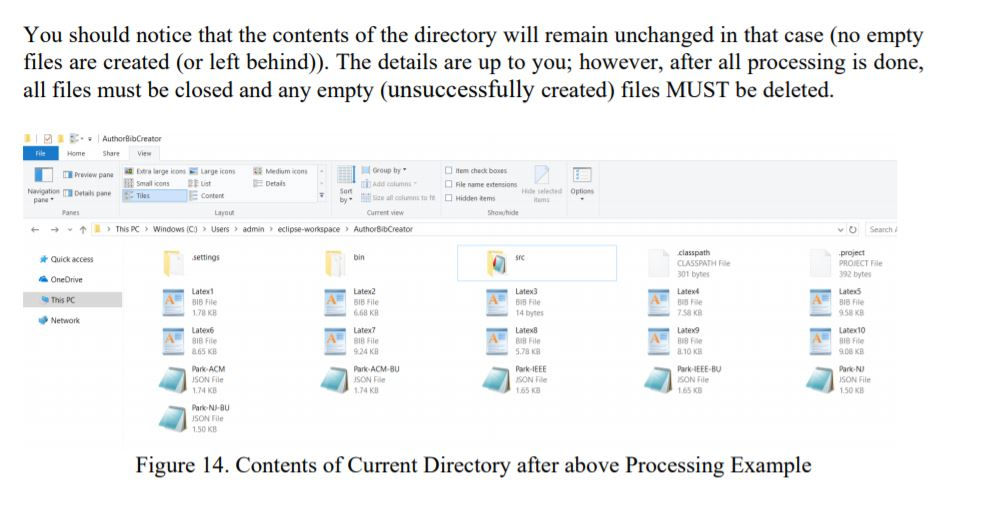
You should notice that the contents of the directory will remain unchanged in that case (no empty files are created (or left behind)). The details are up to you; however, after all processing is done, all files must be closed and any empty (unsuccessfully created) files MUST be deleted. Home ShareVi Group by . add calumn benarge iton, Medium-om Detais Large scons item check bones Preview pane le name enteenonsma,seeded Option Sor pane ams ayou urrest view +This PC > Windows (Co Users admin eclipse-workspaceAuhorBibCreator O Seach classpath 301 bytes Latext project PROIECT File 92 bytes Quick access settings bin OneOnve Late Latex2 18 File 68 KB Latex3 Latex5 58 KB Latext0 This PC File 58 K 818 F 78 KB Late 865 KB 14 bytes Network Latex7 Latex8 Latex9 File 78 K 24 KB Park ACM-BU 74 KB 10 KB 9.08 KB Park ACM SON File 74 K SON Fle 65 K Park EEE-B SON File 65 KB ark-N SON File 50 K Park N-BU SON File 50 K Figure 14. Contents of Current Directory after above Processing Example You should notice that the contents of the directory will remain unchanged in that case (no empty files are created (or left behind)). The details are up to you; however, after all processing is done, all files must be closed and any empty (unsuccessfully created) files MUST be deleted. Home ShareVi Group by . add calumn benarge iton, Medium-om Detais Large scons item check bones Preview pane le name enteenonsma,seeded Option Sor pane ams ayou urrest view +This PC > Windows (Co Users admin eclipse-workspaceAuhorBibCreator O Seach classpath 301 bytes Latext project PROIECT File 92 bytes Quick access settings bin OneOnve Late Latex2 18 File 68 KB Latex3 Latex5 58 KB Latext0 This PC File 58 K 818 F 78 KB Late 865 KB 14 bytes Network Latex7 Latex8 Latex9 File 78 K 24 KB Park ACM-BU 74 KB 10 KB 9.08 KB Park ACM SON File 74 K SON Fle 65 K Park EEE-B SON File 65 KB ark-N SON File 50 K Park N-BU SON File 50 K Figure 14. Contents of Current Directory after above Processing Example
Step by Step Solution
There are 3 Steps involved in it

Get step-by-step solutions from verified subject matter experts
 Study Help