







Question: 1. Open NPM in the directory you have been using for the previous tasks 2. Create a folder called APP_API in the root 3.
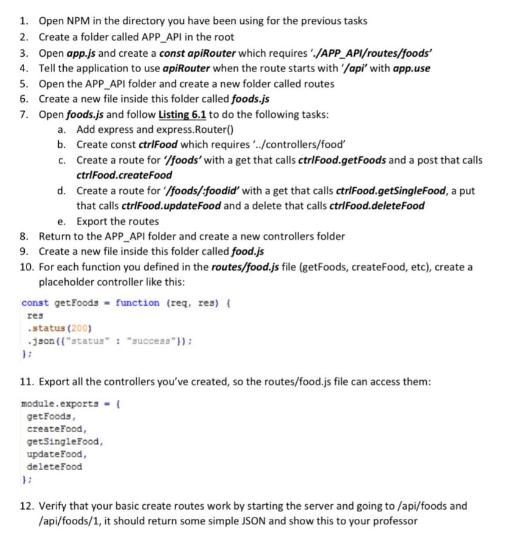
1. Open NPM in the directory you have been using for the previous tasks 2. Create a folder called APP_API in the root 3. Open app.js and create a const apiRouter which requires ./APP_API/routes/foods' 4. Tell the application to use apiRouter when the route starts with '/api' with app.use 5. Open the APP API folder and create a new folder called routes 6. Create a new file inside this folder called foods.js 7. Open foods.js and follow Listing 6.1 to do the following tasks: a. Add express and express.Router() b. Create const ctrlFood which requires "../controllers/food' c. Create a route for "'/foods' with a get that calls ctriFood.getFoods and a post that calls ctriFood.createFood d. Create a route for '/foods/foodid' with a get that calls ctriFood.getSingleFood, a put that calls ctrlFood.updateFood and a delete that calls ctriFood.deleteFood e. Export the routes 8. Return to the APP API folder and create a new controllers folder 9. Create a new file inside this folder called food.js 10. For each function you defined in the routes/food.js file (getFoods, createFood, etc), create a placeholder controller like this: const getFoods = function (req, res) { res .status (200) .json (("status" : "success"}); 11. Export all the controllers you've created, so the routes/food.js file can access them: module.exports ( getFoods, createFood, getSingleFood, update Food, deleteFood 12. Verify that your basic create routes work by starting the server and going to /api/foods and /api/foods/1, it should return some simple JSON and show this to your professor
Step by Step Solution
3.45 Rating (161 Votes )
There are 3 Steps involved in it
To set up the API according to the given instructions follow these steps Open your commandline interface and navigate to the directory you have been u... View full answer

Get step-by-step solutions from verified subject matter experts
 Study Help