







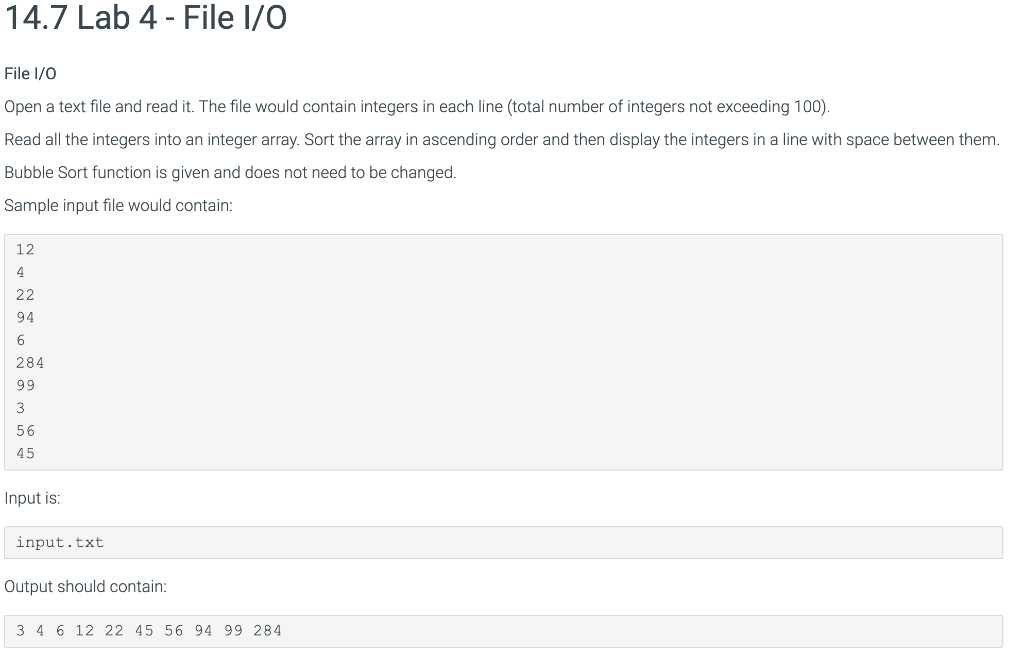
Question: #include #include #include #include #define MAX_SIZE 100 using namespace std; void BubbleSort (int arr[], int n) { int i, j; int temp; for (i =
#include
#define MAX_SIZE 100
using namespace std;
void BubbleSort (int arr[], int n) { int i, j; int temp; for (i = 0; i j+1. if (arr[j] > arr[j+1]) { temp = arr[j]; arr[j] = arr[j+1]; arr[j+1] = temp;
} } } }
int main(){
string filename; int *data = new int[MAX_SIZE]; int count = 0;
//Your solution here
// I have added this part
// ifstream File; // File.open("input.txt"); // while(!File.eof()) { // File >> data[count]; // count++; // } // File.close();
// I have this part written not sure why Im not getting the right answer
// Call the sort function here
// BubbleSort(data, count); // I have added to the code
// this is what i have added ^^
for(int i=0;i return 0; }
Step by Step Solution
There are 3 Steps involved in it

Get step-by-step solutions from verified subject matter experts
 Study Help