Question: #include #include #include #include #define NUM_Threads 5 void *executeThreadFunc(void *args) { long threadID = (long)args; int i,j; for(i=0;i for( j=0;j { printf( Hey, Hello from
#include
#include
#include
#include
#define NUM_Threads 5
void *executeThreadFunc(void *args)
{
long threadID = (long)args;
int i,j;
for(i=0;i
for( j=0;j
{
printf(" Hey, Hello from Thread %ld, Iteration:
%d,%d", threadID,i,j);
}}
pthread_exit(NULL);
}
int main()
{
pthread_t nThreads[NUM_Threads];
long i, status;
for(i=0;i status=pthread_create(&nThreads[i], NULL, executeThreadFunc, (void *) i);
if(status>0)
{
print( Error Creating Thread);
return 1;
}
}
Return 0;
}
printf(" Error Creating Thread"); return 1;
return 0; }
}
}}
}
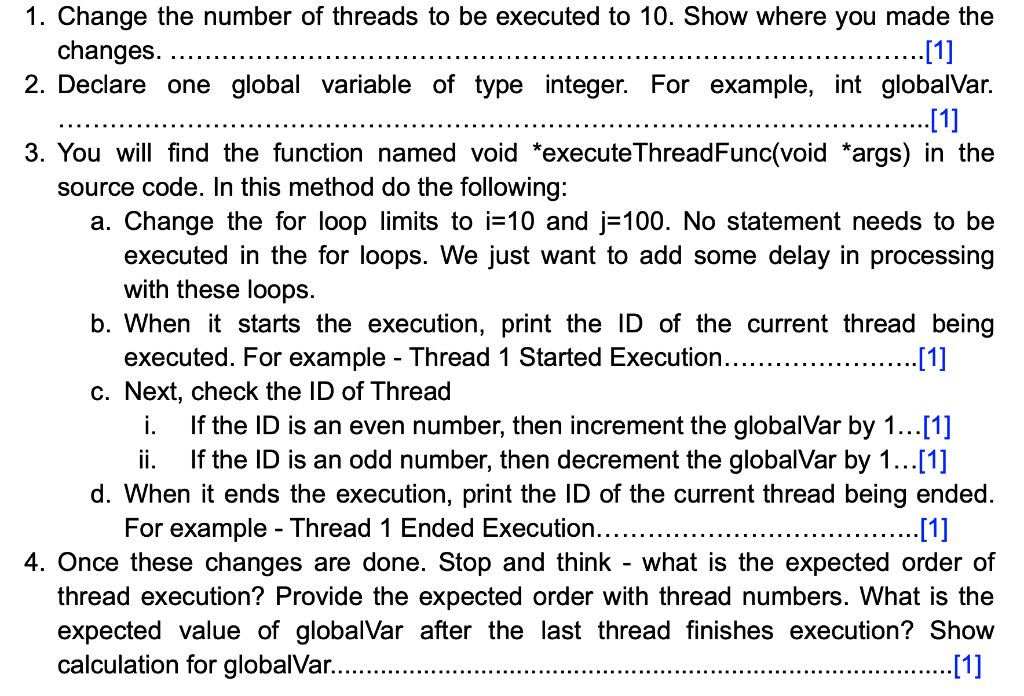
1. Change the number of threads to be executed to 10. Show where you made the changes. ... [1] 2. Declare one global variable of type integer. For example, int globalVar. ... [1] 3. You will find the function named void *execute ThreadFunc(void *args) in the source code. In this method do the following: a. Change the for loop limits i=10 and j=100. No statement needs to be executed in the for loops. We just want to add some delay in processing with these loops. b. When it starts the execution, print the ID of the current thread being executed. For example - Thread 1 Started Execution.......... ... [1] c. Next, check the ID of Thread i. If the ID is an even number, then increment the globalVar by 1... [1] ii. If the ID is an odd number, then decrement the globalVar by 1... [1] d. When it ends the execution, print the ID of the current thread being ended. For example - Thread 1 Ended Execution...... .....[1] 4. Once these changes are done. Stop and think - what is the expected order of thread execution? Provide the expected order with thread numbers. What is the expected value of globalVar after the last thread finishes execution? Show calculation for globalVar........ .. [1]









 Study Help