







Question: #include #include #include void read_and_capitalize(){ int ch; //Get the first character from the user ch = getchar(); //Read chars until newline ( ) is encountered
#include#include #include void read_and_capitalize(){ int ch; //Get the first character from the user ch = getchar(); //Read chars until newline ( ) is encountered while(ch != ' '){ //Print out the current character //(Modify this section to produce the //output required by the assignment) if ( isspace(ch) ){ printf("Character: (space) "); } else { printf("Character: %c ", ch); }/*if*/ //Get the next character from the user ch = getchar(); }/*while*/ printf(" "); }/*read_and_capitalize*/ int main(void){ printf("Enter a line of text: "); fflush(stdout); read_and_capitalize(); return EXIT_SUCCESS; }/*main*/
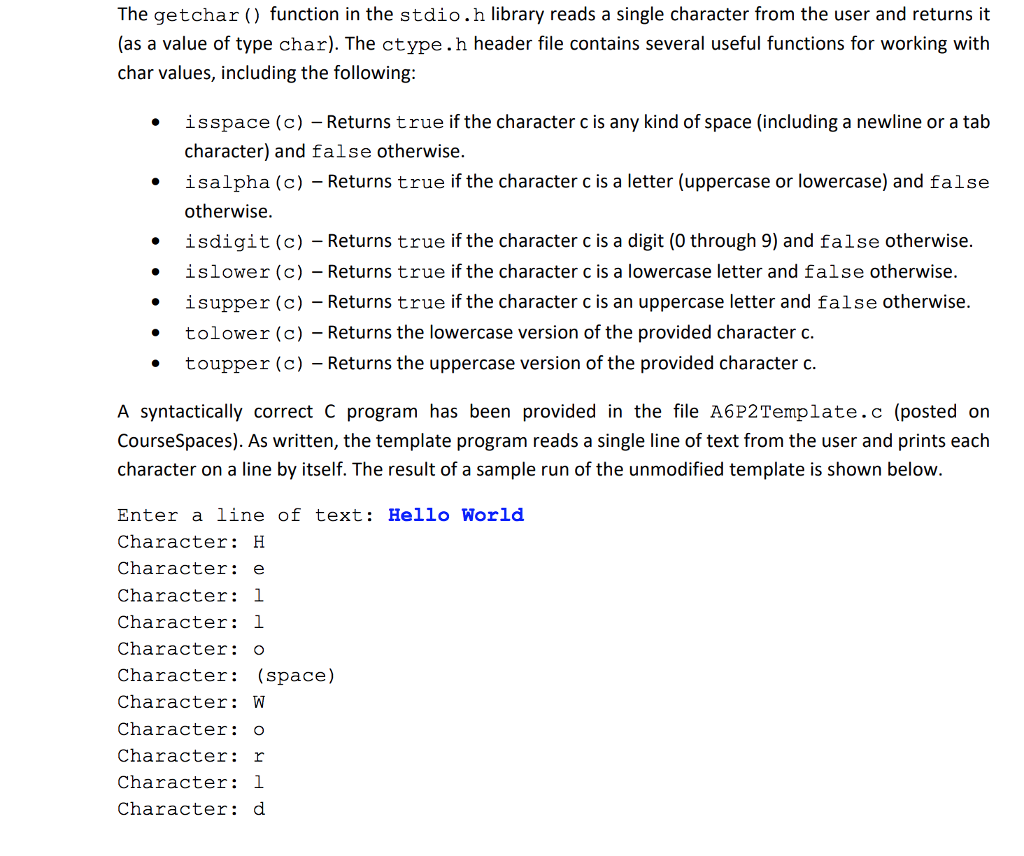
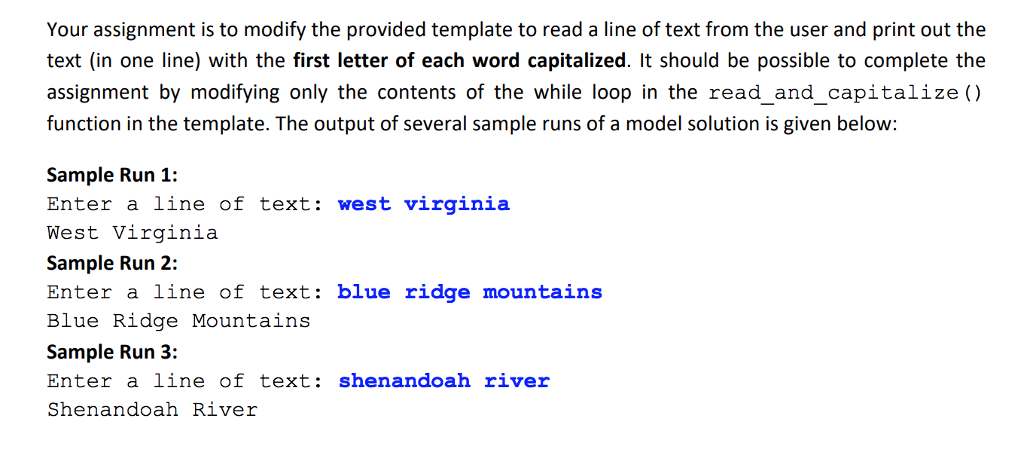
The getchar () function in the stdio.h library reads a single character from the user and returns it (as a value of type char). The ctype.h header file contains several useful functions for working with char values, including the following isspace (c) -Returns true if the character c is any kind of space (including a newline or a tab character) and false otherwise. isalpha (c) - Returns true if the character c is a letter (uppercase or lowercase) and false otherwise isdigit (c) - Returns true if the character c is a digit (0 through 9) and false otherwise islower (c) - Returns true if the character c is a lowercase letter and false otherwise. isupper (c) -Returns true if the character c is an uppercase letter and falseotherwise tolower (c) - Returns the lowercase version of the provided character c. toupper (c) - Returns the uppercase version of the provided character c. * A syntactically correct C program has been provided in the file A6P2Template.c (posted on CourseSpaces). As written, the template program reads a single line of text from the user and prints each character on a line by itself. The result of a sample run of the unmodified template is shown below Enter a line of text: Hello World Character: H Character: e Character 1 Character: 1 Character: o Character: (space) Character: W Character: o Character: r Character: 1 Character d
Step by Step Solution
There are 3 Steps involved in it

Get step-by-step solutions from verified subject matter experts
 Study Help