







Question: #include using namespace std; int main() { int arrowBaseHeight; int arrowBaseWidth; int arrowHeadWidth; cout > arrowBaseHeight; cout > arrowBaseWidth; cout > arrowHeadWidth; cout >arrowHeadWidth; }
#include
int main() { int arrowBaseHeight; int arrowBaseWidth; int arrowHeadWidth; cout > arrowBaseHeight; cout > arrowBaseWidth; cout > arrowHeadWidth; cout >arrowHeadWidth; } for(int i=0; i ........................................................................................... can someone help me fix the above c++ problem that has a white space problem that i have on my output please. result i got from c++ is this: 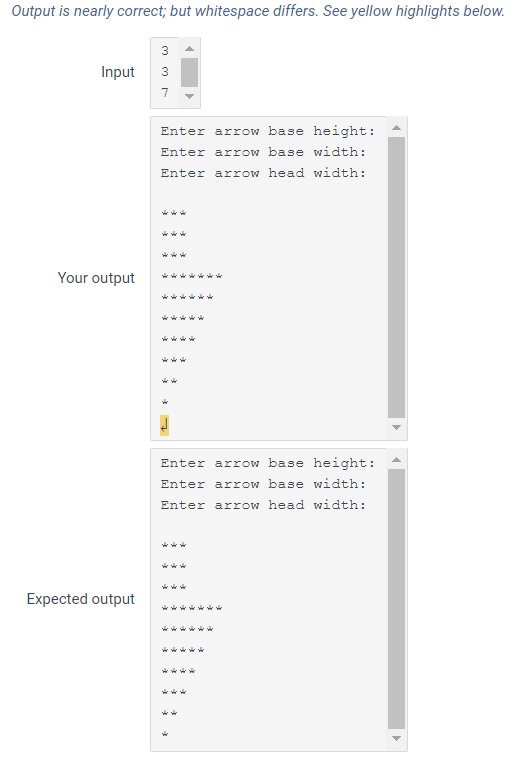
Step by Step Solution
There are 3 Steps involved in it

Get step-by-step solutions from verified subject matter experts
 Study Help