







Question: input text : aaaa bbc aaaa bbc d eee eee eee fff ggg notes: can someone help me with this codes and above assignment? void
input text :
aaaa bbc aaaa bbc d eee eee eee fff ggg
notes:
can someone help me with this codes and above assignment?
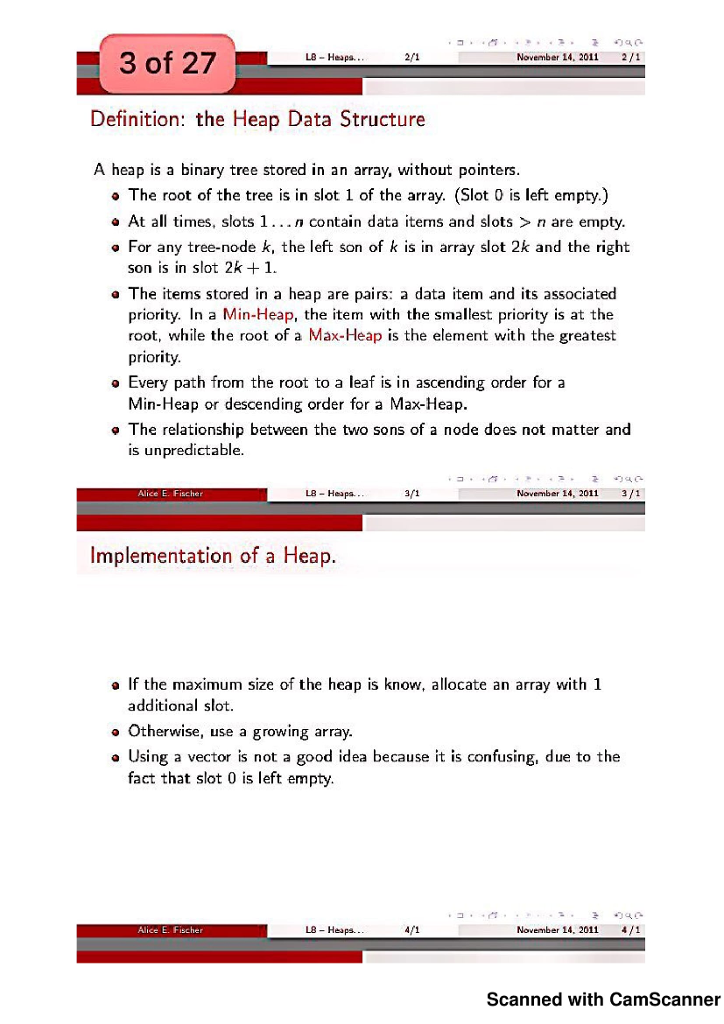
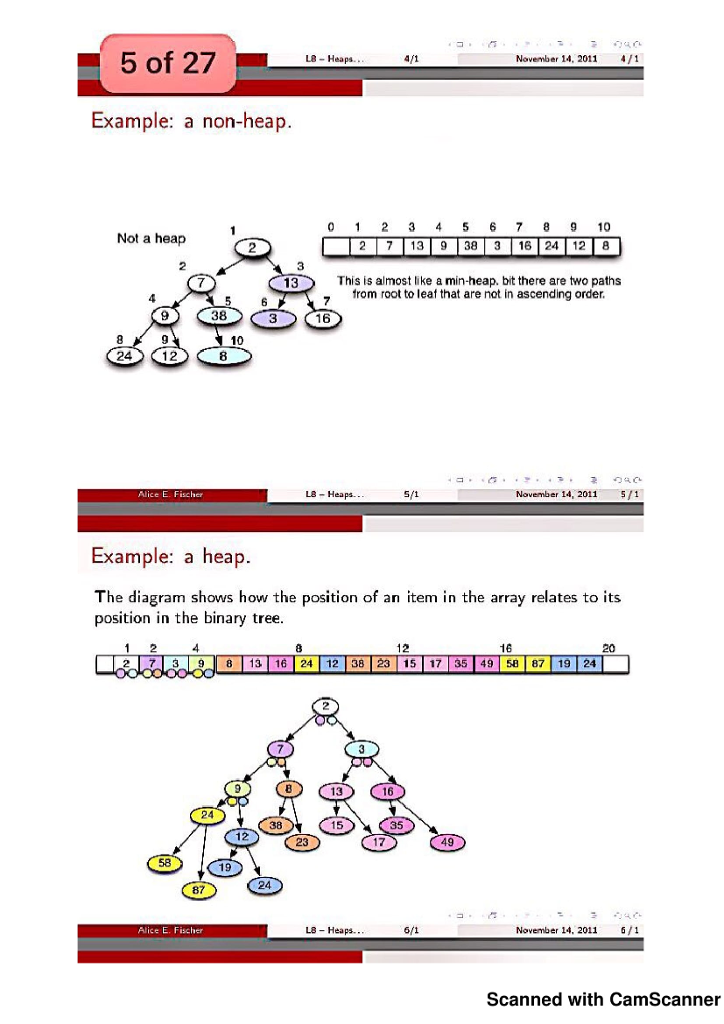
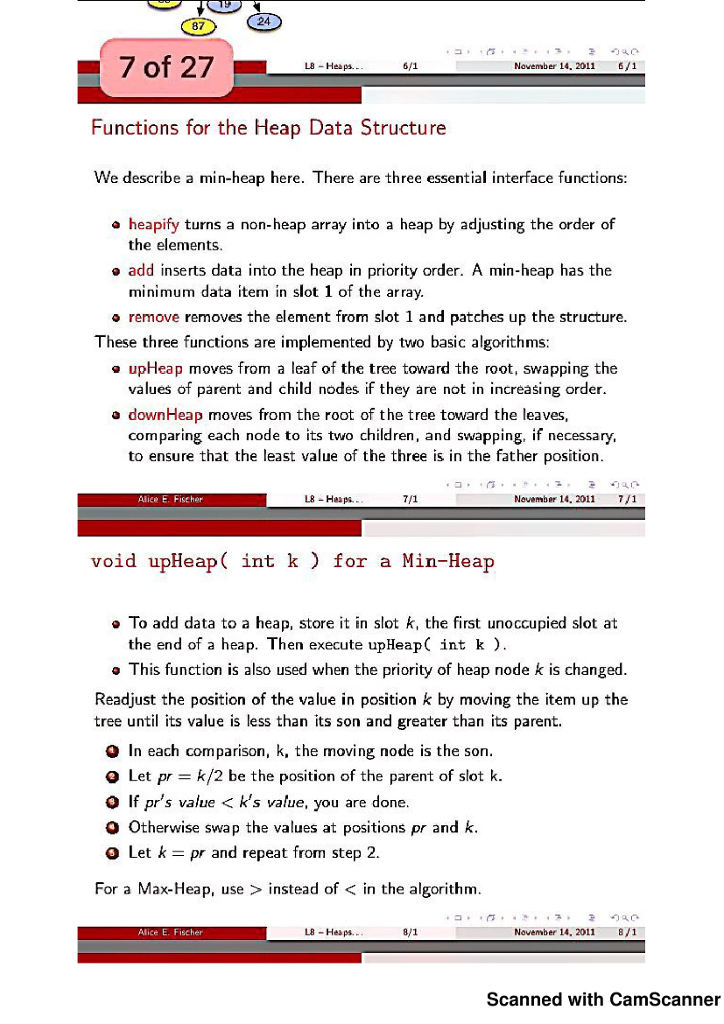
void upHeap( int k ) for a Min-Heap To add data to a heap, store it in slot k, the first unoccupied slot at the end of a heap. Then execute upHeap( int k ). This function is also used when the priority of heap node k is changed. Readjust the position of the value in position k by moving the item up the tree until its value is less than its son and greater than its parent. 1 In each comparison, k, the moving node is the son. 2 Let pr = k/2 be the position of the parent of slot k. 3 If pr0 s value instead of
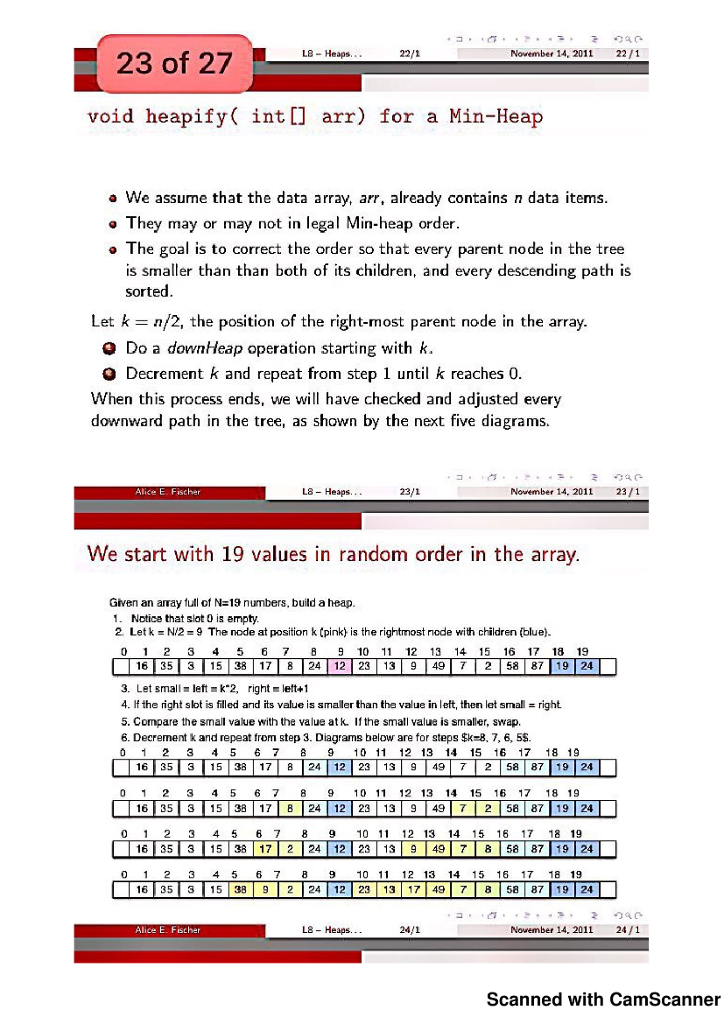
void add() This function inserts a new data item into the heap data structure in a position determined by the priority. void add( BT data ); 1 Put the new data at the end of the heap and increment the heap counter, n. 2 Starting at k = n, do an upHeap operation. In the following six slides, we build a 20-item heap by inserting values one at a time. At each stage, either the array-view or the tree-view of the heap is diagrammed, sometimes both.
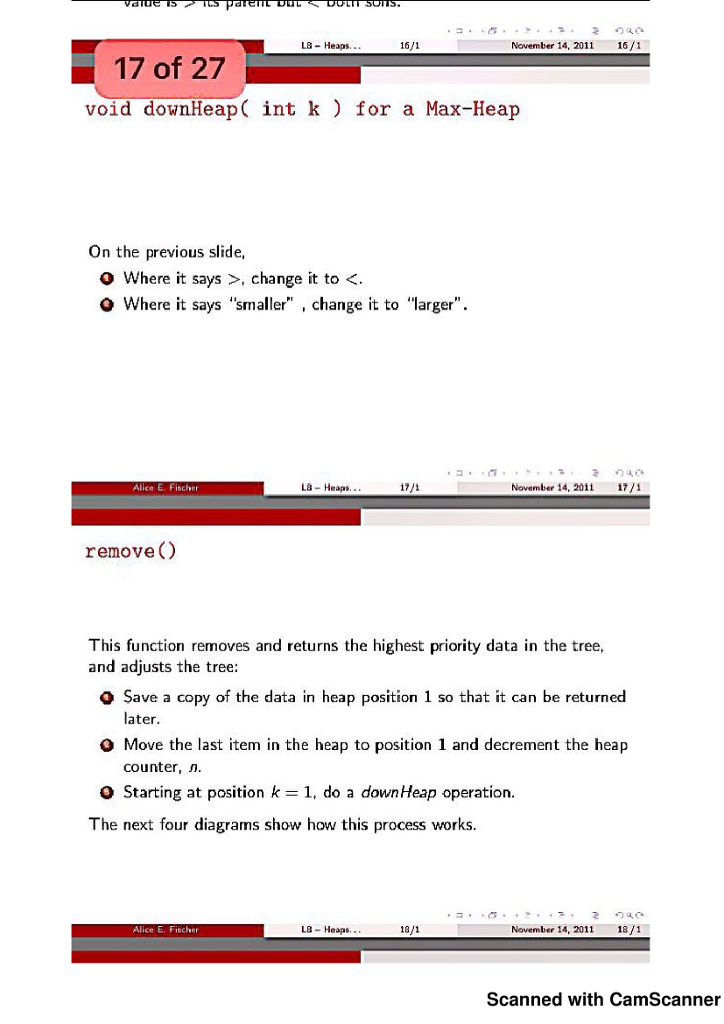
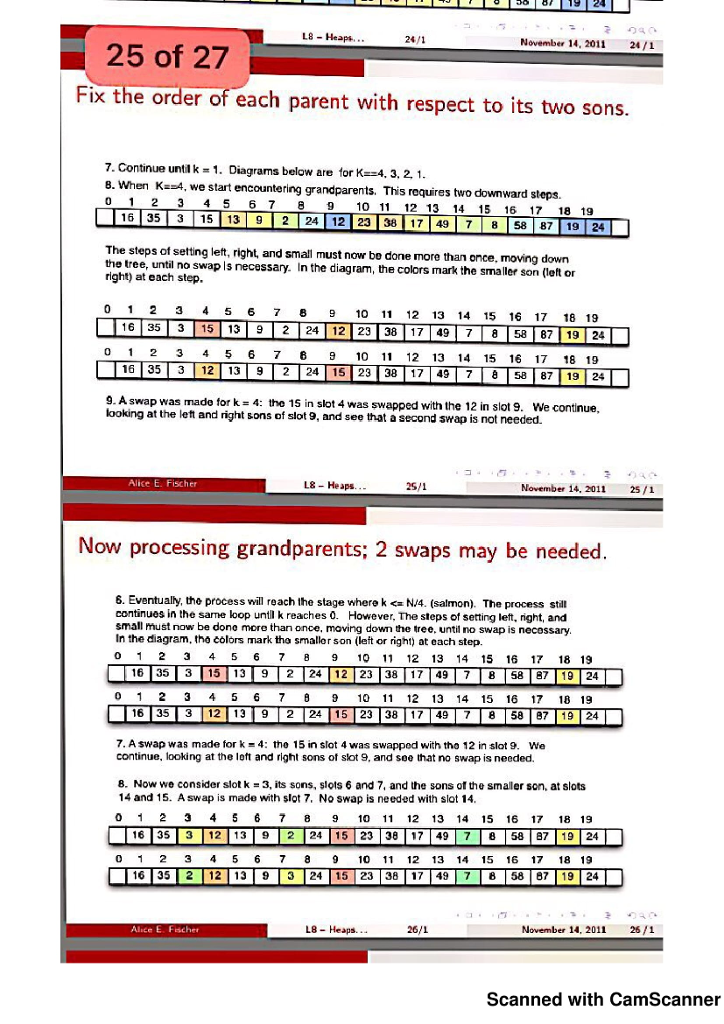
void downHeap( int k ) for a Min-Heap This function is called in a loop during the heapify() operation . It is called once after removing a heap value, when the data from the last tree-node is moved to the open slot at position 1, and must be pushed back down into its proper place. This algorithm would also be used if the priority of a heap node changed. Let temp be the value at subscript k. For a Min-Heap, 1 The two sons of temp are at 2k and 2k + 1. 2 Compare the sons, then compare temp to the smaller son. 3 Swap if temp is larger. Set temp = subscript of swapped son. 4 Repeat from step 1. In this way, move temp down the tree until its value is > its parent but
void downHeap( int k ) for a Max-Heap On the previous slide, 1 Where it says >, change it to <. where it says smaller change to larger.>
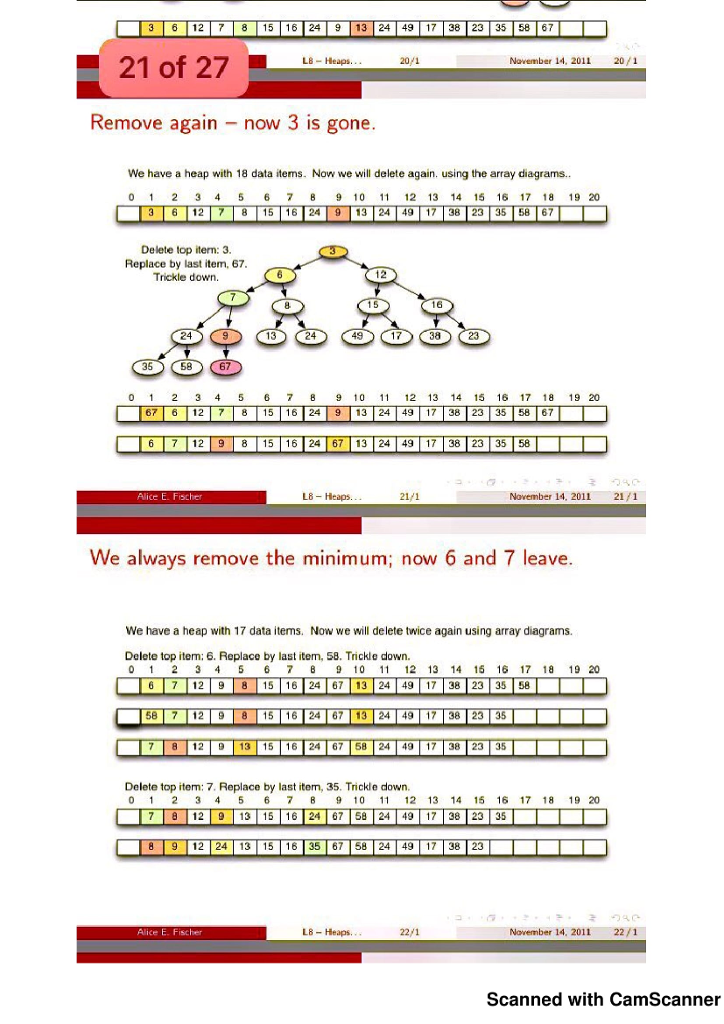
remove() This function removes and returns the highest priority data in the tree, and adjusts the tree: 1 Save a copy of the data in heap position 1 so that it can be returned later. 2 Move the last item in the heap to position 1 and decrement the heap counter, n. 3 Starting at position k = 1, do a downHeap operation. The next four diagrams show how this process works.
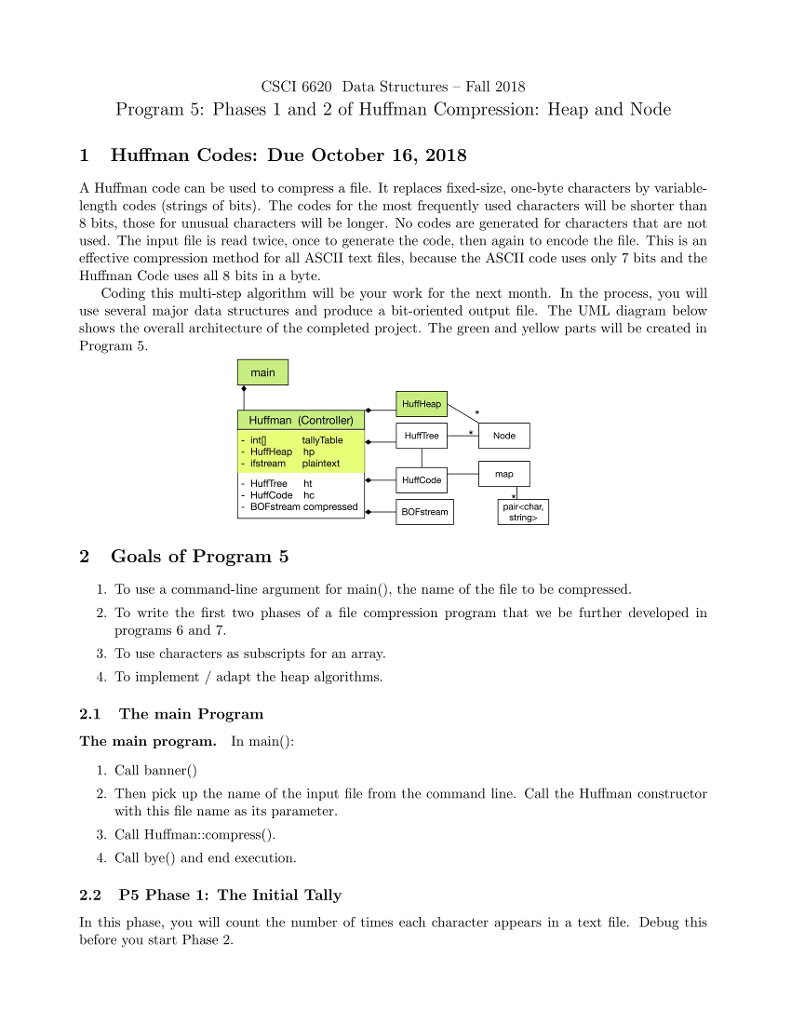
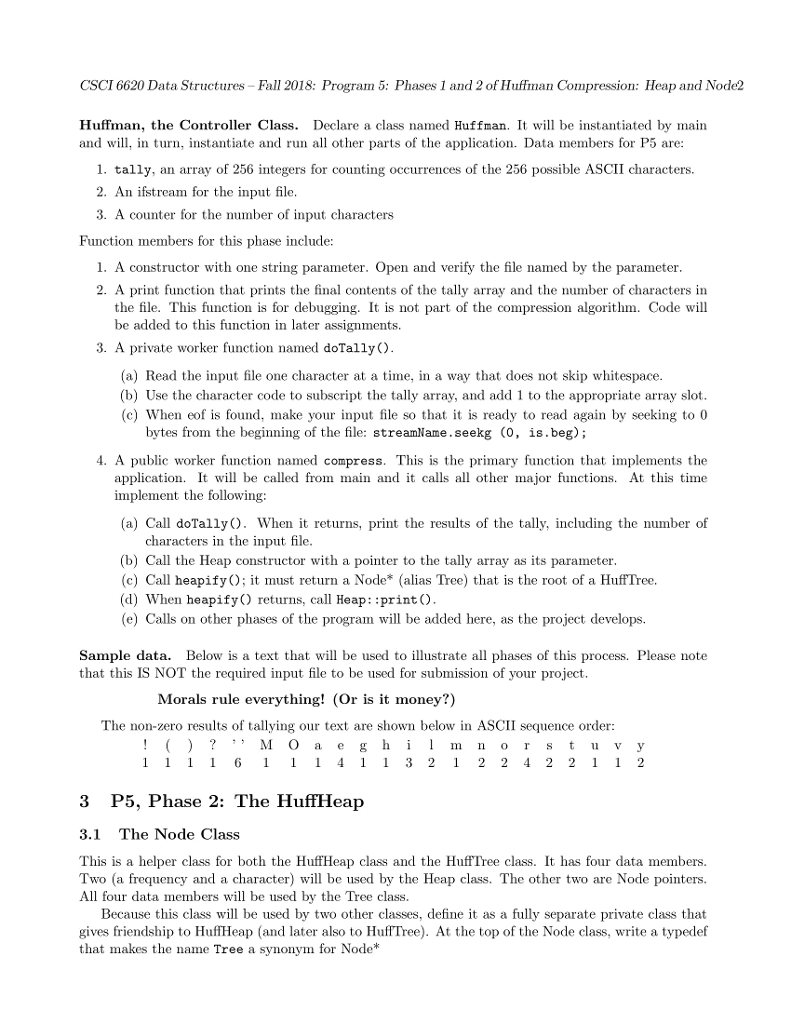
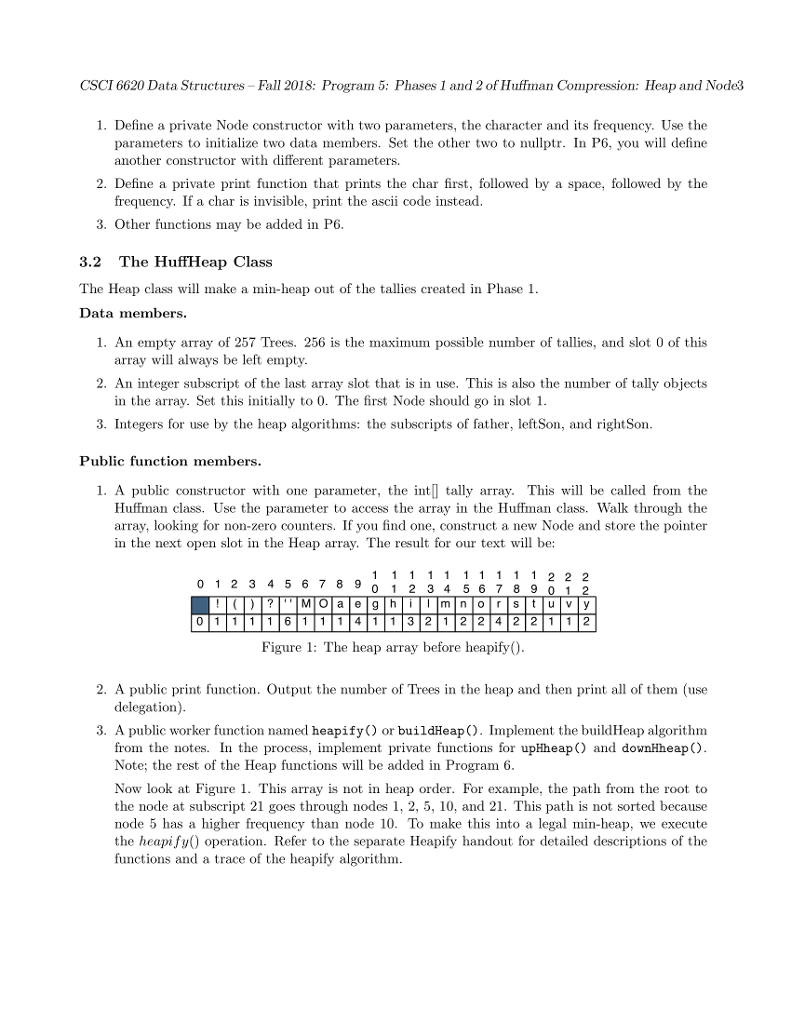
CSCI 6620 Data Structures Fall 2018 Program 5: Phases 1 and 2 of Huffman Compression: Heap and Node 1 Huffman Codes: Due October 16, 2018 A Huffman code can be used to compress a file. It replaces fixed-size, one-byte characters by variable- length codes (strings of bits). The codes for the most frequently used characters will be shorter than 8 bits, those for unusual characters will be longer. No codes are generated for characters that are not used. The input file is read twice, once to generate the code, then again to encode the file. This is an effective compression method for all ASCII text files, because the ASCII code uses only 7 bits and the Huffman Code uses al 8 bits in a byte Coding this multi-step algorithm will be your work for the next month. In the process, you will use several major data structures and produce a bit-oriented output file. The UML diagram below shows the overall architecture of the completed project. The green and yellow partswl be created in Program i5 main HuffHeap Huffman (Controller) HuffTree Node in tally Table - HuffHeap hp - ifstream plaintext map HuffTree ht HuffCode - HuffCode hc BOFstream compressed paircchar, stringp BOFstream 2 Goals of Program 5 1. To use a command-line argument for main), the name of the file to be compressed 2. To write the first two phases of a file compression program that we be further developed in programs 6 and 7 3. To use characters as subscripts for an array. 4. To implement adapt the heap algorithms 2.1 The main Program The main program. In main(): 1. Call banner) 2. Then pick up the name of the input file from the command line. Cal the Huffman constructor with this file name as its parameter 3. Call Huffman: compress) 4. Call bye) and end execution. 2.2 P5 Phase 1: The Initial Tally In this phase, you will count the number of times each character appears in a text file. Debug this before you start Phase2. CSCI 6620 Data Structures Fall 2018 Program 5: Phases 1 and 2 of Huffman Compression: Heap and Node 1 Huffman Codes: Due October 16, 2018 A Huffman code can be used to compress a file. It replaces fixed-size, one-byte characters by variable- length codes (strings of bits). The codes for the most frequently used characters will be shorter than 8 bits, those for unusual characters will be longer. No codes are generated for characters that are not used. The input file is read twice, once to generate the code, then again to encode the file. This is an effective compression method for all ASCII text files, because the ASCII code uses only 7 bits and the Huffman Code uses al 8 bits in a byte Coding this multi-step algorithm will be your work for the next month. In the process, you will use several major data structures and produce a bit-oriented output file. The UML diagram below shows the overall architecture of the completed project. The green and yellow partswl be created in Program i5 main HuffHeap Huffman (Controller) HuffTree Node in tally Table - HuffHeap hp - ifstream plaintext map HuffTree ht HuffCode - HuffCode hc BOFstream compressed paircchar, stringp BOFstream 2 Goals of Program 5 1. To use a command-line argument for main), the name of the file to be compressed 2. To write the first two phases of a file compression program that we be further developed in programs 6 and 7 3. To use characters as subscripts for an array. 4. To implement adapt the heap algorithms 2.1 The main Program The main program. In main(): 1. Call banner) 2. Then pick up the name of the input file from the command line. Cal the Huffman constructor with this file name as its parameter 3. Call Huffman: compress) 4. Call bye) and end execution. 2.2 P5 Phase 1: The Initial Tally In this phase, you will count the number of times each character appears in a text file. Debug this before you start Phase2Step by Step Solution
There are 3 Steps involved in it

Get step-by-step solutions from verified subject matter experts
 Study Help