







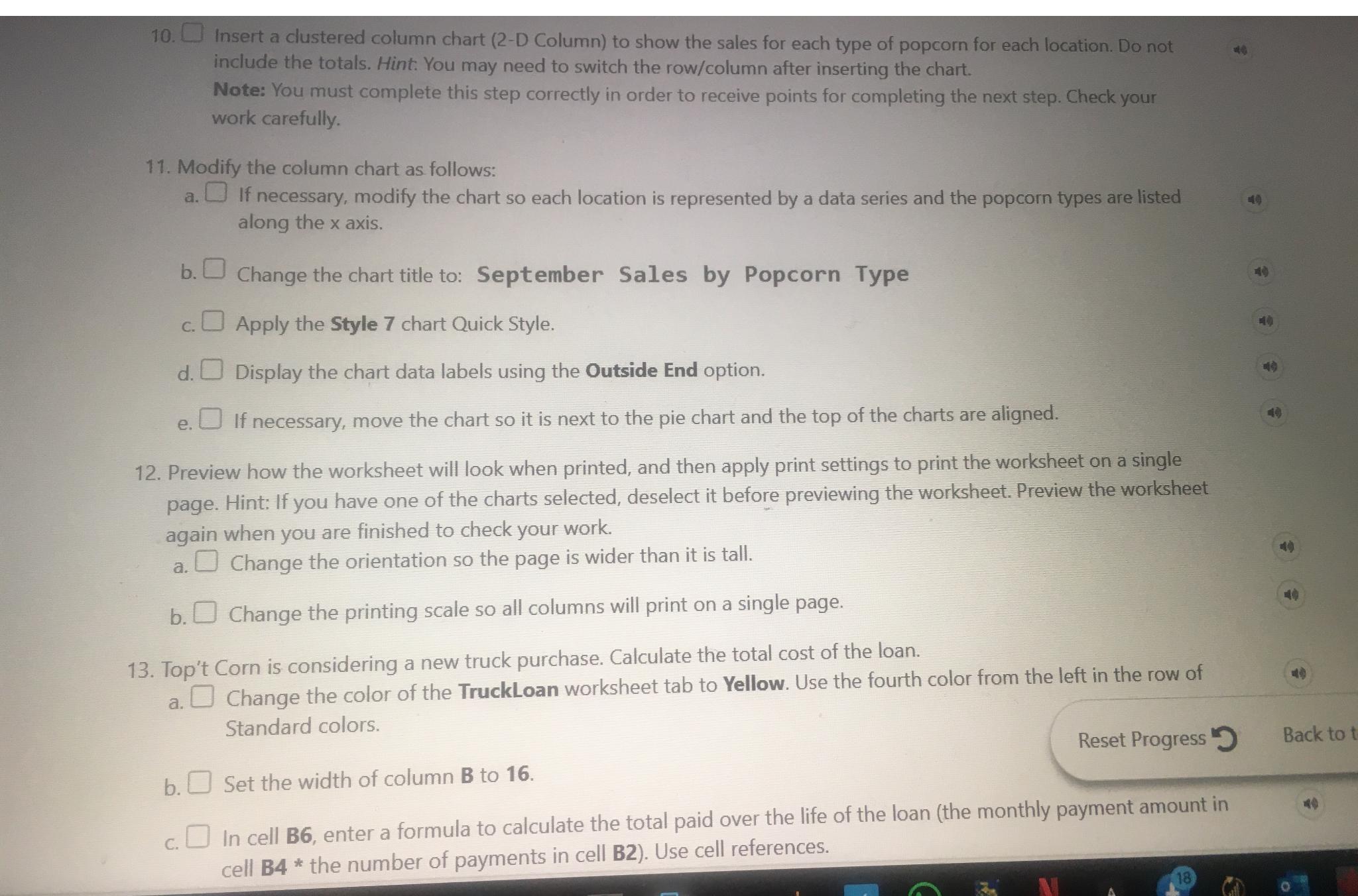
Question: Insert a clustered column chart ( 2 - D Column ) to show the sales for each type of popcorn for each location. Do not
Insert a clustered column chart D Column to show the sales for each type of popcorn for each location. Do not include the totals. Hint: You may need to switch the rowcolumn after inserting the chart.
Note: You must complete this step correctly in order to receive points for completing the next step. Check your work carefully.
Modify the column chart as follows:
a If necessary, modify the chart so each location is represented by a data series and the popcorn types are listed along the axis.
b Change the chart title to: September Sales by Popcorn Type
c Apply the Style chart Quick Style.
d Display the chart data labels using the Outside End option.
e If necessary, move the chart so it is next to the pie chart and the top of the charts are aligned.
Preview how the worksheet will look when printed, and then apply print settings to print the worksheet on a single page. Hint: If you have one of the charts selected, deselect it before previewing the worksheet. Preview the worksheet again when you are finished to check your work.
a Change the orientation so the page is wider than it is tall.
b Change the printing scale so all columns will print on a single page.
Top't Corn is considering a new truck purchase. Calculate the total cost of the loan.
a Change the color of the TruckLoan worksheet tab to Yellow. Use the fourth color from the left in the row of Standard colors.
Reset Progress
b Set the width of column to
c In cell B enter a formula to calculate the total paid over the life of the loan the monthly payment amount in cell B the number of payments in cell B Use cell references.
Step by Step Solution
There are 3 Steps involved in it
1 Expert Approved Answer
Step: 1 Unlock

Question Has Been Solved by an Expert!
Get step-by-step solutions from verified subject matter experts
Step: 2 Unlock
Step: 3 Unlock
 Study Help