







Question: - Insert a worksheet named PT1 as the last worksheet in the workbook. - Create pivot tables to produce the following analysis: - To Insert
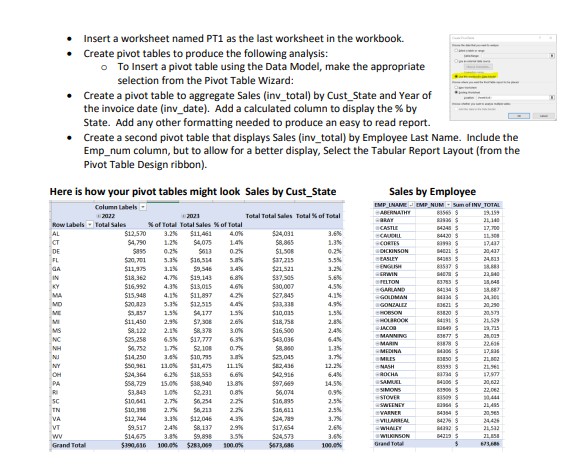
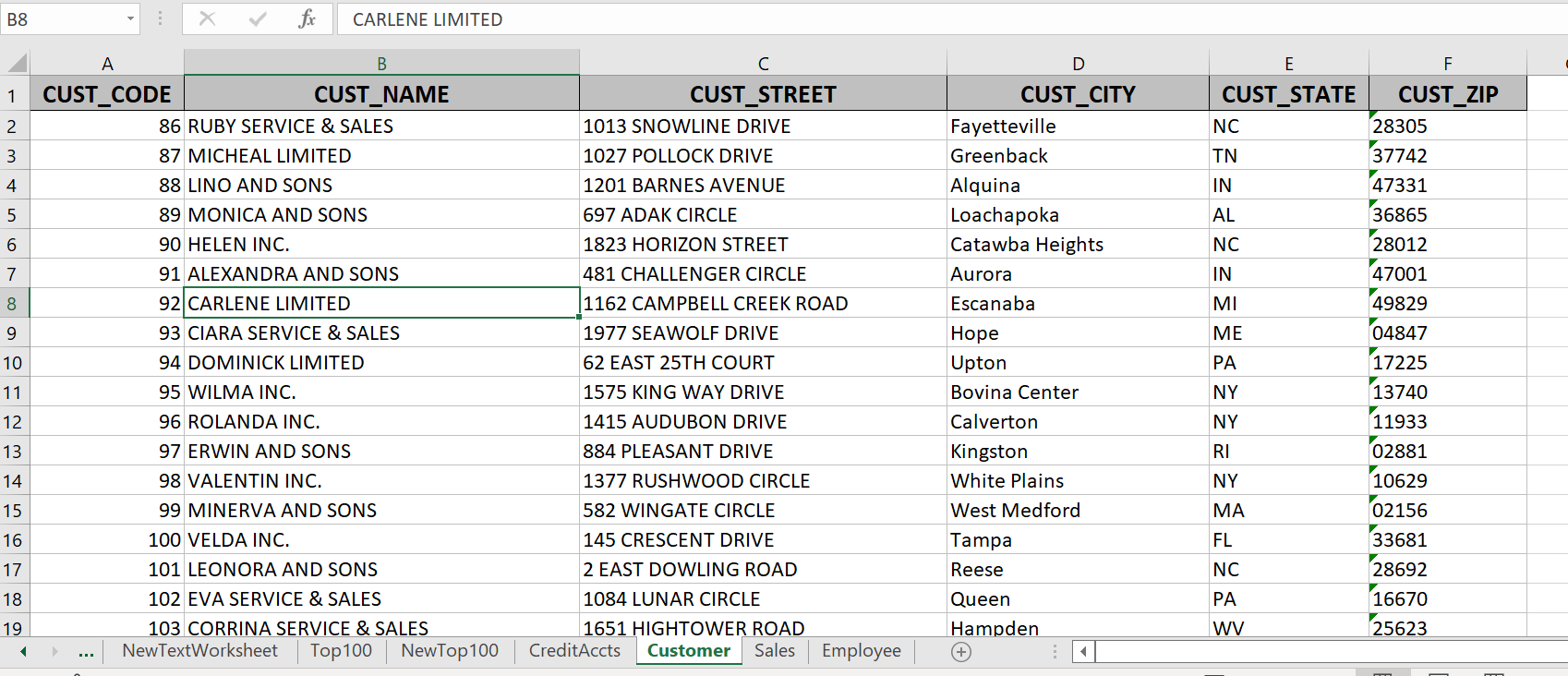
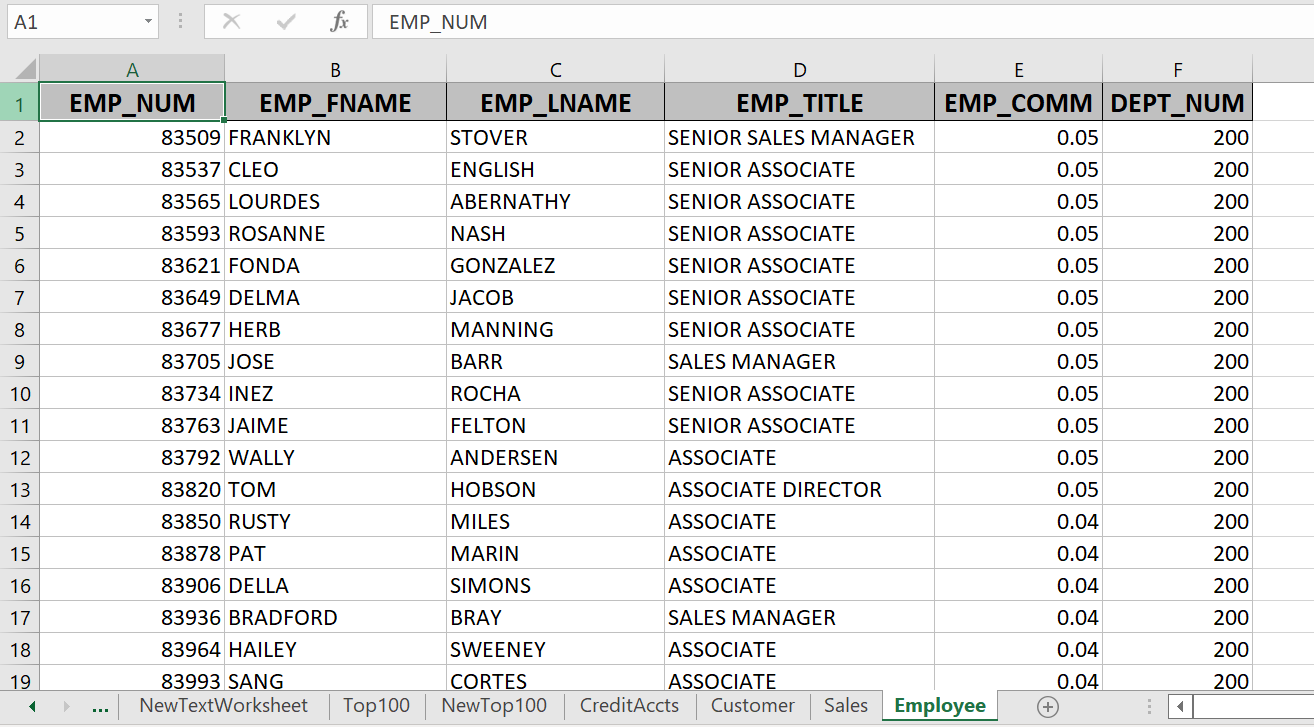
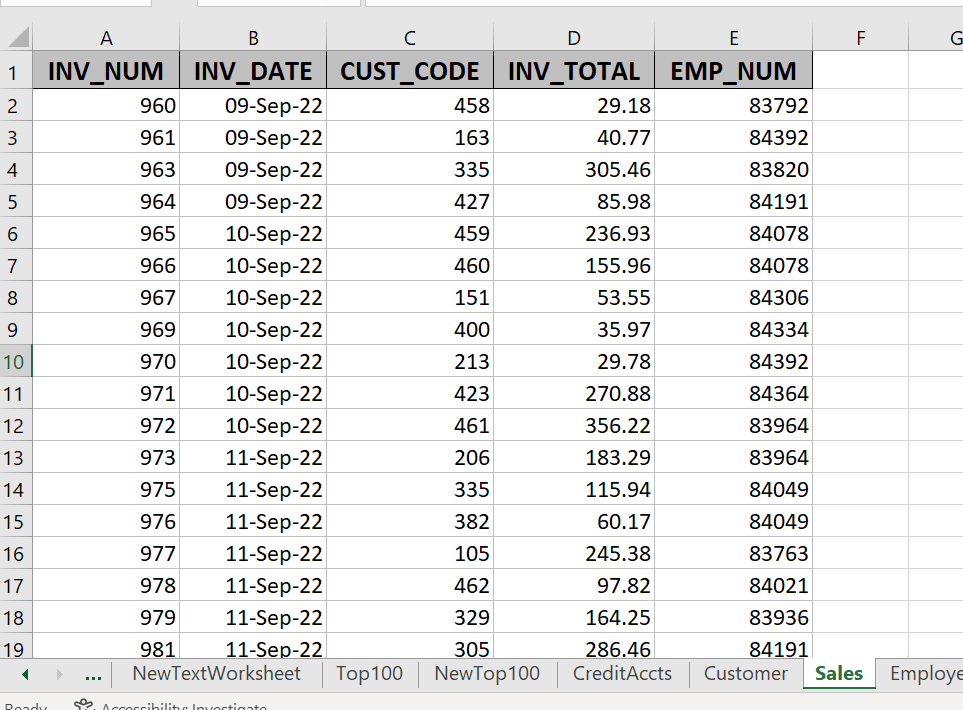
- Insert a worksheet named PT1 as the last worksheet in the workbook. - Create pivot tables to produce the following analysis: - To Insert a pivot table using the Data Model, make the appropriate selection from the Pivot Table Wizard: - Create a pivot table to aggregate Sales (inv_total) by Cust_State and Year of the invoice date (inv_date). Add a calculated column to display the % by State. Add any other formatting needed to produce an easy to read report. - Create a second pivot table that displays Sales (inv_total) by Employee Last Name. Include the Emp_num column, but to allow for a better display, Select the Tabular Report Layout (from the Pivot Table Design ribbon)
Step by Step Solution
There are 3 Steps involved in it

Get step-by-step solutions from verified subject matter experts
 Study Help