







Question: Inserting an integer in sorted order (singly-linked list). I need to fill in the part after user_input. can be in main.py, Node.py or LinkedList.py 3.15
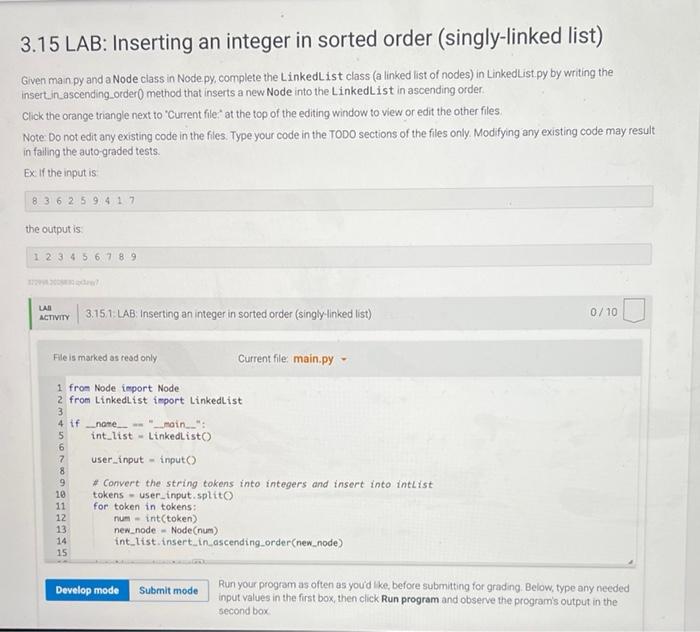
3.15 LAB: Inserting an integer in sorted order (singly-linked list) Given man py and a Node class in Node py, complete the Linkedlist class (a linked list of nodes) in Linkedlist.py by writing the insertin_ascending order() method that inserts a new Node into the LinkedList in ascending order. Click the orange triangle next to Current file at the top of the editing window to view or edit the other files Note Do not edit any existing code in the files. Type your code in the TODO sections of the files only. Modifying any existing code may result in failing the auto-graded tests. Ex If the input is 8 3 6 2 59.417 the output is 1 2 3 4 5 6 7 8 9 LAR ACTIVITY 3.151 LAB: Inserting an integer in sorted order (singly-linked list) 0/10 File is marked as read only Current file main.py - 1 from Node import Node 2 from Linkedlist import Linkedlist 3 4 if name "main": 5 int_list - LinkedListo 6 7 user_input-input 8 9 # Convert the string tokens into integers and insert into intlist 10 tokens - user_input split 11 for token in tokens: 12 rium - int(token) 13 new_node - Node(num) 14 int_list.insert in ascending order(new_node) 15 Develop mode Submit mode Run your program as often as you'd like, before submitting for grading. Below, type any needed input values in the first box, then click Run program and observe the program's output in the second box
Step by Step Solution
There are 3 Steps involved in it

Get step-by-step solutions from verified subject matter experts
 Study Help