







Question: Install mysql on your computer Windows User Download mysql from https://dev.mysql.com/downloads/mysql/(chose correct version) You can follow the instruction: https://corlewsolutions.com/articles/article-21-how-to-install-mvsql-server-5-6-on-windows-7-development-machine Mac User Follow the instruction to
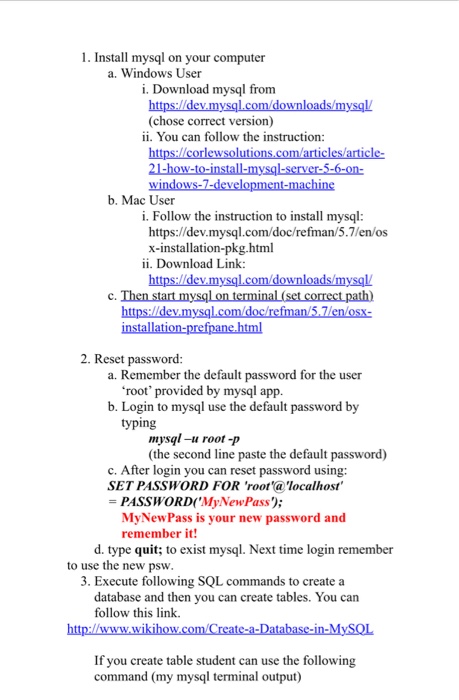
Install mysql on your computer Windows User Download mysql from https://dev.mysql.com/downloads/mysql/(chose correct version) You can follow the instruction: https://corlewsolutions.com/articles/article-21-how-to-install-mvsql-server-5-6-on-windows-7-development-machine Mac User Follow the instruction to install mysql: https://dev.mysql.eom/doc/refman/5.7/en/os x-installation-pkg.html Download Link: https://dev.mysql.com/downloads/mysql/Then start mysql on terminal (set corral path) https://dev. mysql.com/doc/refman5.7/en/osx-installation-prefpane.html Reset password: Remember the default password for the user 'root' provided by mysql app. Login to mysql use the default password by typing mysql -u root -p (the second line paste the default password) After login you can reset password using: SET PASSWORD FOR 'root'@'localhost' = PASSWORD('MyNewPass'); MyNewPass is your new password and remember it! type quit: to exist mysql. Next time login remember to use the Install mysql on your computer Windows User Download mysql from https://dev.mysql.com/downloads/mysql/(chose correct version) You can follow the instruction: https://corlewsolutions.com/articles/article-21-how-to-install-mvsql-server-5-6-on-windows-7-development-machine Mac User Follow the instruction to install mysql: https://dev.mysql.eom/doc/refman/5.7/en/os x-installation-pkg.html Download Link: https://dev.mysql.com/downloads/mysql/Then start mysql on terminal (set corral path) https://dev. mysql.com/doc/refman5.7/en/osx-installation-prefpane.html Reset password: Remember the default password for the user 'root' provided by mysql app. Login to mysql use the default password by typing mysql -u root -p (the second line paste the default password) After login you can reset password using: SET PASSWORD FOR 'root'@'localhost' = PASSWORD('MyNewPass'); MyNewPass is your new password and remember it! type quit: to exist mysql. Next time login remember to use the
Step by Step Solution
There are 3 Steps involved in it

Get step-by-step solutions from verified subject matter experts
 Study Help