







Question: Install Relational software on your computer: https://1tworf.github. io/relational/ For installing the software on Macos, follow the below steps: 1- Open a Terminal app and enter
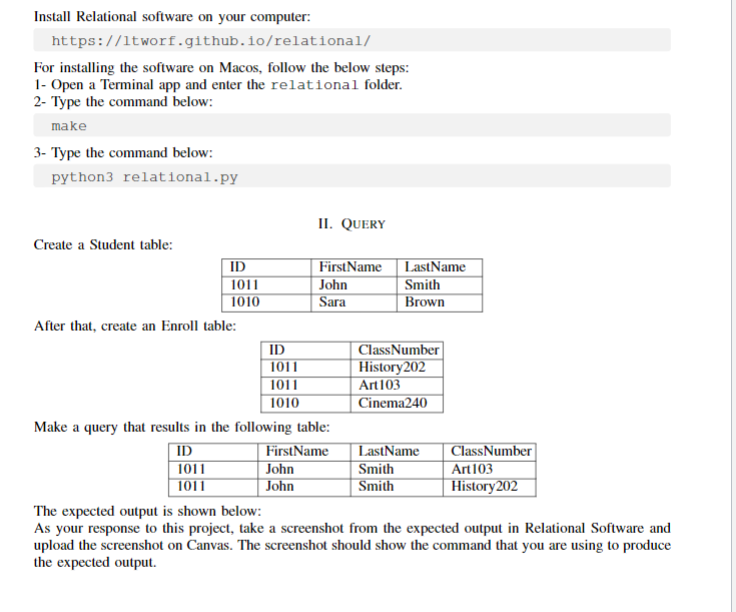
Install Relational software on your computer: https://1tworf.github. io/relational/ For installing the software on Macos, follow the below steps: 1- Open a Terminal app and enter the relational folder. 2- Type the command below: make 3- Type the command below: python 3 relational.py II. QUeRY Create a Student table: After that, create an Enroll table: Make a query that results in the following table: The expected output is shown below: As your response to this project, take a screenshot from the expected output in Relational Software and upload the screenshot on Canvas. The screenshot should show the command that you are using to produce the expected output
Step by Step Solution
There are 3 Steps involved in it

Get step-by-step solutions from verified subject matter experts
 Study Help