



Question: Installing a Printer Overview Contoso, Ltd. has just taken delivery of several new printers that the IT director purchased through an auction. He has assigned
|
| Installing a Printer |
| Overview
| Contoso, Ltd. has just taken delivery of several new printers that the IT director purchased through an auction. He has assigned you the task of installing the printers and making them available to the users of the company network. For the first printer, you intend to connect the unit directly to an LPT port in the Windows 7 computer that will function as the print server. You install the driver for the printer and configure it to send print jobs to the LPT2 port. |
| Question 12 | Why doesnt Windows 7 attempt to automatically detect a printer connected to the computer?
|
|
| Controlling Access to a Printer |
| Overview
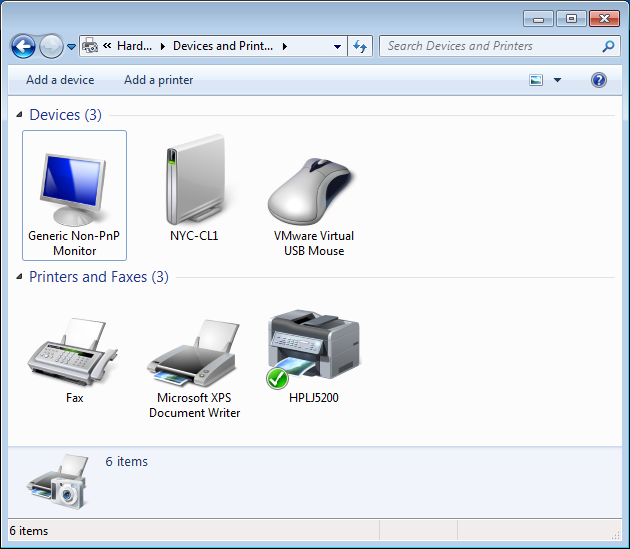
| The new printer (HPLJ5200, see screen snapshot below) you installed has been in use for several weeks, and there have been some administrative problems you must address. First, from reading the printers page counter and the amount of paper consumed, it is apparent that someone is using the printer to generate an enormous amount of personal work after business hours. While it is not practical to secure the printer physically, you can restrict the hours in which it can be used. In addition, you can limit who has access to the printer by using permissions. Another problem is that users are sending print jobs requiring paper of various sizes to the printer, and when a specific type of paper is not available, the entire print queue is halted until someone inserts the correct paper for that particular job. There have also been several instances in which a users computer crashed while printing a job and in which a user tried to interrupt a job as it was printing, thereby causing the queue to be stalled until the partial job was removed.
You configure the advanced properties of the logical printer to create a more secure printing environment and prevent these problems from occurring |
| Question 13 | What would you recommend to setup to prevent the problems described above?
|
? (a Hard Devices and Print ? |?| | Search Devices and Printers Add a device Add a printer 4 Devices (3) Generic Non-PnP Monitor NYC-CL1 VMware Virtual USB Mouse 4 Printers and Faxes (3) Microsoft XPS Document Writer ax HPLJ5200 6 items 6 items ? (a Hard Devices and Print ? |?| | Search Devices and Printers Add a device Add a printer 4 Devices (3) Generic Non-PnP Monitor NYC-CL1 VMware Virtual USB Mouse 4 Printers and Faxes (3) Microsoft XPS Document Writer ax HPLJ5200 6 items 6 items
Step by Step Solution
There are 3 Steps involved in it

Get step-by-step solutions from verified subject matter experts