







Question: Instructions: 1. Copy your answer to each question AND the R code by which you reached your answer to a document. The answers should be
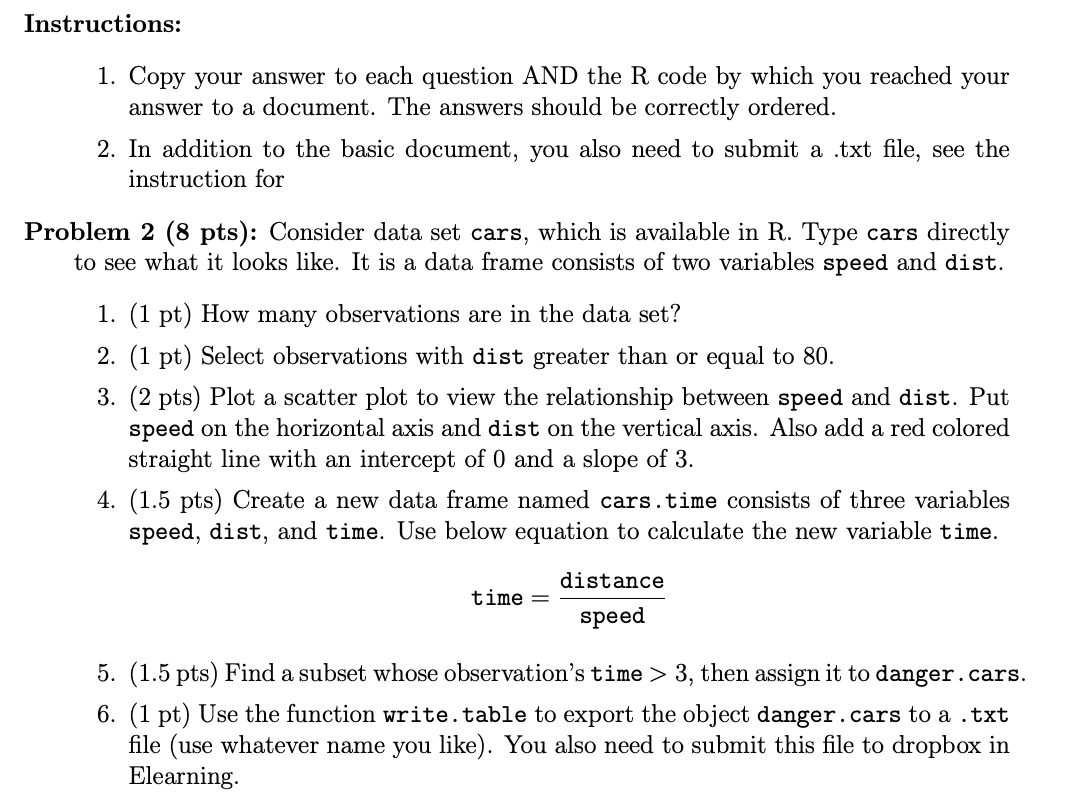
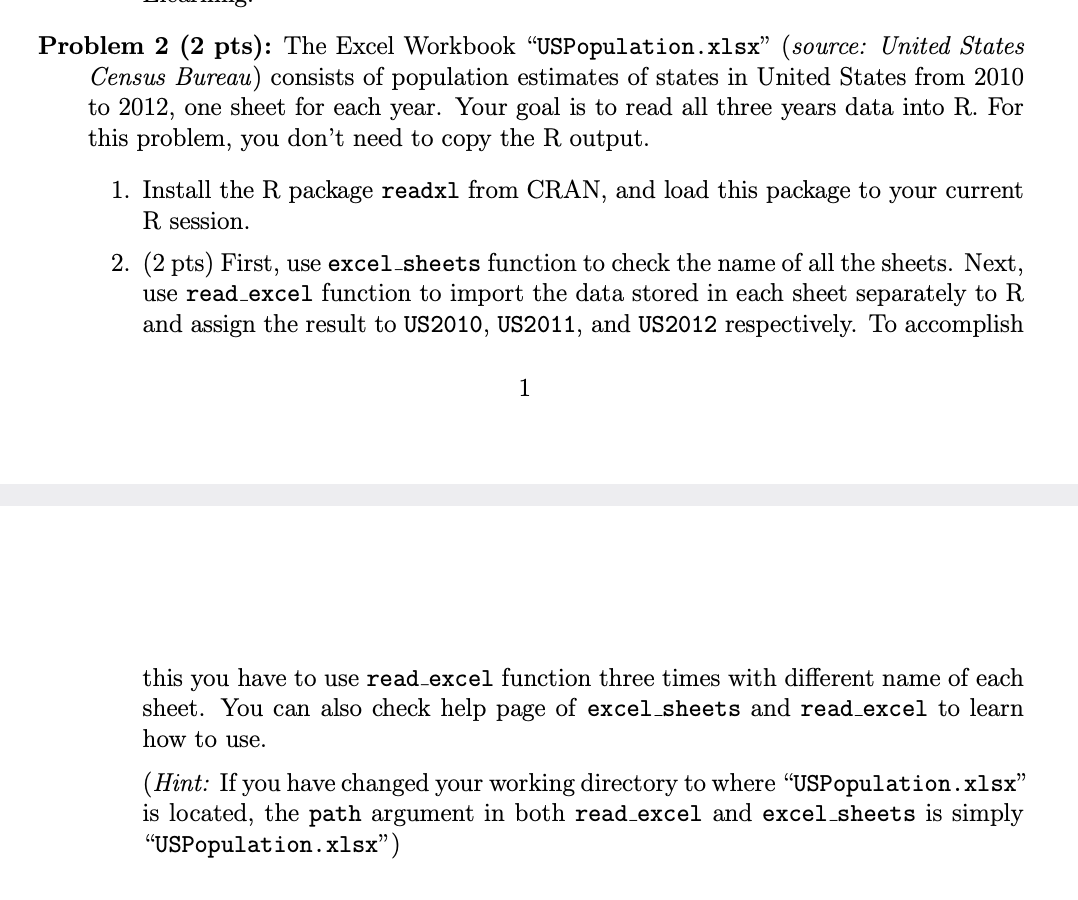
Instructions: 1. Copy your answer to each question AND the R code by which you reached your answer to a document. The answers should be correctly ordered. 2. In addition to the basic document, you also need to submit a .txt file, see the instruction for Problem 2 (8 pts): Consider data set cars, which is available in R. Type cars directly to see what it looks like. It is a data frame consists of two variables speed and dist. 1. (1 pt) How many observations are in the data set? 2. (1 pt) Select observations with dist greater than or equal to 80. 3. (2 pts) Plot a scatter plot to view the relationship between speed and dist. Put speed on the horizontal axis and dist on the vertical axis. Also add a red colored straight line with an intercept of 0 and a slope of 3. 4. (1.5 pts) Create a new data frame named cars.time consists of three variables speed, dist, and time. Use below equation to calculate the new variable time. distance time = speed 5. (1.5 pts) Find a subset whose observation's time > 3, then assign it to danger.cars. 6. (1 pt) Use the function write. table to export the object danger.cars to a .txt file (use whatever name you like). You also need to submit this file to dropbox in Elearning Problem 2 (2 pts): The Excel Workbook USPopulation.xlsx" (source: United States Census Bureau) consists of population estimates of states in United States from 2010 to 2012, one sheet for each year. Your goal is to read all three years data into R. For this problem, you don't need to copy the R output. 1. Install the R package readxl from CRAN, and load this package to your current R session. 2. (2 pts) First, use excel sheets function to check the name of all the sheets. Next, use read_excel function to import the data stored in each sheet separately to R and assign the result to US2010, US2011, and US2012 respectively. To accomplish 1 this you have to use read_excel function three times with different name of each sheet. You can also check help page of excel sheets and read_excel to learn how to use. (Hint: If you have changed your working directory to where "USPopulation.xlsx" is located, the path argument in both read_excel and excel sheets is simply "USPopulation.xlsx)
Step by Step Solution
There are 3 Steps involved in it

Get step-by-step solutions from verified subject matter experts
 Study Help