







Question: Instructions: 1. Match and Insert the flowcharts and DFDs with complete symbols into Word or Excel. Fill in the symbols, label the flow lines for
Instructions:
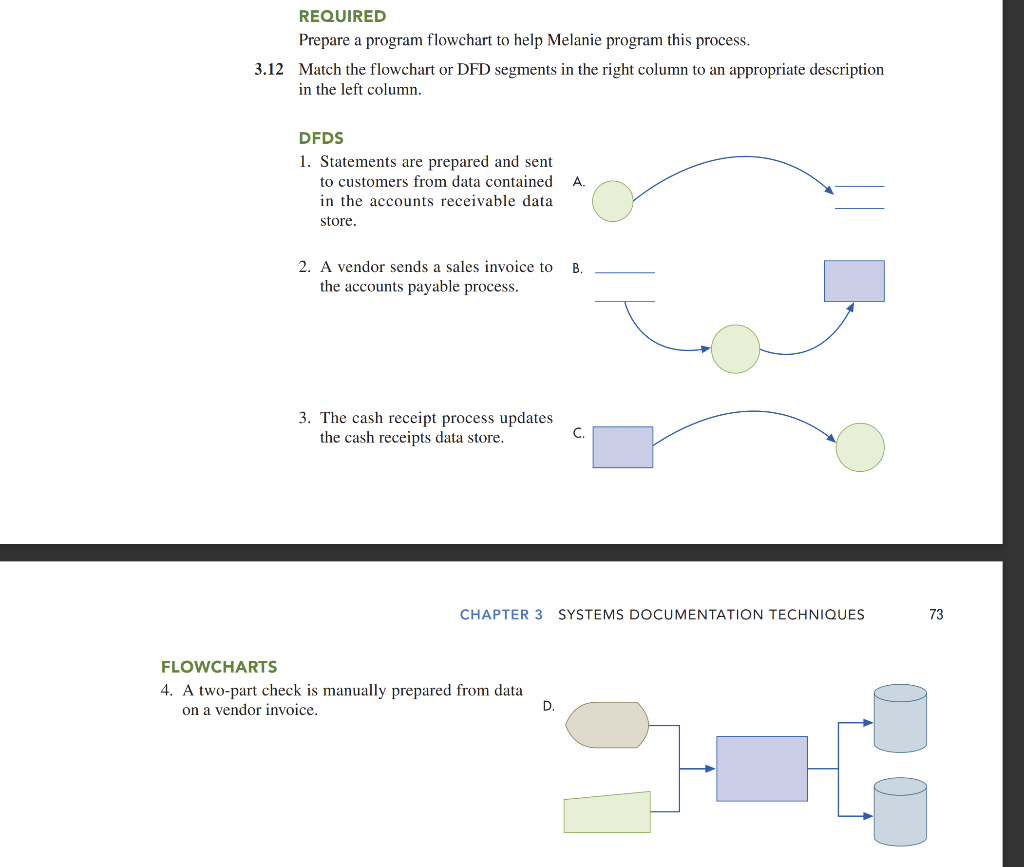
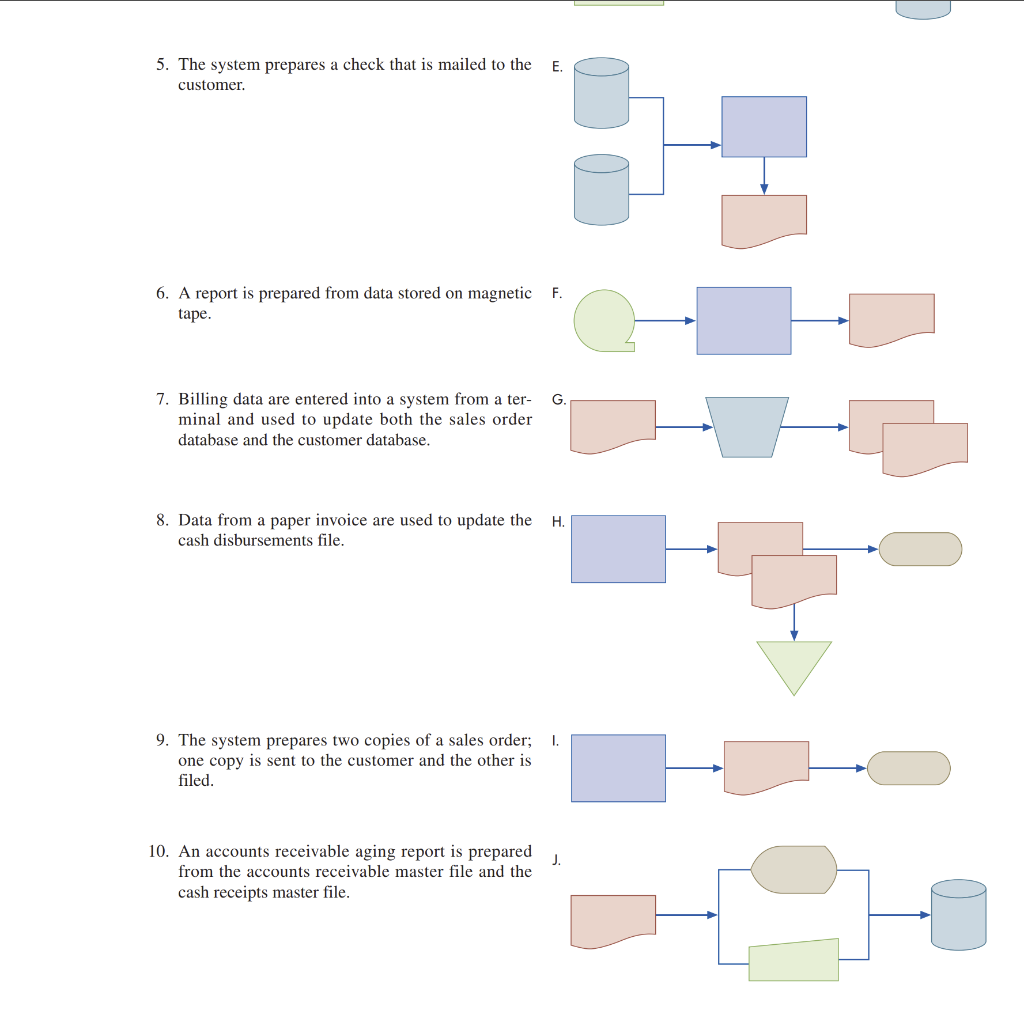
1. Match and Insert the flowcharts and DFDs with complete symbols into Word or Excel. Fill in the symbols, label the flow lines for DFDs etc. Example: 3- A , 1- B
2. For action symbols, where there are circles in DFD or rectangles (trapezoid) in flowcharts, use active tense and be specific, e.g. prepare check, update database. Study the books examples and see how specific the action terms are. Dont say computer processing since the readers wont know what actions are performed.
3. The only time we dont use active tense in the circles of a DFD is in a context diagram because it is the highest level of a DFD that only says, Payroll process accounts receivable process.
4. DFD flow lines need to say what data is being sent, instead of saying sent to customer we need to say aging reports check etc. No need to say send to because the arrow stands for it.
5. All DFD flow lines need to have labels identifying what data is sent. But if the data comes out of a data store such as A/R, then there is no need to say AR data or data.
6. DFD: no need to say data store when entering text into a data store. Just use A/R cash receipt etc.
REQUIRED Prepare a program flowchart to help Melanie program this process. 3.12 Match the flowchart or DFD segments in the right column to an appropriate description in the left column. DFDS 1. Statements are prepared and sent to customers from data contained in the accounts receivable data store. 2. A vendor sends a sales invoice to E the accounts payable process. 3. The cash receipt process updates the cash receipts data store. CHAPTER 3 SYSTEMS DOCUMENTATION TECHNIQUES FLOWCHARTS 4. A two-part check is manually prepared from data on a vendor invoice. 5. The system prepares a check that is mailed to the customer. 6. A report is prepared from data stored on magnetic F tape. 7. Billing data are entered into a system from a terminal and used to update both the sales order database and the customer database. 8. Data from a paper invoice are used to update the cash disbursements file. 9. The system prepares two copies of a sales order; one copy is sent to the customer and the other is filed. 10. An accounts receivable aging report is prepared from the accounts receivable master file and the cash receipts master file
Step by Step Solution
There are 3 Steps involved in it

Get step-by-step solutions from verified subject matter experts
 Study Help