







Question: Instructions Based on the scenario, use the dropdown selectors, checkboxes, radio selectors and write - in field to setup and configure the company cell phone
Instructions
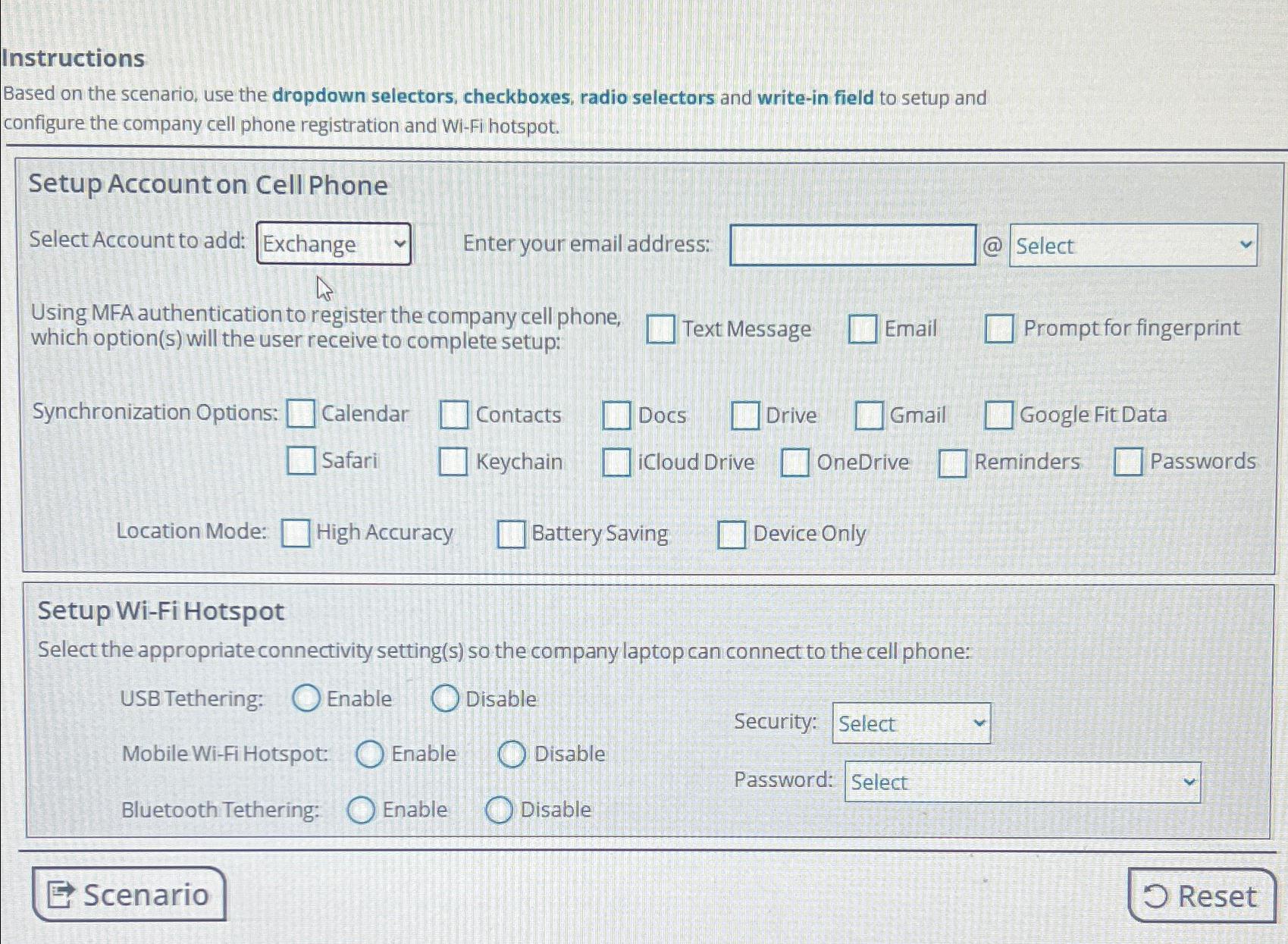
Based on the scenario, use the dropdown selectors, checkboxes, radio selectors and writein field to setup and configure the company cell phone registration and WiFi hotspot.
Setup Account on Cell Phone
Select Account to add:
Exchange
Enter your email address:
@
Using MFA authentication to register the company cell phone,
Text Message
Email
Prompt for fingerprint
which options will the user receive to complete setup:
Calendar
Contacts
Docs
Drive
Gmail
Google Fit Data
Safari
Keychain
ICloud Drive
OneDrive
Reminders
Passwords
Location Mode:
High Accuracy
Battery Saving
Device Only
Setup WiFi Hotspot
Select the appropriateconnectivity settings so the company laptop can connect to the cell phone:
USB Tethering:
Enable
Disable
Security:
Mobile WiFi Hotspot:
Enable
Disable
Password:
Bluetooth Tethering:
Enable
Disable
Step by Step Solution
There are 3 Steps involved in it
1 Expert Approved Answer
Step: 1 Unlock

Question Has Been Solved by an Expert!
Get step-by-step solutions from verified subject matter experts
Step: 2 Unlock
Step: 3 Unlock
 Study Help