







Question: INSTRUCTIONS: Create a database by the name Bank. Create the following tables Table-1: Account Details. Assign Account-num as Primary Key. Table-2 :Loan .Assign Loan-num as
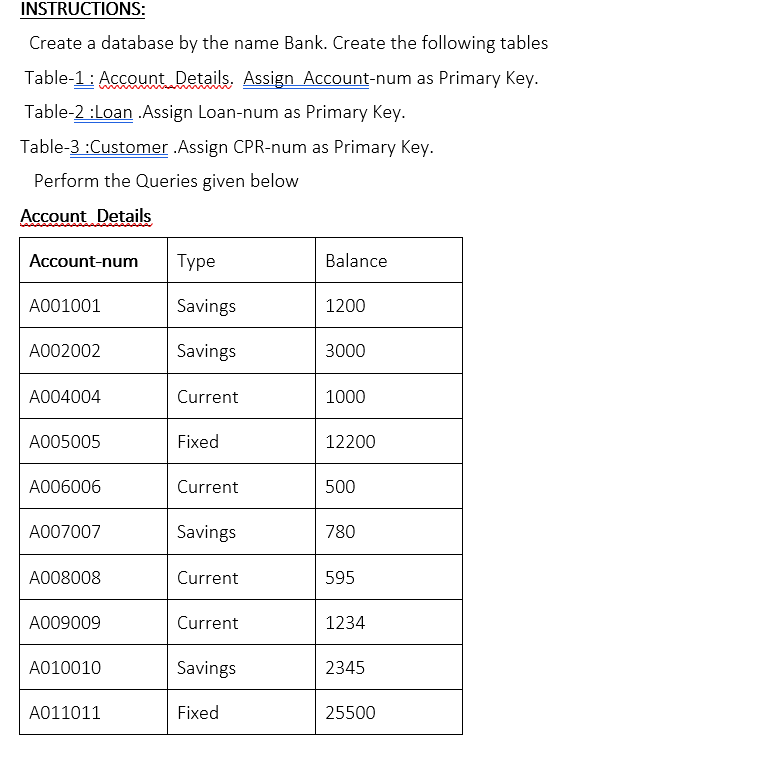
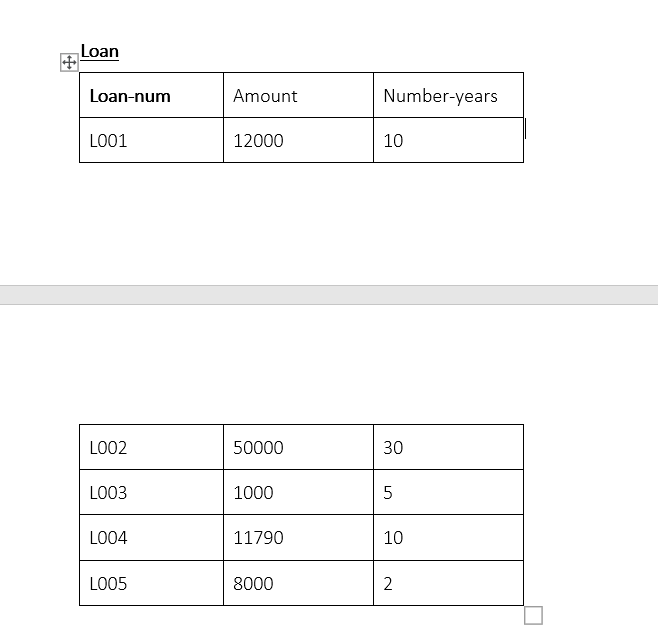
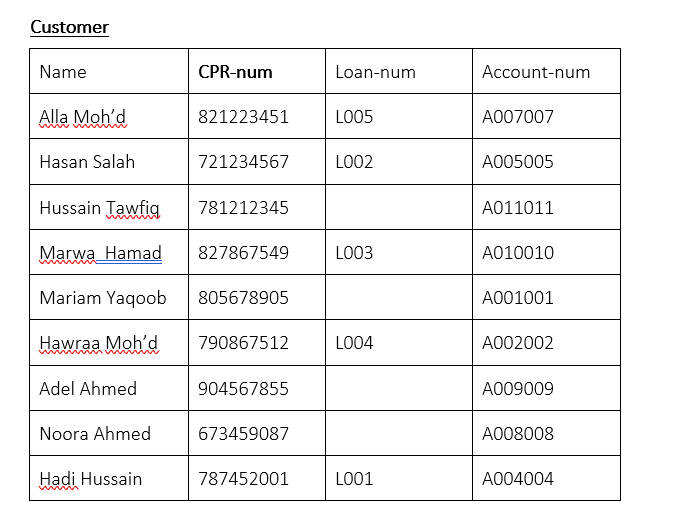
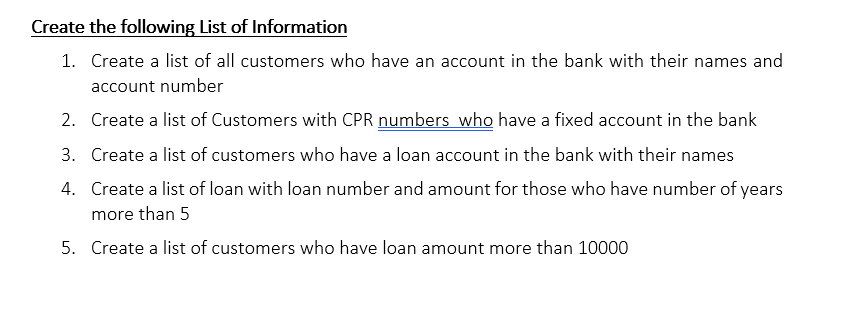
INSTRUCTIONS: Create a database by the name Bank. Create the following tables Table-1: Account Details. Assign Account-num as Primary Key. Table-2 :Loan .Assign Loan-num as Primary Key. Table-3 :Customer .Assign CPR-num as Primary key. Perform the Queries given below Account Details Account-num Type Balance A001001 Savings 1200 A002002 Savings 3000 A004004 Current 1000 A005005 Fixed 12200 A006006 Current 500 A007007 Savings 780 A008008 Current 595 A009009 Current 1234 A010010 Savings 2345 A011011 Fixed 25500 Loan Loan-num Amount Number-years L001 12000 10 LOO2 50000 30 L003 1000 5 L004 11790 10 L005 8000 N 2 Customer Name CPR-num Loan-num Account-num Alla Moh'd 821223451 L005 A007007 Hasan Salah 721234567 LOO2 A005005 Hussain Tawfiq 781212345 A011011 Marwa Hamad 827867549 L003 A010010 Mariam Yaqoob 805678905 A001001 Hawraa Moh'd 790867512 L004 A002002 Adel Ahmed 904567855 A009009 Noora Ahmed 673459087 A008008 Hadi Hussain 787452001 L001 A004004 Create the following List of Information 1. Create a list of all customers who have an account in the bank with their names and account number 2. Create a list of Customers with CPR numbers who have a fixed account in the bank 3. Create a list of customers who have a loan account in the bank with their names 4. Create a list of loan with loan number and amount for those who have number of years more than 5 5. Create a list of customers who have loan amount more than 10000
Step by Step Solution
There are 3 Steps involved in it

Get step-by-step solutions from verified subject matter experts
 Study Help