







Question: Instructions: For this assignment, you will develop a design document that takes you through the entire problem - solving process as discussed this semester. This
Instructions:
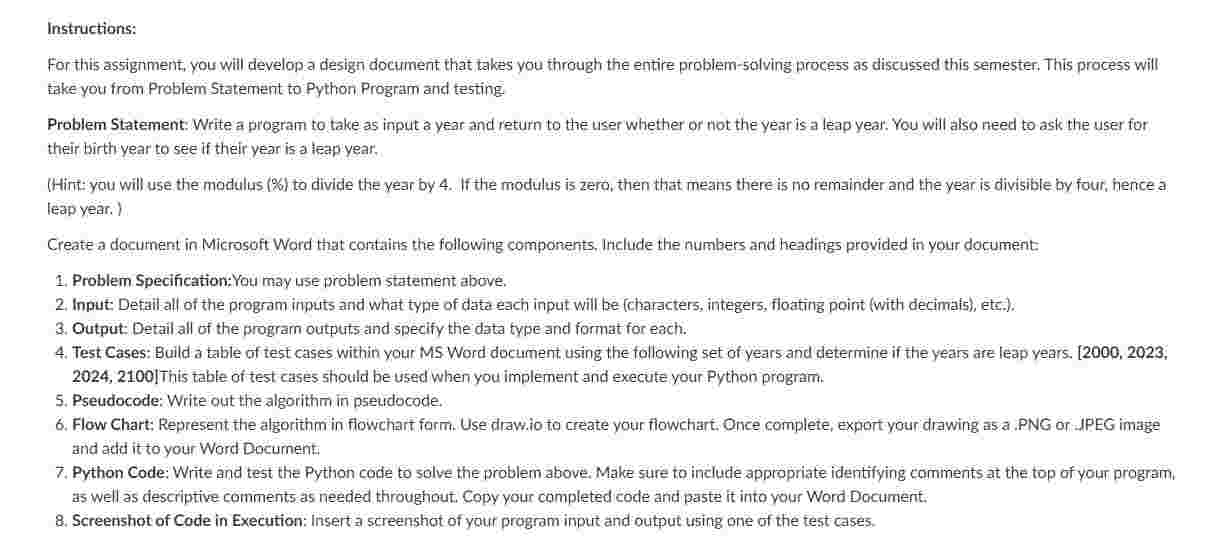
For this assignment, you will develop a design document that takes you through the entire problemsolving process as discussed this semester. This process will take you from Problem Statement to Python Program and testing
Problem Statement: Write a program to take as input a year and return to the user whether or not the year is a leap year. You will also need to ask the user for their birth year to see if their year is a leap year.
Hint:you will use the modulus to divide the year by If the modulus is zero, then that means there is no remainder and the year is divisible by four, hence a leap year.
Create a document in Microsoft Word that contaits the following components, Include the numbers and headings provided in your document:
Problem Specification:You may use problem statement above,
Input: Defailall of the program inputs and what type of data each input will be characters integers, floating point with decimats etc.
Output: Detail all of the program outputs and specify the data type and format for each.
Test Cases: Build a table of test cases within your MS Word document using the following set of years and determine if the years are leap years. This table of test cases should be used when you implement and execute your Python program.
Pseudocode: Write out the algorithm in pseudocode.
Flow Chart; Represent the algorithm in flowchart form. Use drawio to create your flowchart. Once complete, export your drawing as a PNG or JPEG image and add it to your Word Document:
Python Code: Write and test the Python code to solve the problem above. Make sure to include appropriate identifying comments at the top of your program. as well as descriptive comments as needed throughout. Copy your completed code and paste it into your Word Document.
Screenshot of Code in Execution: Insert a screenshot of your program input and output using one of the test cases.
Step by Step Solution
There are 3 Steps involved in it
1 Expert Approved Answer
Step: 1 Unlock

Question Has Been Solved by an Expert!
Get step-by-step solutions from verified subject matter experts
Step: 2 Unlock
Step: 3 Unlock
 Study Help