







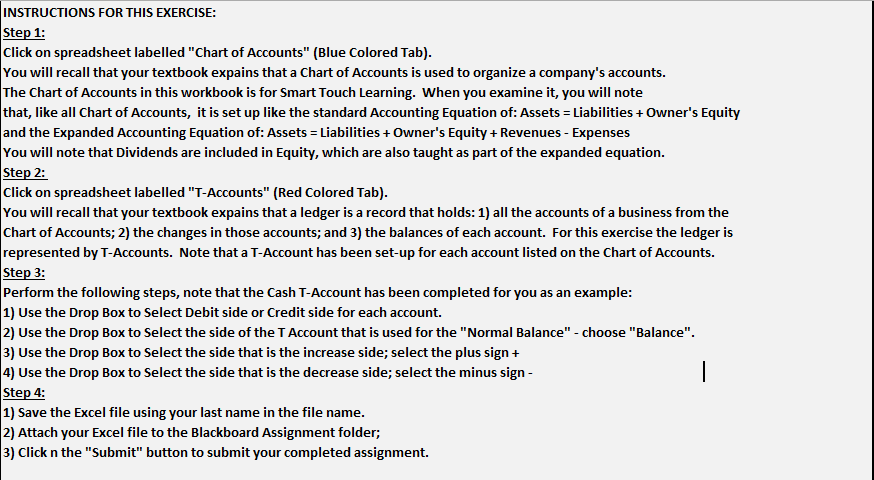
Question: INSTRUCTIONS FOR THIS EXERCISE: Step 1 : Click on spreadsheet labelled Chart of Accounts ( Blue Colored Tab ) . You will recall that your
INSTRUCTIONS FOR THIS EXERCISE:
Step :
Click on spreadsheet labelled "Chart of Accounts" Blue Colored Tab
You will recall that your textbook expains that a Chart of Accounts is used to organize a company's accounts.
The Chart of Accounts in this workbook is for Smart Touch Learning. When you examine it you will note that, like all Chart of Accounts, it is set up like the standard Accounting Equation of: Assets Liabilities Owner's Equity and the Expanded Accounting Equation of: Assets Liabilities Owner's Equity Revenues Expenses
You will note that Dividends are included in Equity, which are also taught as part of the expanded equation.
Step :
Click on spreadsheet labelled TAccounts" Red Colored Tab
You will recall that your textbook expains that a ledger is a record that holds: all the accounts of a business from the Chart of Accounts; the changes in those accounts; and the balances of each account. For this exercise the ledger is represented by TAccounts. Note that a TAccount has been setup for each account listed on the Chart of Accounts.
Step :
Perform the following steps, note that the Cash TAccount has been completed for you as an example:
Use the Drop Box to Select Debit side or Credit side for each account.
Use the Drop Box to Select the side of the T Account that is used for the "Normal Balance" choose "Balance".
Use the Drop Box to Select the side that is the increase side; select the plus sign
Use the Drop Box to Select the side that is the decrease side; select the minus sign
Step :
Save the Excel file using your last name in the file name.
Attach your Excel file to the Blackboard Assignment folder;
Click mathbfn the "Submit" button to submit your completed assignment. INSTRUCTIONS FOR THIS EXERCISE:
Perform the following steps:
Use the Drop Box to Select Debit side or Credit side for each account.
Use the Drop Box to Select the side of the T Account that is used for the "Normal Balance" choose "Balance".
Use the Drop Box to Select the side that is the increase side; select the plus sign
Use the Drop Box to Select the side that is the decrease side; select the minus sign
Save the Excel file using your last name in the file name.
Attach your Excel file to the Blackboard Assignment folder;
Click n the "Submit" button to submit your completed assignment.
Note that the T Account for Cash is given as an example.
Dividends
Service Revenue
A Ledger is a record holding:
all the accounts of a business;
the changes in those accounts;
and their balances.
In this exercise the ledger is represented by T Accounts.
Step by Step Solution
There are 3 Steps involved in it
1 Expert Approved Answer
Step: 1 Unlock

Question Has Been Solved by an Expert!
Get step-by-step solutions from verified subject matter experts
Step: 2 Unlock
Step: 3 Unlock
 Study Help