



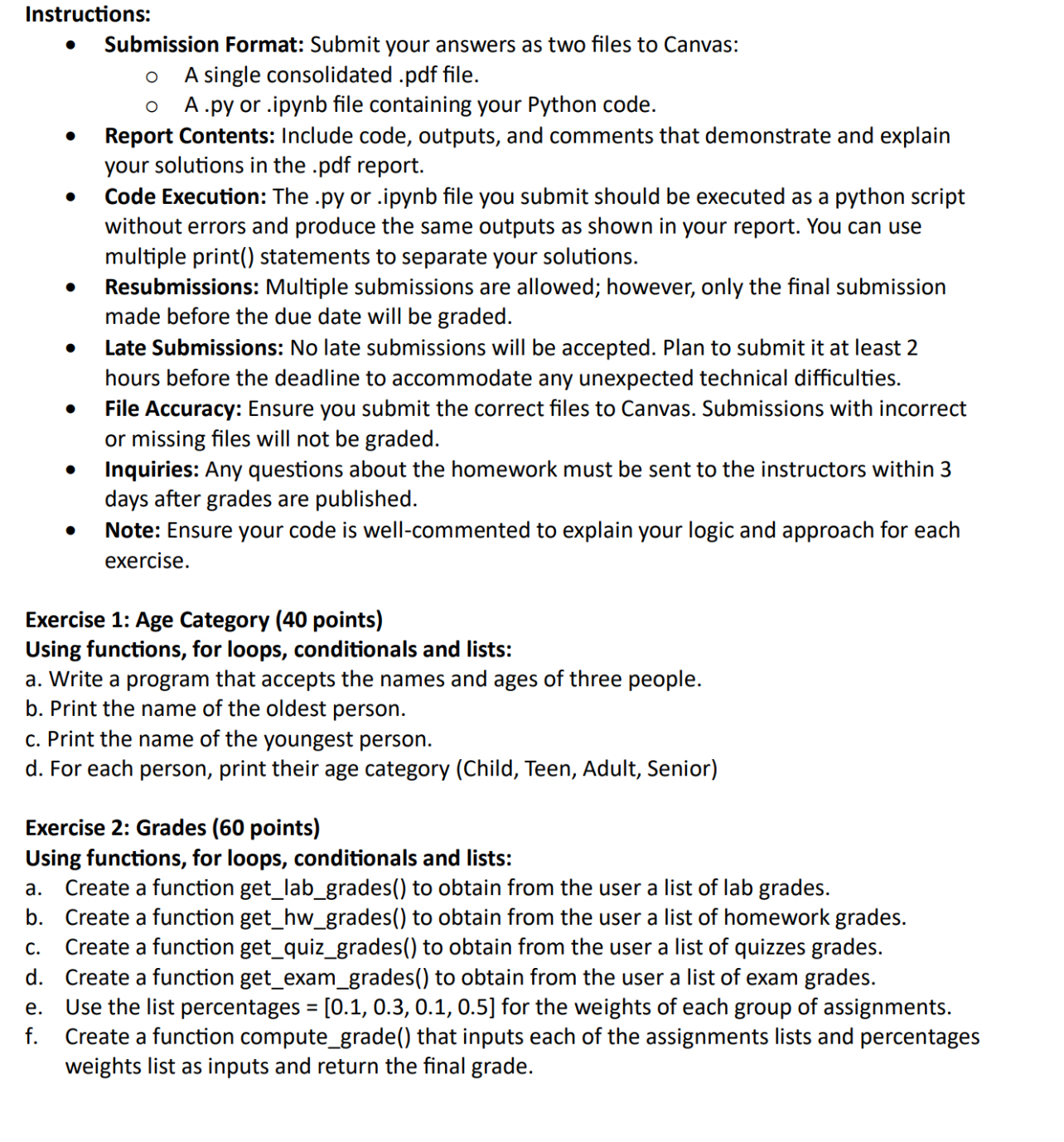
Question: Instructions: Submission Format: Submit your answers as two files to Canvas: A single consolidated . pdf file. A . py or . ipynb file containing
Instructions:
Submission Format: Submit your answers as two files to Canvas:
A single consolidated pdf file.
A py or ipynb file containing your Python code.
Report Contents: Include code, outputs, and comments that demonstrate and explain
your solutions in the pdf report.
Code Execution: The py or ipynb file you submit should be executed as a python script
without errors and produce the same outputs as shown in your report. You can use
multiple print statements to separate your solutions.
Resubmissions: Multiple submissions are allowed; however, only the final submission
made before the due date will be graded.
Late Submissions: No late submissions will be accepted. Plan to submit it at least
hours before the deadline to accommodate any unexpected technical difficulties.
File Accuracy: Ensure you submit the correct files to Canvas. Submissions with incorrect
or missing files will not be graded.
Inquiries: Any questions about the homework must be sent to the instructors within
days after grades are published.
Note: Ensure your code is wellcommented to explain your logic and approach for each
exercise.
Exercise : Age Category points
Using functions, for loops, conditionals and lists:
a Write a program that accepts the names and ages of three people.
b Print the name of the oldest person.
c Print the name of the youngest person.
d For each person, print their age category Child Teen, Adult, Senior
Exercise : Grades points
Using functions, for loops, conditionals and lists:
a Create a function getlabgrades to obtain from the user a list of lab grades.
b Create a function gethwgrades to obtain from the user a list of homework grades.
c Create a function getquizgrades to obtain from the user a list of quizzes grades.
d Create a function getexamgrades to obtain from the user a list of exam grades.
e Use the list percentages for the weights of each group of assignments.
f Create a function computegrade that inputs each of the assignments lists and percentages
weights list as inputs and return the final grade.
Step by Step Solution
There are 3 Steps involved in it
1 Expert Approved Answer
Step: 1 Unlock

Question Has Been Solved by an Expert!
Get step-by-step solutions from verified subject matter experts
Step: 2 Unlock
Step: 3 Unlock