







Question: Instructions Using Microsoft Visio, and your previous diagram ( CodeID _ Networking.vsdx ) , circle the networks on the topology and add network numbers. Step
Instructions
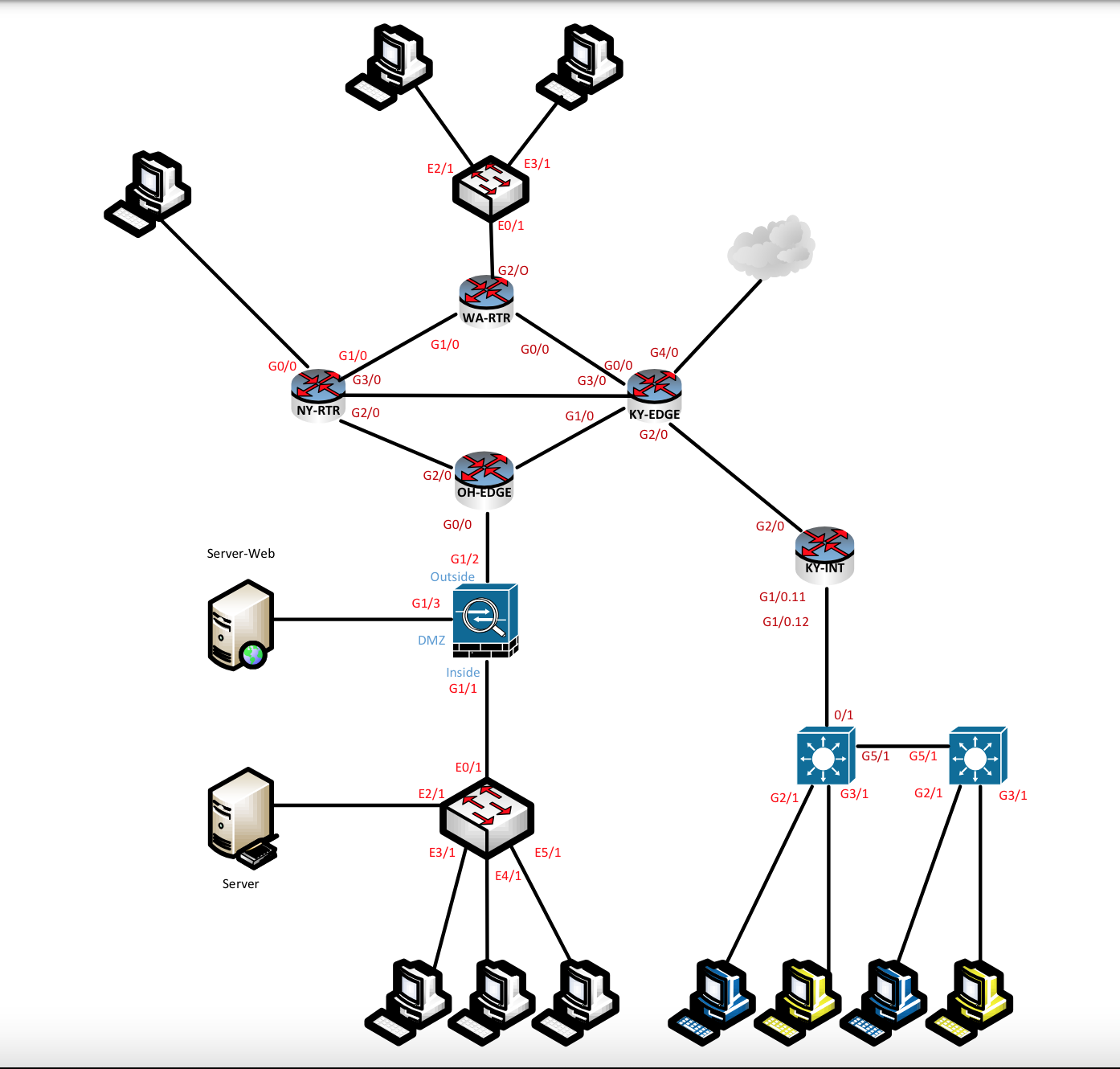
Using Microsoft Visio, and your previous diagram CodeIDNetworking.vsdx circle the networks on the topology and add network numbers.
Step
Circle each network on the diagram. Place the circles on their own layer called Circles Save a PDF of the diagram with the networks circled as CodeIDCircles.pdf ie roseawCircles.pdf Please note: The circles will be messy since you will probably use your mouse. That is OK
Step
After completing Step Add the following network numbers inside the circles in a new layer called Networks:
NYWA link
WALAN
WAKY link
KYInternet link
KYOH link
KYEdge to KYINT link
NYOH link
OHEdge OHASA
NYKY link
DMZ
KYLAN
OHLAN
NYLAN
Step
After you have the numbers added to the networks and have saved the MiamiIDCircles.pdf file, hide the Circles layer. You will then save the file as MiamiIDNetworks.pdf You will submit this file as well. In addition, you will also submit your MiamiIDNetworking.vsdx file.
This is the diagram created from Visio below:
Step by Step Solution
There are 3 Steps involved in it
1 Expert Approved Answer
Step: 1 Unlock

Question Has Been Solved by an Expert!
Get step-by-step solutions from verified subject matter experts
Step: 2 Unlock
Step: 3 Unlock
 Study Help