







Question: Instructions With homework #1, you will perform a webscrape and export the data to CSV using the programming practices we have covered in this module.
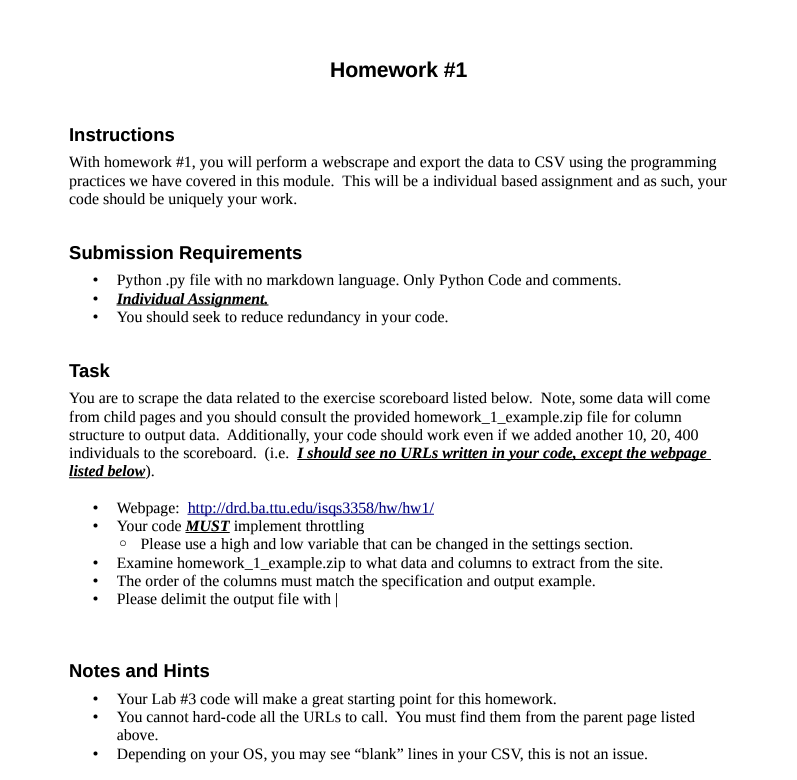
Instructions With homework \#1, you will perform a webscrape and export the data to CSV using the programming practices we have covered in this module. This will be a individual based assignment and as such, your code should be uniquely your work. Submission Requirements - Python .py file with no markdown language. Only Python Code and comments. - Individual Assignment. - You should seek to reduce redundancy in your code. Task You are to scrape the data related to the exercise scoreboard listed below. Note, some data will come from child pages and you should consult the provided homework_1_example.zip file for column structure to output data. Additionally, your code should work even if we added another 10, 20, 400 individuals to the scoreboard. (i.e. I should see no URLs written in your code, except the webpage listed below). - Webpage: http://drd.ba.ttu.edu/isqs3358/hw/hw1/ - Your code MUST implement throttling - Please use a high and low variable that can be changed in the settings section. - Examine homework_1_example.zip to what data and columns to extract from the site. - The order of the columns must match the specification and output example. - Please delimit the output file with | Notes and Hints - Your Lab \#3 code will make a great starting point for this homework. - You cannot hard-code all the URLs to call. You must find them from the parent page listed above. - Depending on your OS, you may see "blank" lines in your CSV, this is not an issue
Step by Step Solution
There are 3 Steps involved in it

Get step-by-step solutions from verified subject matter experts
 Study Help