







Question: Instructions Write a method, public static int insert Sort(ArrayListInteger> list), which implements a insertion sort on the ArrayList of Integer objects list). In addition your
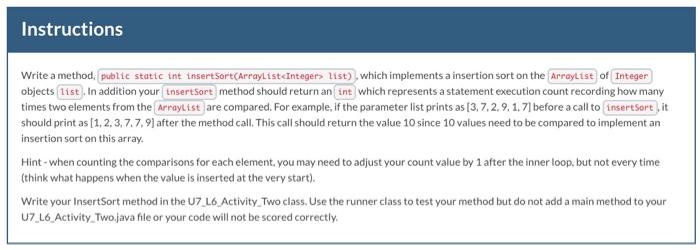
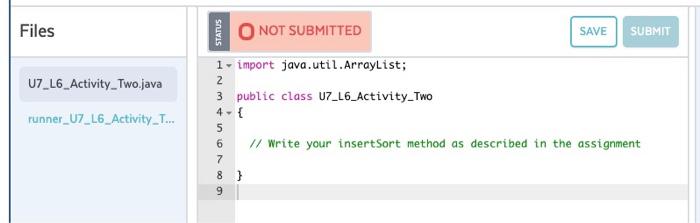
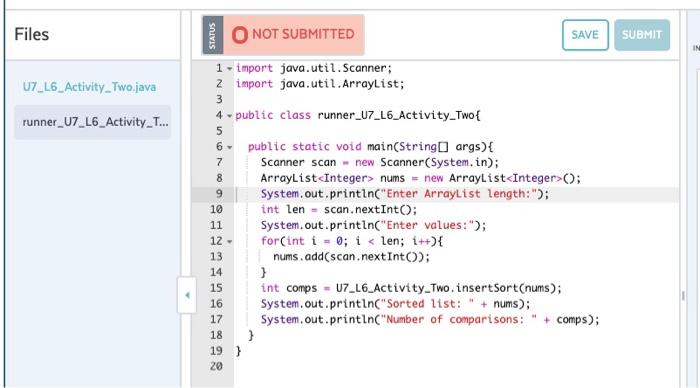
Instructions Write a method, public static int insert Sort(ArrayListInteger> list), which implements a insertion sort on the ArrayList of Integer objects list). In addition your insert Sort method should return an int which represents a statement execution count recording how many times two elements from the ArrayList are compared. For example, if the parameter list prints as [3.7.2.9.1. 7] before a call to insertsortit should print as [1, 2, 3.7.7.9) after the method call. This call should return the value 10 since 10 values need to be compared to implement an insertion sort on this array Hint - when counting the comparisons for each element, you may need to adjust your count value by 1 after the inner loop, but not every time (think what happens when the value is inserted at the very start). Write your InsertSort method in the U7_16 Activity Two class. Use the runner class to test your method but do not add a main method to your U7_L6 Activity Twojava file or your code will not be scored correctly. Files STATUS NOT SUBMITTED SAVE SUBMIT 2 U7_L6_Activity_Two.java runner_U7_L6_Activity_T... 1 - import java.util.ArrayList; 3 public class U7_L6_Activity_Two 4- // Write your insertSort method as described in the assignment 5 6 7 8 ] 9 Files STATUS O NOT SUBMITTED SAVE SUBMIT IN U7_L6_Activity Twojava 3 runner_U7_L6_Activity_T... 1 - import java.util.Scanner; z import java.util.ArrayList; 4. public class runner_U7_L6_Activity-Two { public static void main(String[] args) { Scanner scan - new Scanner(System.in); ArrayList
Step by Step Solution
There are 3 Steps involved in it

Get step-by-step solutions from verified subject matter experts
 Study Help