







Question: Instructions: Write a python code to read an automaton specification file and perform the word processing. Use the dfa examples and give an example of
Instructions: Write a python code to read an automaton specification file and perform the word processing. Use the dfa examples and give an example of a word accepted and a word not accepted
1st image 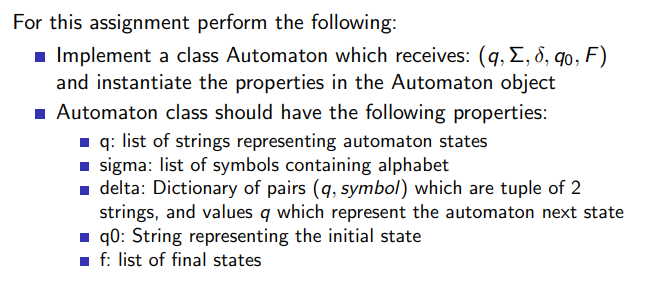
2nd image
3rd image
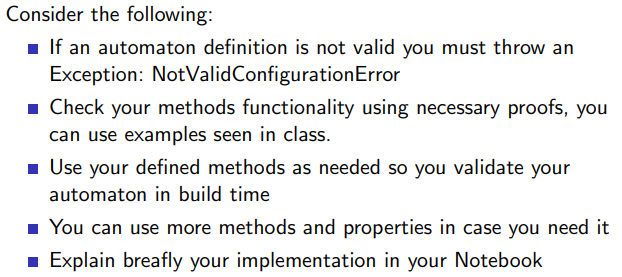
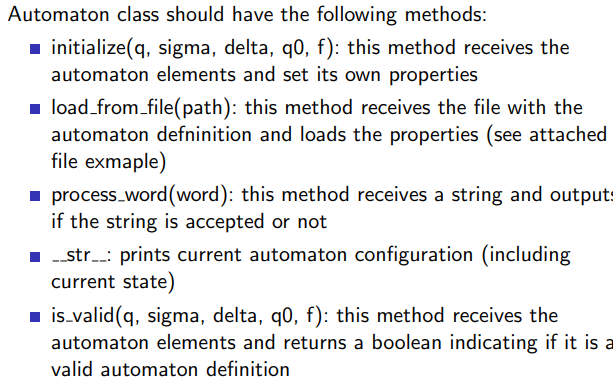
For this assignment perform the following: - Implement a class Automaton which receives: (q,,,q0,F) and instantiate the properties in the Automaton object - Automaton class should have the following properties: q: list of strings representing automaton states sigma: list of symbols containing alphabet delta: Dictionary of pairs (q, symbol ) which are tuple of 2 strings, and values q which represent the automaton next state q0 : String representing the initial state f : list of final states Automaton class should have the following methods: initialize (q, sigma, delta, q0,f) : this method receives the automaton elements and set its own properties - load_from_file(path): this method receives the file with the automaton defninition and loads the properties (see attached file exmaple) - process_word(word): this method receives a string and output if the string is accepted or not __str__: prints current automaton configuration (including current state) is_valid (q, sigma, delta, q0,f) : this method receives the automaton elements and returns a boolean indicating if it is Consider the following: - If an automaton definition is not valid you must throw an Exception: NotValidConfigurationError Check your methods functionality using necessary proofs, you can use examples seen in class. - Use your defined methods as needed so you validate your automaton in build time You can use more methods and properties in case you need it - Explain breafly your implementation in your Notebook
Step by Step Solution
There are 3 Steps involved in it

Get step-by-step solutions from verified subject matter experts
 Study Help