







Question: int main(){ cout cout char c; while (tolower(c = getchar())!='y') { cout cout coutgetName()perimeter()area()volume()getName()perimeter()area()volume() bool nothingInCommon=true; //to check whether they have anything in common (perimeter,
int main(){
cout
cout
char c;
while (tolower(c = getchar())!='y') {
cout
cout
coutgetName()perimeter()area()volume()getName()perimeter()area()volume()
bool nothingInCommon=true;
//to check whether they have anything in common (perimeter, area, volume)
if(shape_1->perimeter()==shape_2->perimeter())
{
nothingInCommon = false;
coutgetName()getName()perimeter()
if(shape_1->area()==shape_2->area()){nothingInCommon = false;
coutgetName()getName()area()
}
if(shape_1->volume()==shape_2->volume()){nothingInCommon = false;coutgetName()getName()volume()
if (nothingInCommon)
coutgetName()getName()
cout
cout
cout
system("pause");
return 0;
}
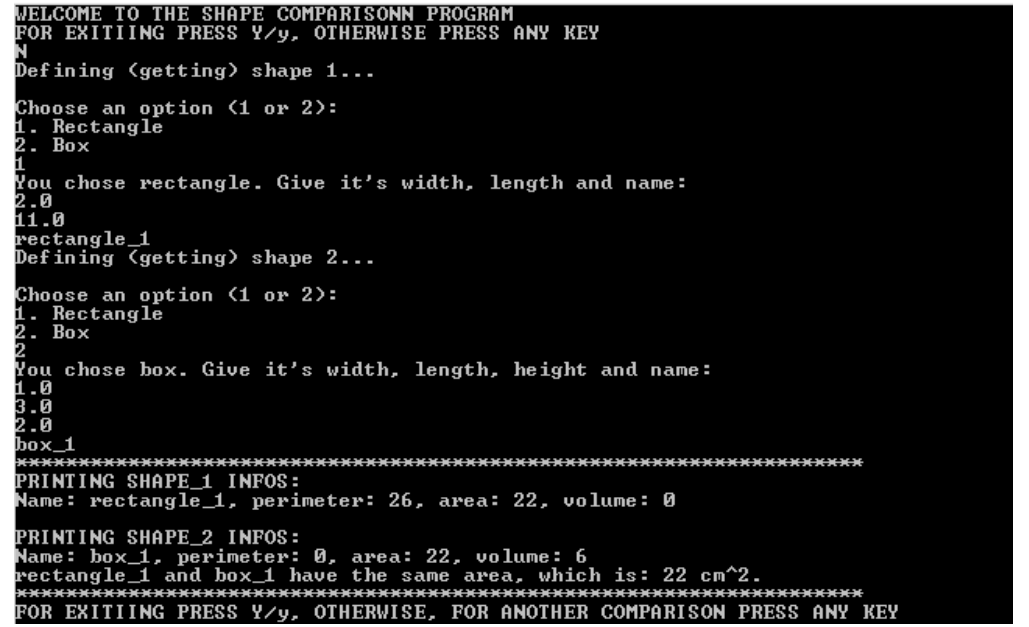
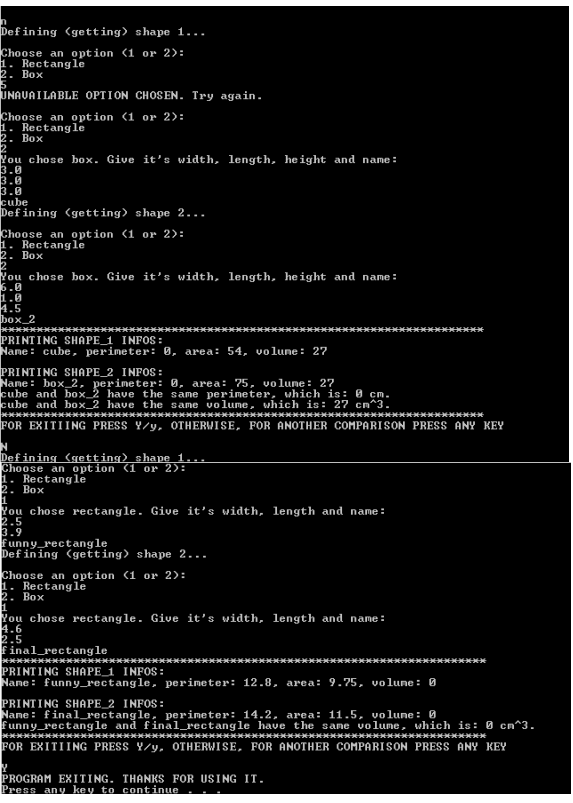
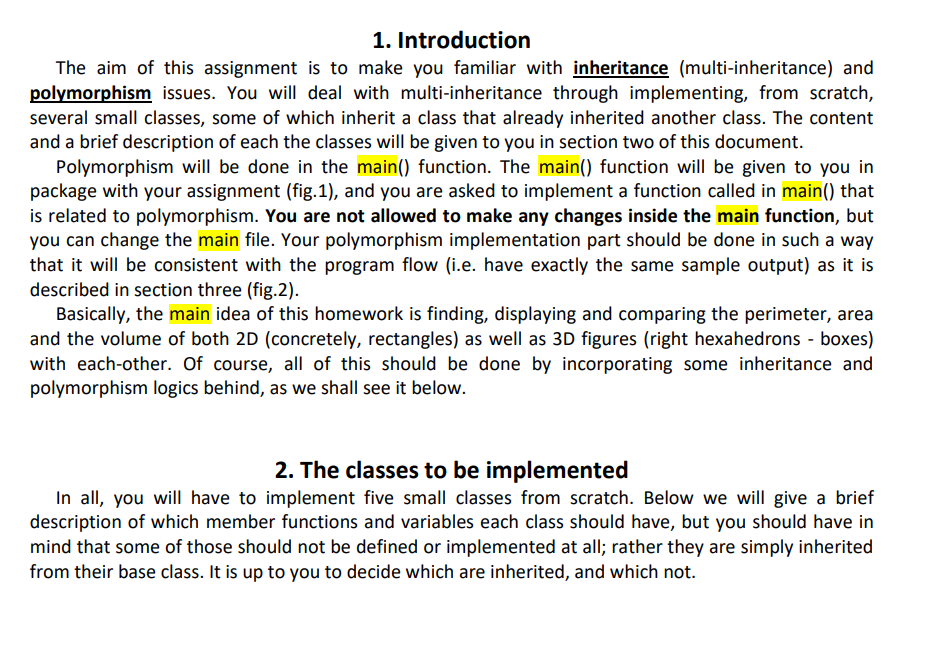
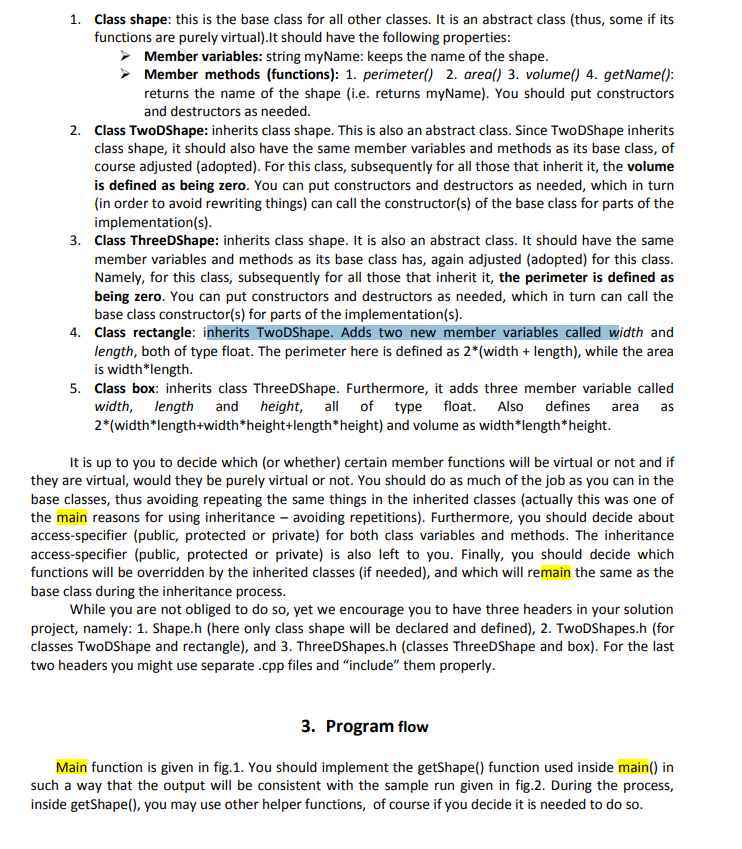
1. Introduction The aim of this assignment is to make you familiar with inheritance (multi-inheritance) and polymorphism issues. You will deal with multi-inheritance through implementing, from scratch, several small classes, some of which inherit a class that already inherited another class. The content and a brief description of each the classes will be given to you in section two of this document. Polymorphism will be done in the main() function. The main() function will be given to you in package with your assignment (fig.1), and you are asked to implement a function called in main() that is related to polymorphism. You are not allowed to make any changes inside the main function, but you can change the main file. Your polymorphism implementation part should be done in such a way that it will be consistent with the program flow (i.e. have exactly the same sample output) as it is described in section three (fig.2). Basically, the main idea of this homework is finding, displaying and comparing the perimeter, area and the volume of both 2D (concretely, rectangles) as well as 3D figures (right hexahedrons - boxes) with each-other. Of course, all of this should be done by incorporating some inheritance and polymorphism logics behind, as we shall see it below. 2. The classes to be implemented In all, you will have to implement five small classes from scratch. Below we will give a brief description of which member functions and variables each class should have, but you should have in mind that some of those should not be defined or implemented at all; rather they are simply inherited from their base class. It is up to you to decide which are inherited, and which not. 1. Class shape: this is the base class for all other classes. It is an abstract class (thus, some if its functions are purely virtual).It should have the following properties: Member variables: string myName: keeps the name of the shape. Member methods (functions): 1. perimeter() 2. areal) 3. volume() 4. getName(): returns the name of the shape (i.e. returns myName). You should put constructors and destructors as needed. 2. Class TwoDShape: inherits class shape. This is also an abstract class. Since TwoDShape inherits class shape, it should also have the same member variables and methods as its base class, of course adjusted (adopted). For this class, subsequently for all those that inherit it, the volume is defined as being zero. You can put constructors and destructors as needed, which in turn (in order to avoid rewriting things) can call the constructor(s) of the base class for parts of the implementation(s). 3. Class ThreeDShape: inherits class shape. It is also an abstract class. It should have the same member variables and methods as its base class has, again adjusted (adopted) for this class. Namely, for this class, subsequently for all those that inherit it, the perimeter is defined as being zero. You can put constructors and destructors as needed, which in turn can call the base class constructor(s) for parts of the implementation(s). 4. Class rectangle: inherits TwoDShape. Adds two new member variables called width and length, both of type float. The perimeter here is defined as 2*(width + length), while the area is width*length. 5. Class box: inherits class ThreeDShape. Furthermore, it adds three member variable called width, length and height, all of type float. Also defines area 2*width*length+width*height+length* height) and volume as width*length* height. as It is up to you to decide which (or whether) certain member functions will be virtual or not and if they are virtual, would they be purely virtual or not. You should do as much of the job as you can in the base classes, thus avoiding repeating the same things in the inherited classes (actually this was one of the main reasons for using inheritance - avoiding repetitions). Furthermore, you should decide about access-specifier (public, protected or private) for both class variables and methods. The inheritance access-specifier (public, protected or private) is also left to you. Finally, you should decide which functions will be overridden by the inherited classes (if needed), and which will remain the same as the base class during the inheritance process. While you are not obliged to do so, yet we encourage you to have three headers in your solution project, namely: 1. Shape.h (here only class shape will be declared and defined), 2. TwoDShapes.h (for classes TwoDShape and rectangle), and 3. ThreeDShapes.h (classes ThreeDShape and box). For the last two headers you might use separate.cpp files and include" them properly. 3. Program flow Main function is given in fig. 1. You should implement the getShape() function used inside main() in such a way that the output will be consistent with the sample run given in fig.2. During the process, inside getShape(), you may use other helper functions, of course if you decide it is needed to do so. WELCOME TO THE SHAPE COMPARISONN PROGRAM FOR EXITIING PRESS Y/y, OTHERWISE PRESS ANY KEY N Defining (getting> shape 1... Choose an option (1 or 2): 1. Rectangle 2. Box i You chose rectangle. Give it's width, length and name : 2.0 11.0 rectangle_1 Defining getting> shape 2... Choose an option (1 or 2): 1. Rectangle 2. Box 2 You chose box. Give it's width, length, height and name : 1.0 3.0 2.0 box_1 ********** ******************* ********************************************* PRINTING SHAPE_1 INFOS : Name : rectangle_1, perimeter: 26, area: 22, volume : 0 PRINTING SHAPE_2 INFOS : Name : box_1, perimeter: 0, area: 22, volume : 6 rectangle 1 and box_1 have the same area, which is: 22 cm^2. *********************************************************************** FOR EXITIING PRESS Y/y, OTHERWISE, FOR ANOTHER COMPARISON PRESS ANY KEY 5 Defining (getting) shape 1... Choose an option
Step by Step Solution
There are 3 Steps involved in it

Get step-by-step solutions from verified subject matter experts
 Study Help