







Question: intel x86 assembly programming. Write a program that calculates the sum of values in a given array using ArraySum Sub procedure Array DWORD 2, 5,
intel x86 assembly programming.
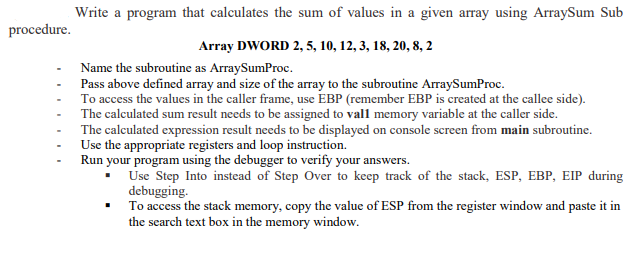
Write a program that calculates the sum of values in a given array using ArraySum Sub procedure Array DWORD 2, 5, 10, 12,3, 18,20,8, 2 Name the subroutine as ArraySumProc Pass above defined array and size of the array to the subroutine ArraySumProc To access the values in the caller frame, use EBP (remember EBP is created at the callee side). - The calculated expression result needs to be displayed on console screen from main subroutine. Use the appropriate registers and loop instruction. Run your program using the debugger to verify your answers. Use Step Into instead of Step Over to keep track of the stack, ESP, EBP, EIP during debugging To access the stack memory, copy the value of ESP from the register window and paste it in the search text box in the memory window Write a program that calculates the sum of values in a given array using ArraySum Sub procedure Array DWORD 2, 5, 10, 12,3, 18,20,8, 2 Name the subroutine as ArraySumProc Pass above defined array and size of the array to the subroutine ArraySumProc To access the values in the caller frame, use EBP (remember EBP is created at the callee side). - The calculated expression result needs to be displayed on console screen from main subroutine. Use the appropriate registers and loop instruction. Run your program using the debugger to verify your answers. Use Step Into instead of Step Over to keep track of the stack, ESP, EBP, EIP during debugging To access the stack memory, copy the value of ESP from the register window and paste it in the search text box in the memory window
Step by Step Solution
There are 3 Steps involved in it

Get step-by-step solutions from verified subject matter experts
 Study Help