







Question: Interface and Polymorphism Practice This section covers interfaces as well as polymorphism. Robot Create an abstract class in the com.day3.practice1 package called Robot. Add methods
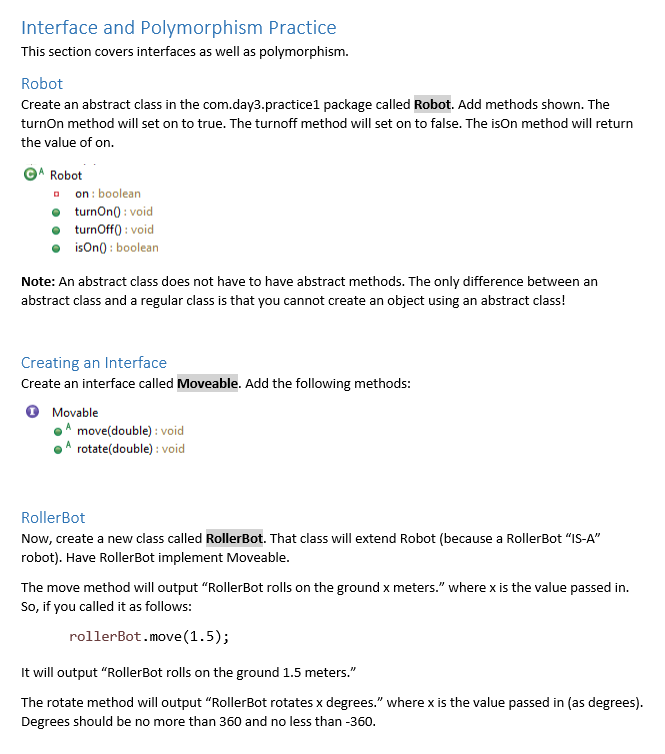
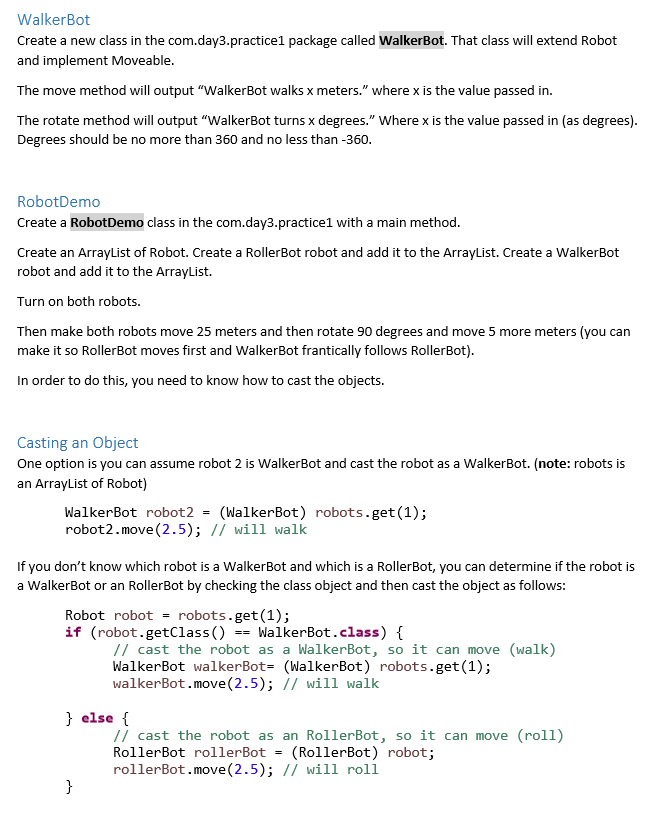
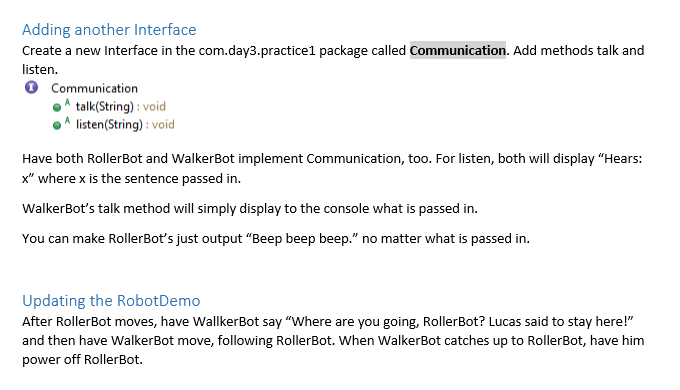
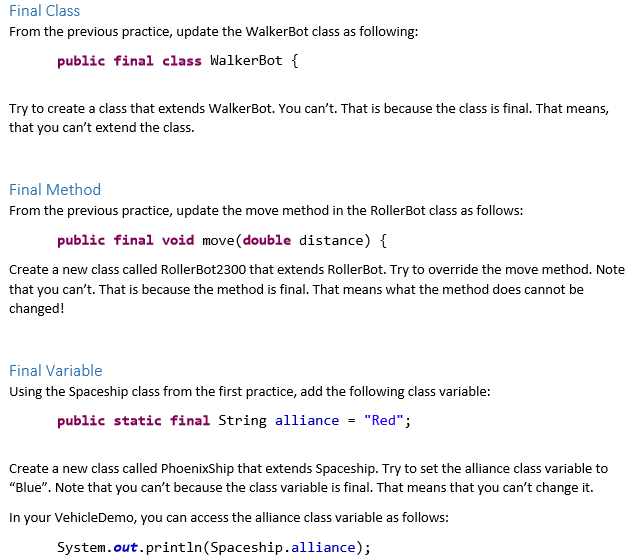
Interface and Polymorphism Practice This section covers interfaces as well as polymorphism. Robot Create an abstract class in the com.day3.practice1 package called Robot. Add methods shown. The turnon method will set on to true. The turnoff method will set on to false. The ison method will return the value of on. Robot on: boolean turnOn(): void turnOff(): void isOn): boolean Note: An abstract class does not have to have abstract methods. The only difference between an abstract class and a regular class is that you cannot create an object using an abstract class! Creating an Interface Create an interface called Moveable. Add the following methods: O Movable move(double): void A rotate(double): void RollerBot Now, create a new class called RollerBot. That class will extend Robot (because a RollerBot "IS-A" robot). Have RollerBot implement Moveable. The move method will output "RollerBot rolls on the ground x meters." where x is the value passed in. So, if you called it as follows: rollerBot.move(1.5); It will output "RollerBot rolls on the ground 1.5 meters." The rotate method will output "RollerBot rotates x degrees." where x is the value passed in (as degrees). Degrees should be no more than 360 and no less than-360. WalkerBot Create a new class in the com.day3.practicel package called WalkerBot. That class will extend Robot and implement Moveable. The move method will output "WalkerBot walks x meters." where x is the value passed in. The rotate method will output "WalkerBot turns x degrees." Where x is the value passed in (as degrees). Degrees should be no more than 360 and no less than - 360. RobotDemo Create a RobotDemo class in the com.day3.practicel with a main method. Create an ArrayList of Robot. Create a RollerBot robot and add it to the ArrayList. Create a WalkerBot robot and add it to the ArrayList. Turn on both robots. Then make both robots move 25 meters and then rotate 90 degrees and move 5 more meters (you can make it so RollerBot moves first and WalkerBot frantically follows RollerBot). In order to do this, you need to know how to cast the objects. Casting an Object One option is you can assume robot 2 is WalkerBot and cast the robot as a WalkerBot. (note: robots is an ArrayList of Robot) WalkerBot robot2 (WalkerBot) robots.get(1); robot2.move(2.5); // will walk If you don't know which robot is a WalkerBot and which is a RollerBot, you can determine if the robot is a WalkerBot or an RollerBot by checking the class object and then cast the object as follows: Robot robot = robots.get(1); if (robot.getClass() == WalkerBot.class) { // cast the robot as a WalkerBot, so it can move (walk) WalkerBot walkerBot= (WalkerBot) robots.get(1); walkerBot.move(2.5); // will walk } else { Il cast the robot as an RollerBot, so it can move (roll) RollerBot rollerBot (RollerBot) robot; rollerBot.move(2.5); // will roll } Adding another Interface Create a new Interface in the com.day3.practicel package called Communication. Add methods talk and listen. O Communication talk(String):void listen(String): void Have both RollerBot and WalkerBot implement Communication, too. For listen, both will display "Hears: x" where x is the sentence passed in. WalkerBot's talk method will simply display to the console what is passed in. You can make RollerBot's just output "Beep beep beep." no matter what is passed in. Updating the Robot Demo After RollerBot moves, have WallkerBot say "Where are you going, RollerBot? Lucas said to stay here!" and then have WalkerBot move, following RollerBot. When WalkerBot catches up to RollerBot, have him power off RollerBot. Final Class From the previous practice, update the WalkerBot class as following: public final class WalkerBot { Try to create a class that extends WalkerBot. You can't. That is because the class is final. That means, that you can't extend the class. Final Method From the previous practice, update the move method in the RollerBot class as follows: public final void move( double distance) { Create a new class called RollerBot2300 that extends RollerBot. Try to override the move method. Note that you can't. That is because the method is final. That means what the method does cannot be changed! Final Variable Using the Spaceship class from the first practice, add the following class variable: public static final String alliance = "Red"; Create a new class called PhoenixShip that extends Spaceship. Try to set the alliance class variable to "Blue". Note that you can't because the class variable is final. That means that you can't change it. In your VehicleDemo, you can access the alliance class variable as follows: System.out.println(Spaceship.alliance)
Step by Step Solution
There are 3 Steps involved in it

Get step-by-step solutions from verified subject matter experts
 Study Help