





Question: // **************************************************************** // IntList.java // // An (unsorted) integer list class with a method to add an // integer to the list and a toString
 // **************************************************************** // IntList.java // // An (unsorted) integer list class

// ****************************************************************

// IntList.java

//

// An (unsorted) integer list class with a method to add an

// integer to the list and a toString method that returns the contents

// of the list with indices.

//

// ****************************************************************

public class IntList

{

protected int[] list;

protected int numElements = 0;

//-------------------------------------------------------------

// Constructor -- creates an integer list of a given size.

//-------------------------------------------------------------

public IntList(int size)

{

list = new int[size];

}

//------------------------------------------------------------

// Adds an integer to the list. If the list is full,

// prints a message and does nothing.

//------------------------------------------------------------

public void add(int value)

{

if (numElements == list.length) System.out.println("Can't add, list is full");

else

{

list[numElements] = value;

numElements++;

}

}

//-------------------------------------------------------------

// Returns a string containing the elements of the list with their

// indices.

//-------------------------------------------------------------

public String toString()

{

String returnString = "";

for (int i=0; i

returnString += i + ": " + list[i] + " ";

return returnString;

}

}

// ***************************************************************

// ListTest.java

//

// A simple test program that creates an IntList, puts some

// ints in it, and prints the list.

//

// ***************************************************************

public class ListTest

{

public static void main(String[] args)

{

IntList myList = new IntList(10);

myList.add(100);

myList.add(50);

myList.add(200);

myList.add(25);

System.out.println(myList);

}

}

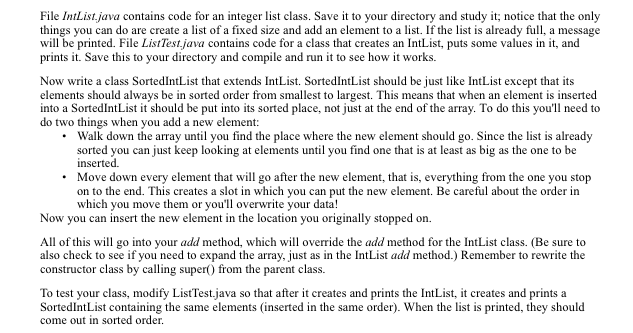
File IntList,java contains code for an integer list class. Save it to your directory and study it, notice that the only things you can do are create a list of a fixed size and add an element to a list. If the list is already full, a message will be printed. File ListTest,java contains code for a class that creates an IntList, puts some values in it, and prints it. Save this to your directory and compile and run it to see how it works. Now write a class SortedlntList that extends IntList. SortedlntList should be just like IntList except that its elements should always be in sorted order from smallest to largest. This means that when an element is inserted into a SortedlntList it should be put into its sorted place, not just at the end of the array. To do this you'll need to do two things when you add a new element: Walk down the array until you find the place where the new element should go. Since the list is already sorted you can just keep looking at elements until you find one that is at least as big as the one to be inserted. Move down every element that will go after the new element, that is, everything from the one you stop on to the end. This creates a slot in which you can put the new element. Be careful about the order in which you move them or you'll overwrite your data! Now you can insert the new element in the location you originally stopped on All of this will go into your add method, which will override the add method for the IntList class. (Be sure to also check to see if you need to expand the array, just as in the IntList add method.) Remember to rewrite the constructor class by calling super() from the parent class To test your class, modify ListTestjava so that after it creates and prints the IntList, it creates and prints a SortedlntList containing the same elements (inserted in the same order). When the list is printed, they should come out in sorted order

Step by Step Solution

There are 3 Steps involved in it

1 Expert Approved Answer
Step: 1 Unlock blur-text-image
Question Has Been Solved by an Expert!

Get step-by-step solutions from verified subject matter experts

Step: 2 Unlock
Step: 3 Unlock

Students Have Also Explored These Related Databases Questions!