







Question: Intro to computer graphics (OpenGL) please solve them all from 1 to 7 all is one question important note (need it one full code including
![screen size is width =640 and height =480. The domain of x[0,3.454].](https://dsd5zvtm8ll6.cloudfront.net/si.experts.images/questions/2024/09/66f38b19e5c02_88966f38b1984d35.jpg)
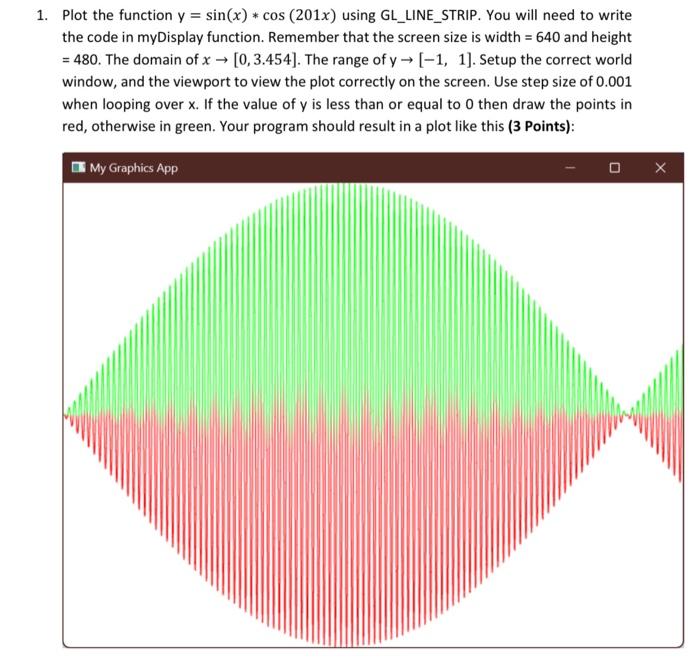
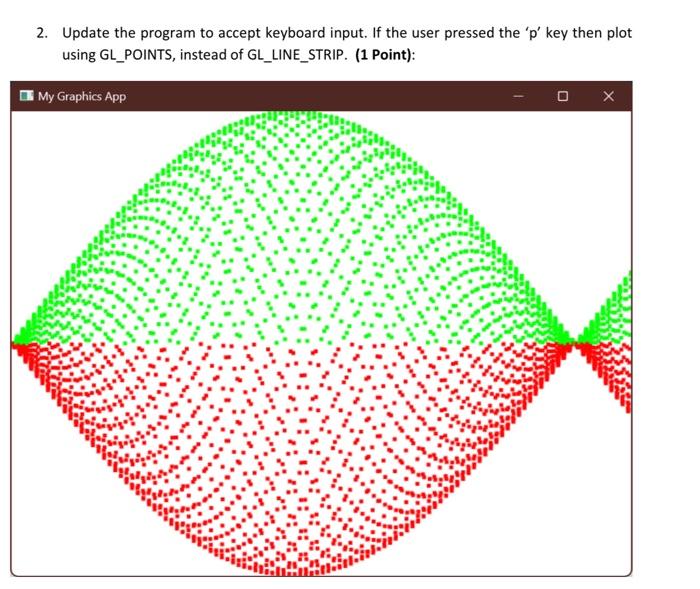
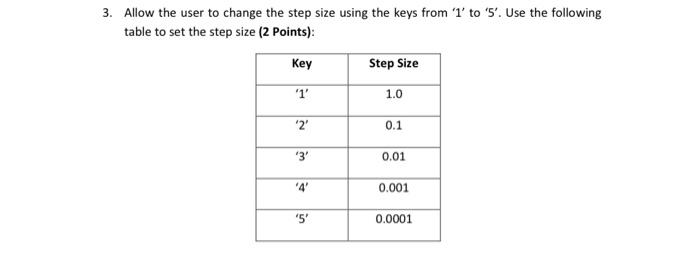
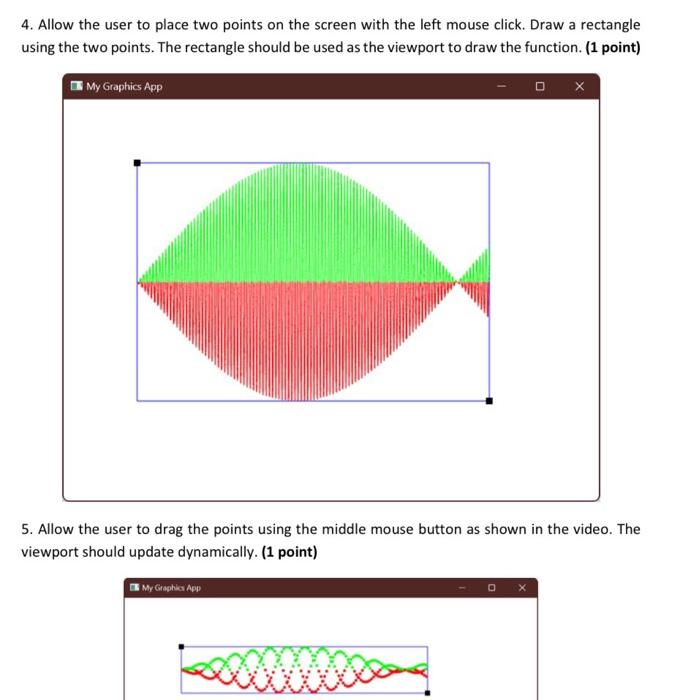
Plot the function y=sin(x)cos(201x) using GL_LINE_STRIP. You will need to write the code in myDisplay function. Remember that the screen size is width =640 and height =480. The domain of x[0,3.454]. The range of y[1,1]. Setup the correct world window, and the viewport to view the plot correctly on the screen. Use step size of 0.001 when looping over x. If the value of y is less than or equal to 0 then draw the points in red, otherwise in green. Your program should result in a plot like this ( 3 Points): 2. Update the program to accept keyboard input. If the user pressed the ' p ' key then plot using GL_POINTS, instead of GL_LINE_STRIP. (1 Point): Allow the user to change the step size using the keys from ' 1 ' to ' 5 '. Use the following table to set the step size (2 Points): 4. Allow the user to place two points on the screen with the left mouse click. Draw a rectangle using the two points. The rectangle should be used as the viewport to draw the function. (1 point) 5. Allow the user to drag the points using the middle mouse button as shown in the video. The viewport should update dynamically. (1 point) 6. Allow the user to pan the drawing up, down, left, and right with 0.2 per key press using ' w ', 's', ' a ', and ' d ' respectively. Additionally, allow the user to zoom out and zoom in using the ' q ' and ' e ' keys respectively. The scaling should be reduced by 0.2 Aspect Ratio in the width, and 0.2 in the height. (1 point) x 7. Pressing the ' x ' key will clear the viewport, and the function will go full screen. (1 point)
Step by Step Solution
There are 3 Steps involved in it

Get step-by-step solutions from verified subject matter experts
 Study Help