







Question: Intro to java class. Please make it as simple as possible as I am trying to learn. Book Class is pasted below. Any help greatly
Intro to java class. Please make it as simple as possible as I am trying to learn. Book Class is pasted below. Any help greatly appreciated.
public class Bookk { private int pages; private String title;
public Bookk(int pages,String title){ this.pages=pages; this.title=title; }
public String getTitle(){ return this.title; }
public int getPages(){ return this.pages; }
public void setTitle(String title){ this.title=title; }
public void setPages(int pages){ this.pages=pages; }
public String toString(){ return "pages="+pages+"title="+title; }
public boolean equals(Bookk b){ if(pages == b.pages && title.equals(b.title)) return true; else return false; }
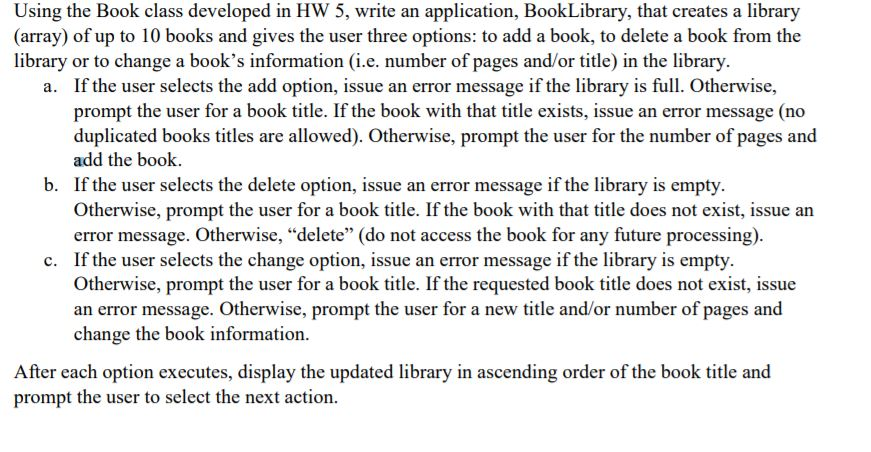
public int compareTo(Bookk b){ if(pages Using the Book class developed in HW 5, write an application, BookLibrary, that creates a library (array) of up to 10 books and gives the user three options: to add a book, to delete a book from the library or to change a book's information (i.e. number of pages and/or title) in the library If the user selects the add option, issue an error message if the library is full. Otherwise, prompt the user for a book title. If the book with that title exists, issue an error message (no duplicated books titles are allowed). Otherwise, prompt the user for the number of pages and add the book. If the user selects the delete option, issue an error message if the library is empty. Otherwise, prompt the user for a book title. If the book with that title does not exist, issue an error message. Otherwise, "delete" (do not access the book for any future processing) If the user selects the change option, issue an error message if the library is empty. Otherwise, prompt the user for a book title. If the requested book title does not exist, issue an error message. Otherwise, prompt the user for a new title and/or number of pages and change the book information. a. b. c. After each option executes, display the updated library in ascending order of the book title and prompt the user to select the next action
Step by Step Solution
There are 3 Steps involved in it

Get step-by-step solutions from verified subject matter experts
 Study Help