







Question: Introduction: In this project you will be making a game like the popular game connect 4. If you are not familiar with connect 4, please
Introduction:
In this project you will be making a game like the popular game connect 4. If you are not familiar with connect 4, please look it up first. This game is different; it can be any width, any height, have more than 2 players. In the traditional game, you need 4 in a row to win. In this game, you need X, where is a number chosen at the start, Hence the name connect X.
Task:
This project is divided into 2 parts. Firstly, you will need to write the underlying game logic. This will be the ConnectX class. It will keep track of which player has placed markers in which cells. The terms markers or tokens represent a player putting their piece into a cell. The ConnectX class will also need to be able to determine if a player has won or not. A player wins if they have X consecutive pieces in a row or column. Unlike regular connect 4, we are not checking diagonals.
The second part is build a graphic interface that allows the user to play the game. When someone clicks on the game, it should add a marker to the top most empty space in the column that was clicked on. You should also include a reset button to reset the game, and display a message when a player wins. You are welcome to customize the appearance of your game however you like.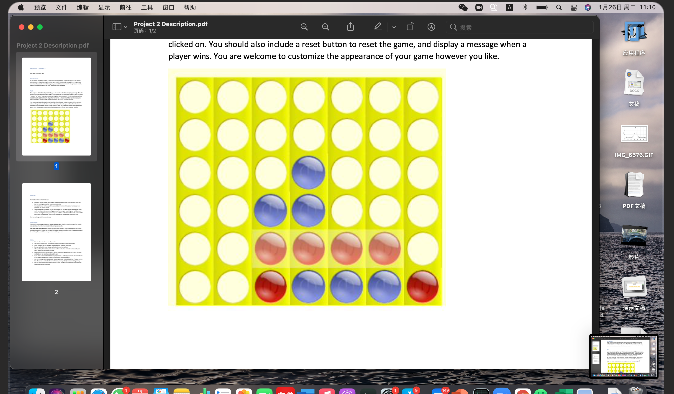
Your code will be marked in 3 ways.
ConnectX will be marked according to how many tests it passes. You are given some tests, but the marking tests will be much more extensive.
ConnectXDrawer will be visually inspected. Each method will be tested to make sure it produces the correct visuals.
Your code will be marked on clarity. Clarity marks are lost when you write code that might work, but doesnt obey best coding practices. For example, not giving your variables good names, or using the wrong type of loop. You will start with 20 marks for clarity and lose 2 for each clarity mistake made. You can only be penalized for each type of mistake once.
See the marking rubric for more details.
. =H QAR 11:10 Project 2 Description pdf C Project Description.at 3:12 clicked an. You should also indude a reset button to reset the game, and display a message when a player wirs. You are welcome to customize the appearance of your gare however you like. IHC_6373.GIF Por EL
Step by Step Solution
There are 3 Steps involved in it

Get step-by-step solutions from verified subject matter experts
 Study Help