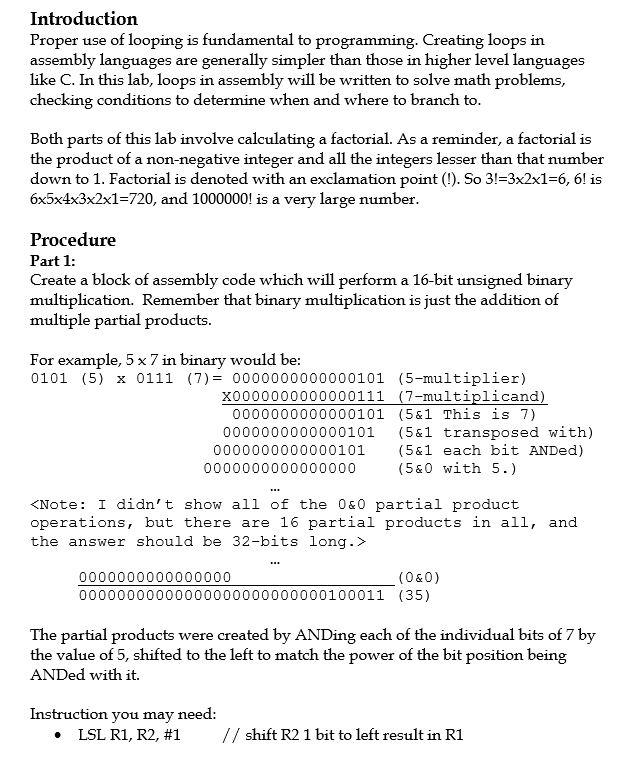
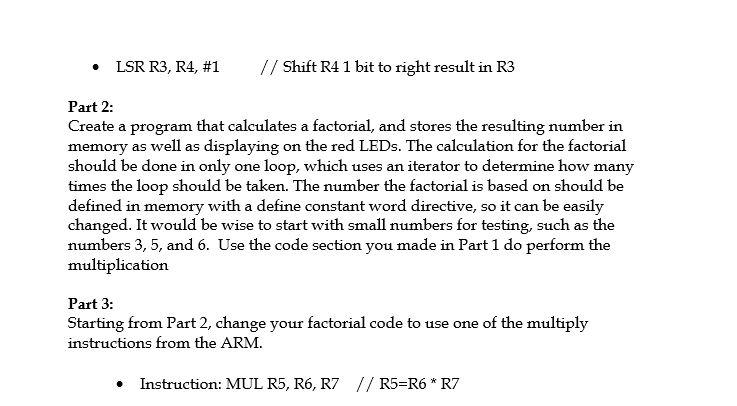
Introduction Proper use of looping is fundamental to programming. Creating loops in assembly languages are generally simpler than those in higher level languages like C. In this lab, loops in assembly will be written to solve math problems, checking conditions to determine when and where to branch to. Both parts of this lab involve calculating a factorial. As a reminder, a factorial is the product of a non-negative integer and all the integers lesser than that number down to 1. Factorial is denoted with an exclamation point (!). So 3!=3x2x1=6, 6! is 6x5x4x3x2x1=720, and 1000000! is a very large number. Procedure Part 1: Create a block of assembly code which will perform a 16-bit unsigned binary multiplication. Remember that binary multiplication is just the addition of multiple partial products. For example, 5 x 7 in binary would be: 0101 (5) x 0111 (7) = 0000000000000101 (5-multiplier) x0000000000000111 (7-multiplicand) 0000000000000101 (5&1 This is 7) 0000000000000101 (5&1 transposed with) 0000000000000101 (5&1 each bit ANDed) 0000000000000000 (5&O with 5.) EL. 0000000 00000000 0000000 (O&O) 00000000000000000100011 (35) The partial products were created by ANDing each of the individual bits of 7 by the value of 5, shifted to the left to match the power of the bit position being ANDed with it. Instruction you may need: LSL R1, R2, #1 // shift R2 1 bit to left result in R1 LSR R3, R4, #1 // Shift R4 1 bit to right result in R3 Part 2: Create a program that calculates a factorial, and stores the resulting number in memory as well as displaying on the red LEDs. The calculation for the factorial should be done in only one loop, which uses an iterator to determine how many times the loop should be taken. The number the factorial is based on should be defined in memory with a define constant word directive, so it can be easily changed. It would be wise to start with small numbers for testing, such as the numbers 3, 5, and 6. Use the code section you made in Part 1 do perform the multiplication Part 3: Starting from Part 2, change your factorial code to use one of the multiply instructions from the ARM. Instruction: MUL R5, R6, R7 // R5=R6 * R7 Introduction Proper use of looping is fundamental to programming. Creating loops in assembly languages are generally simpler than those in higher level languages like C. In this lab, loops in assembly will be written to solve math problems, checking conditions to determine when and where to branch to. Both parts of this lab involve calculating a factorial. As a reminder, a factorial is the product of a non-negative integer and all the integers lesser than that number down to 1. Factorial is denoted with an exclamation point (!). So 3!=3x2x1=6, 6! is 6x5x4x3x2x1=720, and 1000000! is a very large number. Procedure Part 1: Create a block of assembly code which will perform a 16-bit unsigned binary multiplication. Remember that binary multiplication is just the addition of multiple partial products. For example, 5 x 7 in binary would be: 0101 (5) x 0111 (7) = 0000000000000101 (5-multiplier) x0000000000000111 (7-multiplicand) 0000000000000101 (5&1 This is 7) 0000000000000101 (5&1 transposed with) 0000000000000101 (5&1 each bit ANDed) 0000000000000000 (5&O with 5.) EL. 0000000 00000000 0000000 (O&O) 00000000000000000100011 (35) The partial products were created by ANDing each of the individual bits of 7 by the value of 5, shifted to the left to match the power of the bit position being ANDed with it. Instruction you may need: LSL R1, R2, #1 // shift R2 1 bit to left result in R1 LSR R3, R4, #1 // Shift R4 1 bit to right result in R3 Part 2: Create a program that calculates a factorial, and stores the resulting number in memory as well as displaying on the red LEDs. The calculation for the factorial should be done in only one loop, which uses an iterator to determine how many times the loop should be taken. The number the factorial is based on should be defined in memory with a define constant word directive, so it can be easily changed. It would be wise to start with small numbers for testing, such as the numbers 3, 5, and 6. Use the code section you made in Part 1 do perform the multiplication Part 3: Starting from Part 2, change your factorial code to use one of the multiply instructions from the ARM. Instruction: MUL R5, R6, R7 // R5=R6 * R7




